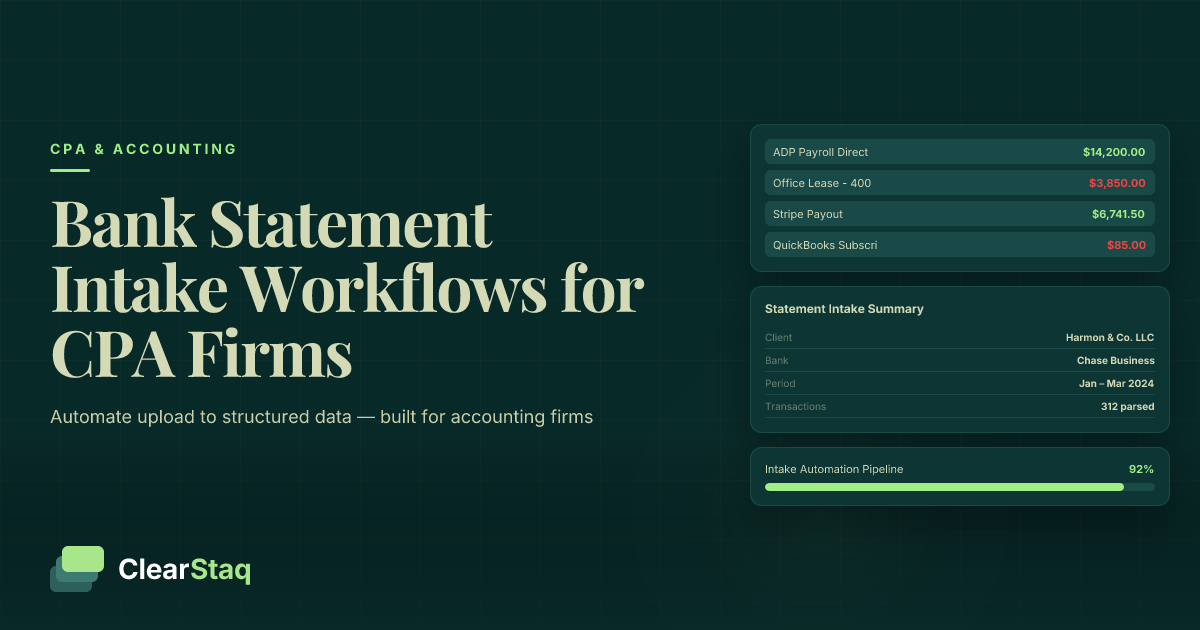
An automated bank statement intake workflow for accounting firms connects a client-facing submission layer to a parsing API that extracts structured data, validates document formats, and routes results to client records — eliminating manual handling at every step. ClearStaq's API supports 900+ bank formats, processes native PDFs and scanned images, and fires webhook callbacks to trigger downstream actions in real time.
What you'll learn
- Manual bank statement processing takes 20–45 minutes per document; API-based automation completes the same task in seconds regardless of bank format or document type.
- A modern intake pipeline operates across four layers — submission, ingestion, extraction, and downstream routing — with no human involvement between upload and structured output.
- Passing a client_id at submission time is the single most important step for preventing multi-client routing errors in high-volume accounting firm workflows.
- Webhook callbacks deliver parsed results in real time and eliminate polling overhead, making them essential for batch processing during peak tax season.
- The intake layer can serve as a fraud prevention gate by routing documents with manipulation signals to a compliance queue before any data reaches client records.
An automated bank statement intake workflow for accounting firms connects a client-facing submission layer to a parsing API that extracts structured data, validates document formats, and routes results to client records — eliminating manual handling at every step. ClearStaq's accounting firm bank statement API supports 900+ bank formats, processes native PDFs and scanned images, and fires webhook callbacks to trigger downstream actions in real time.
Why Client Bank Statement Intake Is Still a Bottleneck for Most Accounting Firms
Ask any CPA how they collect bank statements from clients and you'll get the same answer: email attachments, shared drives, or a client portal that dumps files into a folder. The collection step is semi-solved. Everything after it is still manual.
According to AICPA survey data, accounting firms cite document collection and processing as the single largest time sink in their client workflows. A firm with 200 active clients doesn't have a document problem — it has a data extraction problem at scale. During tax season, that problem compounds daily.
Understanding how CPAs can automate bank statement processing reveals that individual-level time savings of 10+ hours per week translate to significant firm-wide ROI — but only when automation addresses the full pipeline, not just the collection step.
The Gap Between Document Collection and Data Extraction
Most firms have already solved the collection problem. They have a portal. Clients upload files. Documents arrive.
The bottleneck lives in what happens next: a staff accountant opens the PDF, reads through transactions line by line, and manually keys figures into the practice management system or accounting software. That step — the one nobody talks about — is where time disappears.
Structured data extraction is the missing layer. It's the process that converts an uploaded PDF from a file into usable accounting records. Without it, a portal is just a better-organized inbox.
What Manual Intake Actually Costs a Mid-Size Firm
Processing a single bank statement manually takes a trained accountant between 20 and 45 minutes, depending on statement length and bank format complexity. Multiply that across a client roster of 150 clients, each submitting two to three months of statements, and you're looking at hundreds of staff hours before any advisory work begins.
The hidden costs compound the problem. Miskeyed figures, version mix-ups when a client resubmits a corrected statement, and missed transactions all create downstream bookkeeping errors that take additional hours to reconcile. The CPA Journal has documented consistently that data entry errors in manually processed documents represent a disproportionate share of review and correction time in mid-size practices.
Automated intake doesn't just save time on the first pass. It eliminates an entire category of error that firms currently budget time to fix.
What a Modern API-Driven Intake Workflow Looks Like
The architecture competitors describe — a portal where clients upload files that land in a folder — is a storage model. It solves one problem and ignores three others. A modern intake workflow treats the bank statement as a data source, not a file.
The full pipeline runs across four layers: submission, ingestion, extraction, and routing. A client submits a document through a branded upload form or secure link. The ClearStaq API receives the file, detects its format, and queues it for processing. The parsing engine extracts structured data and returns a JSON payload. A webhook fires immediately, triggering the downstream system — a practice management platform, accounting software, or custom client record — to update automatically.
No human touches the file between upload and the point where structured, verified data appears in the firm's system.
The Four Layers of an Automated Intake Pipeline
Each layer handles a distinct responsibility. Understanding them separately makes the build straightforward and makes troubleshooting much easier when something breaks.
- Layer 1 — Client-facing submission: The interface clients use to upload documents. This can be a branded form, a secure upload link, or an email-to-API bridge. It captures metadata (client ID, statement period) at the moment of submission.
- Layer 2 — API ingestion and validation: The ClearStaq API receives the file, detects whether it's a native PDF, scanned image, or CSV export, and routes it to the appropriate processing path. Format validation and pre-processing happen here, invisibly.
- Layer 3 — Parsing and structured data extraction: The parsing engine extracts transaction lists, account balances, statement periods, and summary metrics, returning a consistent JSON schema regardless of the source bank or document format.
- Layer 4 — Downstream routing: Webhooks fire on completion, carrying the parsed data reference and client ID. The receiving system uses these to populate client records, notify assigned team members, or route flagged documents to a review queue.
Who This Workflow Is For
This tutorial is written for CPA firms and bookkeeping practices with 50 or more active clients — the point at which manual intake starts generating measurable capacity constraints. It assumes a developer or technical operations person handles the initial setup. Ongoing maintenance is minimal once the pipeline is running.
If your firm isn't ready for API integration yet, building a client bank statement portal for your CPA firm is a no-code starting point that solves the collection problem while you plan the full automation build. Smaller firms often start there and migrate to an API-driven flow as client volume grows.
For firms operating at scale, the batch processing capability described in Step 5 handles 100+ simultaneous submissions during peak season without queue timeouts.
{
  "status": "success",
  "fraud_score": 57,
  "transactions": 47,
  "bank": "Chase",
  "processing_time_ms": 238
}Step 1: Build the Client-Facing Submission Layer
The submission layer is the only part of this workflow your clients ever see. It needs to be simple enough that a non-technical client completes it without support, and structured enough that every submission arrives with the metadata the downstream pipeline needs.
Four formats work well for accounting firm intake: a branded upload form embedded on your client portal, a secure file link sent per client via email, an email-to-API bridge that processes attachments automatically, or a direct integration with an existing client portal that fires an API call on file receipt. The format you choose depends on your existing client communication patterns — the API backend is identical in all cases.
Required fields to capture at submission are minimal: a client ID, the statement period (month and year), and the file itself. Bank name is optional — the API detects it automatically from the document. Requiring clients to identify their bank adds friction without adding value.
Mapping Client IDs to Incoming Documents
The multi-client routing problem is the most common source of downstream errors in document intake workflows. With 200+ clients submitting statements across overlapping time periods, a document that arrives without a reliable identifier becomes orphaned — it requires manual intervention to associate with the right record.
The solution is straightforward but must be enforced at the submission layer. Pass a client_id as a metadata parameter in the API request at the moment of upload. This ID becomes the routing key for every downstream step: webhook routing, client record matching, accounting software population, and error logging.
Set it correctly here. Fixing a routing error after 200 statements have been parsed and written to the wrong records is significantly more expensive than enforcing it at intake. The client_id should match the identifier your practice management system uses — don't create a parallel ID scheme.
Accepted File Formats and Pre-Submission Validation
The ClearStaq API accepts native PDFs, scanned PDFs (image-based), JPEG and PNG scans, and CSV exports from online banking. Don't require clients to convert or pre-process files before submitting — that adds friction and introduces errors. The API handles format detection transparently.
Implement client-side validation on the upload form to enforce file size limits and whitelist accepted formats before the file is transmitted. This catches obvious errors — a client who accidentally uploads a Word document or a photo of their cat — before they consume API calls or generate confusing error messages.
Communicate the accepted formats clearly in the upload UI. A one-line note ("Upload PDF, JPG, PNG, or CSV — maximum 25MB") eliminates the majority of format-related support requests.
Step 2: Ingest and Validate Documents via the ClearStaq API
Once a client submits a file, the submission layer hands it to the ClearStaq bank statement parsing API via a standard HTTPS POST request. The request carries the file, the client_id established in Step 1, the statement period, and a document type declaration.
Authentication uses an API key passed in the request header. The body is a multipart form submission with the file as a binary attachment and metadata fields in the same request. A minimal submission looks like this:
POST /v1/documents/submit
Headers: Authorization: Bearer {api_key}, Content-Type: multipart/form-data
Body fields: file (binary), client_id (string), statement_period (YYYY-MM), document_type (bank_statement)
The API responds synchronously with an HTTP status code and, on success, a document_id. Store this ID immediately. It's the key that links the submission to the webhook payload that arrives when parsing completes.
Handling Native PDFs vs. Scanned Images Automatically
The API distinguishes between native PDFs — which have a text layer that's directly parseable — and scanned images, which require OCR pre-processing before data can be extracted. This routing happens automatically based on document content analysis. Your integration doesn't need to declare which type is being submitted.
Native PDFs process faster and with higher accuracy because the text layer is already machine-readable. Scanned images take slightly longer due to the OCR step, but ClearStaq's OCR pipeline is tuned specifically for bank statement formatting — column-aligned transactions, tabular data, and header structures that general-purpose OCR tools handle poorly.
ClearStaq supports 900+ bank formats across both document types. There's no manual template selection, no bank-specific configuration, and no pre-processing step required on the firm's side. For a deeper look at how format differences affect extraction quality, see our guide on handling scanned images vs. native PDFs in production.
Validating the Submission Response
Three response codes matter at this stage. An HTTP 200 with a document_id in the response body means the submission was accepted and the document is queued for processing. An HTTP 400 indicates a malformed request — check the client_id field, confirm the file is attached, and verify the Content-Type header is set correctly. An HTTP 415 means the file format isn't supported — surface this error to the client upload UI so the client knows to resubmit in a different format.
Don't ignore 400 errors silently. Log every failed submission with the client_id, timestamp, and error detail. These logs are your audit trail and your debugging starting point.
Step 3: Extract Structured Data and Route to Your Workflow
When parsing completes, the ClearStaq API has transformed the uploaded document into a structured JSON payload. This is the core output that makes the entire workflow valuable — not a stored file, but organized, machine-readable accounting data.
The JSON output covers two levels: account-level fields and transaction-level records. An abbreviated example of the top-level structure looks like this:
account: { bank_name, account_number (masked), statement_period, opening_balance, closing_balance }
summary: { total_deposits, total_withdrawals, average_daily_balance, nsf_count }
transactions: [ { date, description, amount, direction, running_balance, category }, ... ]
Every field maps to a consistent schema regardless of the source bank or document format. A Chase statement and a Wells Fargo statement return the same JSON structure. This consistency is what makes automated population of accounting software records possible without bank-specific mapping logic.
What Structured Data Is Extracted from a Bank Statement
The extraction covers three categories of data:
| Data Category | Fields Extracted |
|---|---|
| Account-level metadata | Bank name, masked account number, statement period (start and end dates), opening balance, closing balance |
| Transaction records | Date, description, amount, debit/credit direction, running balance, auto-assigned expense category |
| Summary metrics | Total deposits, total withdrawals, average daily balance, NSF/overdraft count, largest single transaction |
Transaction categorization is applied automatically — the API maps each transaction description to a standard expense category based on merchant recognition and description pattern matching. Categories follow common accounting taxonomies, making the output compatible with QuickBooks, Xero, and most mid-market practice management platforms.
Routing Parsed Data to Client Records and Accounting Software
Use the client_id passed in Step 1 to look up the target client record in your practice management system. The webhook payload (covered in Step 4) includes this ID alongside the parsed data reference, so routing is deterministic — no guessing which client the statement belongs to.
Map the JSON fields to your accounting software's data model. Most platforms that accept programmatic transaction imports expect a similar structure: date, amount, description, and category. The ClearStaq output maps cleanly to QuickBooks Online's transaction import schema and Xero's bank feed API with minimal field transformation.
For clients who maintain multiple bank accounts, the pipeline aggregates statements submitted under the same client_id into a unified client record. For more detail on managing high-volume client rosters, see our guide on multi-client bank statement processing.
One important quality gate: flag statements where the extraction confidence score falls below your threshold before writing data to client records. Silently passing low-confidence data into bookkeeping creates reconciliation errors that cost more to fix than a human review would have taken. This is covered in detail in Step 5.
See the Full JSON Schema for Parsed Bank Statement Output
See the full JSON schema for parsed bank statement output — and test it against a real document in under 60 seconds. Access the ClearStaq API documentation and run a live test with your own statement.
Step 4: Trigger Downstream Actions with Webhooks
Once the API finishes parsing a document, something needs to tell your system it's ready. You have two architectural options: polling (your system repeatedly asks the API "is it done yet?") or webhooks (the API calls your system the moment processing completes). For any intake workflow processing more than a handful of documents at a time, polling is the wrong choice.
For a thorough technical comparison, see our post on the webhook vs. polling integration pattern. The short version: polling wastes API calls, introduces latency, and scales poorly during batch processing. Webhooks are event-driven and instant.
Register a webhook endpoint URL in your ClearStaq API settings. When a document finishes processing, the API sends an HTTPS POST to your endpoint with a payload containing the event type, the document_id, the client_id, a processing status, and a reference to the parsed data object.
Registering and Securing Your Webhook Endpoint
Your webhook endpoint must be accessible over HTTPS. Don't accept webhook deliveries over plain HTTP — bank statement data in transit requires TLS 1.2 or higher, and unencrypted webhook delivery is an immediate compliance issue for a CPA firm handling client financial data.
Validate the webhook signature header on every incoming request. ClearStaq signs each webhook delivery with a secret you configure at registration. Verify this signature before processing the payload — this confirms the delivery originated from ClearStaq and wasn't injected by a third party.
Return HTTP 200 immediately when your endpoint receives a webhook, before doing any processing. If your handler performs slow operations (database writes, API calls to accounting software) synchronously before responding, delivery timeouts will cause ClearStaq to retry deliveries you've already received. Place incoming payloads in a queue — SQS, Redis, RabbitMQ — and process them asynchronously.
What to Trigger When a Statement Is Successfully Parsed
A document.parsed event should trigger four actions in sequence:
- Populate the client record — use the
client_idto locate the target record in your practice management system and write the parsed transaction data. - Notify the assigned team member — send an email or Slack notification that the statement is ready for review. Include the client name, statement period, and a direct link to the record.
- Update the client-facing status tracker — mark the document as "Received and Processed" in whatever status view your clients can see.
- Handle the
fraud.flaggedevent separately — if the API returns this event instead ofdocument.parsed, route the document to a compliance review queue rather than the normal workflow. Do not write flagged data to client records automatically. For details on how this works, see our guide on real-time fraud alerts via webhooks.
Step 5: Handle Errors, Retries, and Edge Cases
Every integration tutorial covers the happy path. This step covers what competitors consistently ignore: what happens when something goes wrong, and how to build a workflow that handles failure gracefully rather than silently breaking.
The error categories you need to handle are: client submission errors (invalid file format, missing metadata), API server errors (transient failures, timeouts), parsing failures (document too damaged to extract, unsupported format variant), and low-confidence extractions (document processed but output quality is below threshold).
Building a Retry Strategy for Failed Submissions
Distinguish between client errors (4xx response codes) and server errors (5xx response codes) before deciding whether to retry. A 400 error means the request was malformed — retrying it without changing anything will produce the same 400. Fix the request first. A 500 or 503 error, or a network timeout, may be transient — retry with exponential backoff.
A simple retry schedule works well: wait 1 second before the first retry, 2 seconds before the second, 4 seconds before the third. After three to five failed attempts, stop retrying automatically and route the document to a manual review queue. Log every attempt with the document_id, client_id, timestamp, and error code. These logs are your audit trail if a client later asks why their statement wasn't processed.
Handle duplicate submissions explicitly. If a client submits the same statement twice — which happens more often than you'd expect — your deduplication logic should check for an existing document_id associated with the same client_id and statement period before accepting a second submission.
Handling Low-Confidence Extractions and Partial Parse Results
ClearStaq returns a confidence score alongside every parsed document. This score reflects the API's certainty that the extracted data accurately represents the source document. For details on interpreting these scores, see our post on confidence scores in AI-parsed bank statement data.
Set a confidence threshold in your workflow logic — 0.85 is a reasonable starting point — below which documents are automatically flagged for human review rather than passed to client records. A document that scores 0.70 may have most transactions extracted correctly, but passing it downstream without review creates bookkeeping errors you'll spend more time fixing than the review would have taken.
Partial parse results — where some transactions extracted successfully and others are flagged — require a business rule decision. Either accept the partial result and supplement manually, or reject the document and request a cleaner submission. Document your policy and build it into the workflow explicitly rather than handling it case by case.
How to Scale the Workflow During Peak Tax Season
January through April compresses a year's worth of document intake into a few weeks. Firms that process 500 bank statements during tax season aren't outliers — they're mid-size practices operating at normal scale. An intake workflow that handles ten submissions a week without strain can buckle if it isn't designed to absorb 10x volume on demand.
The scaling solution operates at two levels: the submission side (how documents enter the API) and the processing side (how parsed results flow through to client records).
Using Batch Processing for High-Volume Intake
Instead of submitting one document per API call, the ClearStaq batch endpoint accepts multiple documents in a single request with shared metadata. Each document in the batch receives its own document_id and triggers its own webhook callback when processing completes — batch submission doesn't mean waiting for all documents to finish before receiving any results.
Processing is asynchronous and non-blocking. Documents in a batch complete independently as the parsing engine works through them. Your webhook handler receives individual callbacks as each document finishes, allowing the downstream routing logic to begin populating client records immediately rather than waiting for the entire batch.
A recommended batch size of 10 to 50 documents per request balances throughput against error isolation. A batch of 200 documents where one file is corrupt fails more gracefully when it's in a batch of 20 than when it's holding up 199 other documents.
Managing Downstream Load from Simultaneous Webhook Events
During batch processing, dozens of webhook deliveries may arrive within a few seconds. If your webhook handler writes directly to the accounting software API on receipt, you'll hit rate limits on the accounting software side almost immediately.
The solution is a message queue between your webhook receiver and your processing logic. The webhook handler accepts the payload, drops it into SQS, RabbitMQ, or a similar queue, and immediately returns HTTP 200. Worker processes consume from the queue at a controlled rate — typically matched to the rate limits of your accounting software's API.
Monitor queue depth during peak periods. A rising queue depth that isn't clearing means your workers are falling behind. Add workers or increase concurrency before the queue backs up enough to cause timeouts on the webhook receiver side. For further guidance, see our post on API rate optimization during peak processing loads.
Security and Compliance Considerations for Document Intake
CPA firms handling client financial data via third-party APIs carry obligations that most software integrations don't. The IRS Safeguards Program imposes specific requirements on tax preparers who access and process federal tax information, and those obligations extend to the vendors and APIs those preparers use. Building an intake workflow without addressing these requirements isn't just a security risk — it's a regulatory exposure.
IRS Safeguards and Data Residency Requirements for CPA Firms
Before integrating any third-party API that handles client financial documents, confirm that the vendor holds SOC2 Type II certification at minimum. This certification documents that the vendor has implemented and maintained controls over security, availability, and confidentiality — the baseline requirement for handling sensitive financial data in a CPA firm context. See our post on SOC2 compliance for bank statement processing for what to look for in a vendor assessment.
Data residency matters for state-specific privacy obligations. Confirm where bank statement data is stored and processed, particularly if your firm operates in states with explicit financial data localization requirements. A written Data Processing Agreement (DPA) with your API vendor should specify data residency, retention limits, breach notification timelines, and subprocessor disclosures.
All API calls must use TLS 1.2 or higher. All stored bank statement files must be encrypted at rest. These aren't optional best practices — they're baseline requirements under NIST SP 800-53 security controls applicable to financial data handlers.
Using the Intake Layer as a Fraud Prevention Gate
One capability no competitor in this space positions — but that matters enormously for CPA firms — is the intake layer as a fraud prevention gate. When a client submits a bank statement that has been altered, the earlier in your workflow you catch it, the less damage it causes.
ClearStaq analyzes each submitted document for manipulation signals at parse time: altered PDF metadata, inconsistent font rendering, pixel-level artifacts from editing tools, and transaction patterns that don't reconcile with stated balances. Documents that trigger these signals generate a fraud.flagged webhook event instead of a standard document.parsed event.
Your workflow routes flagged documents to a compliance review queue before any data is written to client records. This means a fraudulent bank statement submitted by a client — whether for a loan application you're advising on, a business valuation, or a tax filing — gets caught before it contaminates your records or your deliverables. For implementation details, see our guide on real-time fraud alerts via webhooks.
This is the framing shift that separates an API-driven intake workflow from a portal: it's not just faster document collection. It's an active quality and compliance gate on every document that enters your firm's workflow.
Frequently Asked Questions
How do accounting firms collect bank statements from clients?
Most accounting firms currently collect bank statements via email attachments, shared drives, or client portals — all of which require manual download and data entry. API-driven intake workflows automate this process by connecting a client upload form directly to a parsing engine that extracts structured data without human intervention.
What APIs do accounting firms use for document processing?
Accounting firms use bank statement parsing APIs like ClearStaq to automate document ingestion, data extraction, and routing. These APIs accept native PDFs, scanned images, and CSV exports, then return structured JSON data that can populate accounting software records automatically.
Can CPAs automate document collection from clients without a developer?
A no-code client portal can automate the collection step without developer involvement. However, building a full API-driven intake workflow — including parsing, structured data extraction, and downstream routing — typically requires a developer for initial setup, though ongoing maintenance is minimal once the pipeline is running.
How long does it take to process a client bank statement automatically vs. manually?
Manual bank statement processing typically takes 20 to 45 minutes per statement for a trained accountant. Automated API-based processing completes parsing and structured data extraction in seconds, regardless of statement length or bank format — making it particularly valuable during high-volume tax season intake.
How do you scale bank statement intake during tax season?
Batch processing APIs allow firms to submit 100 or more statements simultaneously rather than one at a time. Combining batch submission with webhook-based callbacks and an asynchronous processing queue allows a CPA firm to handle 10x normal document volume during peak season without bottlenecks.
Stop Building Manual Intake Processes That Break Under Tax Season Volume
Stop building manual intake processes that break under tax season volume. The ClearStaq API handles document ingestion, parsing, and structured output in a single pipeline — so your team reviews insights, not files. Book a demo and see the full pipeline running on your own bank statements.
Frequently Asked Questions
How do accounting firms collect bank statements from clients?
Most accounting firms currently collect bank statements via email attachments, shared drives, or client portals — all of which require manual download and data entry. API-driven intake workflows automate this process by connecting a client upload form directly to a parsing engine that extracts structured data without human intervention.
What APIs do accounting firms use for document processing?
Accounting firms use bank statement parsing APIs like ClearStaq to automate document ingestion, data extraction, and routing. These APIs accept native PDFs, scanned images, and CSV exports, then return structured JSON data that can populate accounting software records automatically.
Can CPAs automate document collection from clients without a developer?
A no-code client portal can automate the collection step without developer involvement. However, building a full API-driven intake workflow — including parsing, structured data extraction, and downstream routing — typically requires a developer for initial setup, though ongoing maintenance is minimal once the pipeline is running.
How long does it take to process a client bank statement automatically vs. manually?
Manual bank statement processing typically takes 20 to 45 minutes per statement for a trained accountant. Automated API-based processing completes parsing and structured data extraction in seconds, regardless of statement length or bank format.
How do you scale bank statement intake during tax season?
Batch processing APIs allow firms to submit 100 or more statements simultaneously rather than one at a time. Combining batch submission with webhook-based callbacks and an asynchronous processing queue allows a CPA firm to handle 10x normal document volume during peak season without bottlenecks.
ClearStaq Team
Engineering Team
The ClearStaq team builds AI-powered tools for bank statement parsing, fraud detection, and income verification.