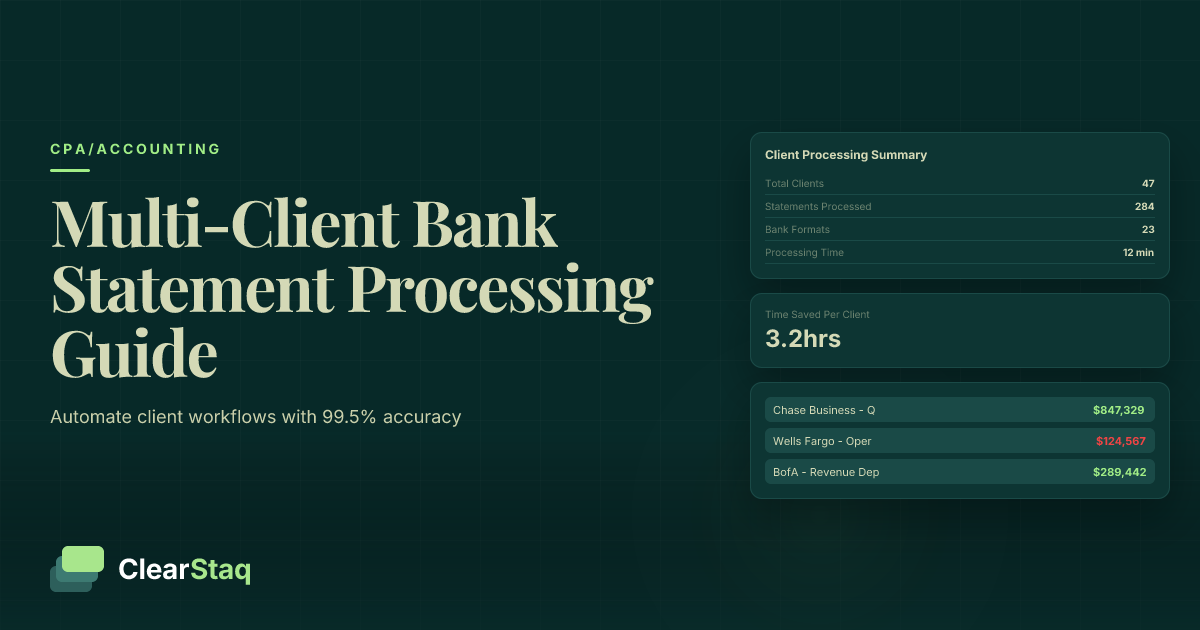
Multi-client bank statement processing allows CPA firms to automate the extraction and analysis of financial data from multiple clients' bank statements simultaneously through batch processing workflows. Modern API-based solutions can process hundreds of statements across 900+ bank formats with 99.5% accuracy, reducing manual review time from hours to minutes per client.
What you'll learn
- Batch processing enables CPA firms to handle hundreds of client bank statements simultaneously with 99.5% accuracy
- Automated workflows reduce processing time by 90%, freeing staff for higher-value advisory services
- Multi-client processing supports 900+ bank formats ensuring universal client coverage
- API integration with accounting software eliminates manual data entry and reconciliation errors
- SOC2 compliance and fraud detection protect both CPA firms and their client portfolios
Multi-client bank statement processing allows CPA firms to automate the extraction and analysis of financial data from multiple clients' bank statements simultaneously through batch processing workflows. Modern API-based solutions can process hundreds of statements across 900+ bank formats with 99.5% accuracy, reducing manual review time from hours to minutes per client.
What Is Multi-Client Bank Statement Processing?
Multi-client bank statement processing is the automated batch analysis of financial documents from multiple client accounts simultaneously. Unlike traditional single-client workflows that require sequential processing, this approach leverages API-driven technology to handle dozens or even hundreds of statements in parallel.
For CPA firms managing large client portfolios, this technology represents a fundamental shift in operational efficiency. Instead of manually reviewing each statement, extracting data line by line, and categorizing transactions individually, firms can now process entire client batches in minutes.
Traditional vs. Modern Processing Methods
Traditional bank statement processing follows a linear path: open PDF, manually extract data, enter into spreadsheet, categorize transactions, import to accounting software. Each client's statements require 30-60 minutes of manual work, creating significant bottlenecks during tax season or monthly closings.
Modern batch processing eliminates these bottlenecks entirely. Through API integration, firms upload multiple client statements simultaneously, and the system processes them in parallel. What once took hours per client now happens in seconds, with consistent accuracy across every document.
How Batch Processing Works
The batch processing workflow begins with uploading multiple bank statements through a secure API endpoint. The system automatically identifies each document's format, extracts transaction data, applies categorization rules, and generates structured outputs ready for accounting software import.
Behind the scenes, machine learning algorithms analyze each statement's unique format, adapting to variations across 900+ different bank layouts. The system processes multiple clients simultaneously, maintaining data segregation while applying consistent extraction and categorization rules across the entire batch.
Challenges CPA Firms Face with Manual Processing
Manual bank statement processing creates cascading problems for CPA firms, especially during peak seasons. The challenges extend beyond simple time constraints to impact accuracy, client satisfaction, and firm growth potential.
During tax season, the average CPA firm sees workload increases of 300-400%. Manual processing becomes the primary bottleneck, forcing firms to either turn away clients, hire temporary staff, or risk burnout among existing team members. These expense categorization challenges compound when dealing with multiple clients who use different banks and statement formats.
The Time Crunch Problem
Peak season transforms manageable workloads into overwhelming backlogs. A firm handling 200 clients, each with 12 monthly statements, faces 2,400 documents annually. At 45 minutes per statement for manual processing, that's 1,800 hours of data entry alone—before any actual accounting work begins.
Client expectations don't adjust for manual processing limitations. They expect quick turnarounds regardless of your workflow constraints. When competitors offer faster service through automation, maintaining client relationships becomes increasingly difficult.
Accuracy and Quality Control Issues
Human error rates in manual data entry typically range from 1-5%. For financial data, even a 1% error rate means mistakes in every 100th transaction. These errors compound across multiple clients, creating reconciliation nightmares and potential compliance issues.
Inconsistent categorization presents another challenge. Different team members may categorize similar transactions differently, leading to inconsistent financial reports across clients. This inconsistency makes it difficult to maintain professional standards and can impact audit outcomes.
Scalability Limitations
Manual processing creates a hard ceiling on firm growth. Adding new clients requires proportional staff increases, but qualified accounting professionals are expensive and increasingly difficult to find. Many firms find themselves turning away profitable clients simply because they can't handle the processing volume.
The opportunity cost extends beyond refused clients. Partners and senior staff spend valuable time on data entry instead of high-value advisory services. This misallocation of talent directly impacts profitability and service quality.
Benefits of Automated Batch Processing
Automated batch processing transforms CPA firm operations by addressing every pain point of manual workflows. The benefits extend far beyond simple time savings to fundamentally improve service quality, accuracy, and growth potential.
Processing speed improvements are dramatic. What once took 45 minutes per statement now completes in under 30 seconds, with 99.5% parsing accuracy that far exceeds human capabilities. This isn't incremental improvement—it's a complete paradigm shift in operational efficiency.
Quantifiable Time and Cost Savings
The numbers speak for themselves. A typical mid-size CPA firm processing 2,400 statements annually saves approximately 1,710 hours through automation. At an average billing rate of $150 per hour, that's $256,500 in recoverable time that can be redirected to revenue-generating activities.
Labor cost reductions are equally impressive. Instead of hiring seasonal staff for data entry, firms can handle 10x the volume with existing teams. The ROI typically breaks even within 60 days, with ongoing savings of $15,000-25,000 per month for active firms.
Enhanced Service Quality
Consistency across clients becomes automatic with batch processing. Every statement receives the same thorough analysis, with standardized categorization rules ensuring uniform reporting. This consistency is particularly valuable for firms managing similar businesses across multiple clients.
Error reduction is perhaps the most critical quality improvement. The 99.5% accuracy rate virtually eliminates data entry mistakes, reducing time spent on corrections and client callbacks. Professional presentation improves as well, with clean, standardized reports replacing inconsistent manual outputs.
Competitive Advantages
Same-day turnaround becomes standard rather than exceptional. Clients submit statements in the morning and receive processed data by afternoon. This responsiveness sets firms apart in a market where traditional processors still quote 3-5 day turnarounds.
Premium service positioning becomes possible when you can guarantee speed and accuracy. Firms successfully charge 15-20% premiums for automated processing services, as clients recognize the value of faster, more accurate results. Client retention rates improve dramatically when service levels consistently exceed expectations.
How to Set Up Multi-Client Processing Workflows
Implementing multi-client batch processing requires thoughtful planning and systematic execution. Success depends on proper technical setup, workflow design, and team training. Here's a comprehensive roadmap for CPA firms ready to modernize their operations.
The implementation process typically takes 2-3 weeks from initial setup to full production use. During this time, firms establish API connections, design client workflows, train staff, and gradually transition from manual to automated processing.
Technical Implementation Steps
API setup begins with obtaining credentials from your chosen processing platform. The API setup guide provides detailed instructions, but the basic process involves creating an account, generating API keys, and configuring security settings.
Development environment configuration comes next. Most firms start with a sandbox environment to test workflows without affecting production data. This testing phase allows you to experiment with different batch sizes, processing schedules, and output formats before going live.
Testing procedures should cover every client scenario. Upload sample statements from different banks, test error handling for corrupted files, and verify that output formats match your accounting software requirements. Thorough testing prevents surprises during client processing.
Workflow Design Best Practices
Client segmentation strategies improve processing efficiency. Group clients by service type (monthly bookkeeping, quarterly reviews, annual tax prep) and create dedicated workflows for each segment. This approach allows customized processing rules while maintaining operational efficiency.
Processing schedules should align with client expectations and internal capacity. Many firms run daily batches at 6 AM and 2 PM, ensuring morning submissions process by lunch and afternoon submissions complete by end of day. Automated scheduling reduces manual intervention.
Output formatting must match downstream requirements. Configure the API to generate CSV files matching your accounting software's import format, eliminating manual reformatting. Include client identifiers in filenames for easy organization.
Staff Training and Change Management
Team onboarding requires more than technical training. Staff need to understand both the how and why of automated processing. Create standard operating procedures documenting each step, from client document collection through final import.
New workflow adoption succeeds through gradual implementation. Start with a pilot group of 5-10 clients, refine the process based on feedback, then expand systematically. This approach minimizes disruption while building team confidence.
Backup processes remain essential. Document manual fallback procedures for system outages or unusual statement formats. While rare, having contingency plans ensures client service continuity regardless of technical issues.
Integration with Accounting Software
Seamless integration with existing accounting platforms maximizes the value of automated processing. Modern APIs support direct connections to major accounting software, eliminating manual import steps and reducing errors.
The integration landscape has evolved significantly in recent years. What once required complex custom development now happens through standardized APIs and pre-built connectors. This plug-and-play approach means firms can implement integrations in hours rather than weeks.
Popular Accounting Software Integrations
QuickBooks remains the most common integration target for CPA firms. The QuickBooks integration process supports both Online and Desktop versions, with automatic transaction import, categorization mapping, and reconciliation support.
Xero workflows offer similar capabilities with some unique advantages. The platform's open API architecture enables real-time synchronization, allowing processed statements to appear in client accounts immediately. Many firms appreciate Xero's multi-currency support for international clients.
Sage compatibility covers the full product line from Sage 50 to Sage Intacct. Each version has specific integration requirements, but all support automated data import through CSV or direct API connections. The key is matching field mappings to each client's chart of accounts.
Custom Integration Options
API endpoints for custom software provide maximum flexibility. Firms using proprietary or specialized accounting systems can build direct integrations using RESTful APIs. Standard endpoints support authentication, batch upload, status checking, and result retrieval.
Webhook notifications enable real-time workflow automation. Configure webhooks to trigger when batch processing completes, automatically initiating downstream processes like report generation or client notifications. This event-driven architecture eliminates manual monitoring.
Bulk data exports accommodate legacy systems that can't support direct integration. Export processed data in formats like CSV, JSON, or XML, with customizable field mappings ensuring compatibility with any system. Schedule automatic exports to maintain workflow continuity.
Automated Categorization and Mapping
Machine learning categorization adapts to each client's transaction patterns. The system learns from corrections, improving accuracy over time. After processing 3-4 months of statements, categorization accuracy typically exceeds 95% for regular transactions.
Client-specific rules handle unique categorization needs. Define custom rules for specific vendors, amount ranges, or transaction descriptions. These rules apply automatically during processing, ensuring consistent treatment across all statements.
Exception handling workflows flag unusual transactions for review. Set thresholds for manual review based on amount, category confidence, or transaction type. This hybrid approach combines automation efficiency with human oversight for complex situations.
Security and Compliance Considerations
Multi-client processing demands rigorous security measures. CPA firms bear fiduciary responsibility for client financial data, making security and compliance non-negotiable requirements rather than optional features.
The regulatory landscape continues evolving, with stricter requirements for data protection and client privacy. Firms must balance operational efficiency with comprehensive security measures that satisfy both regulatory requirements and client expectations.
Data Security Standards
Encryption protocols must cover data in transit and at rest. Look for AES-256 encryption for stored data and TLS 1.3 for transmission. These standards represent current best practices and satisfy most regulatory requirements.
Access controls should follow the principle of least privilege. Staff members only access client data necessary for their roles. Implement multi-factor authentication for all users and maintain detailed access logs for audit trails.
Audit trails provide essential documentation for compliance and troubleshooting. Every action—from document upload through data export—should be logged with timestamps and user identification. These logs prove invaluable during audits or security reviews.
Regulatory Compliance
SOC2 Type II compliance has become the gold standard for CPA firms handling client financial data. This certification demonstrates that security controls are not only designed properly but operating effectively over time. Verify that your processing platform maintains current SOC2 certification.
Professional liability considerations extend to automated processing. Ensure your errors and omissions insurance covers automated systems and that you maintain appropriate disclaimers about processing limitations. Document your quality control procedures for automated outputs.
Client consent procedures must explicitly cover automated processing. Update engagement letters to disclose the use of automated systems, obtain written consent for third-party processing, and clarify data retention policies. Transparency builds trust and ensures compliance.
Best Practices for Multi-Client Environments
Client data segregation prevents inadvertent cross-client exposure. Each client's data should be processed and stored separately, with technical controls preventing data commingling. This segregation extends to API keys, with separate credentials for different client groups.
Access permissions require regular review and updates. Implement quarterly access audits to remove former employees and adjust permissions for role changes. Document all access changes and maintain records for compliance reviews.
Retention policies must balance operational needs with privacy requirements. Define clear timelines for data deletion, typically 7 years for tax-related documents. Automate deletion processes where possible to ensure consistent policy application.
See Multi-Client Processing in Action
Ready to see how batch processing works for your firm? Book a demo to see ClearStaq process multiple client statements simultaneously with 99.5% accuracy.
How ClearStaq Streamlines Multi-Client Processing
ClearStaq was built specifically for professional services firms managing multiple client portfolios. The platform combines enterprise-grade security with intuitive workflows designed around CPA solutions and real-world accounting needs.
The difference becomes apparent from day one. While generic OCR tools struggle with bank statement variations, ClearStaq's specialized engine handles 900+ formats with consistent accuracy. This comprehensive coverage means no client is too small or uses a bank too obscure for automated processing.
Advanced Fraud Detection for Client Protection
ClearStaq analyzes 27 fraud detection signals across every processed statement. This protection extends beyond simple document verification to include transaction pattern analysis, metadata examination, and cross-client anomaly detection.
Cross-client pattern recognition identifies suspicious activities that might escape notice in isolation. If multiple clients show similar unusual patterns, the system flags them for investigation. This proactive approach has helped firms identify coordinated fraud attempts before losses occur.
Alert management keeps fraud detection actionable rather than overwhelming. Customize alert thresholds based on client risk profiles, receive notifications only for high-confidence fraud indicators, and maintain detailed logs for client communication.
Universal Bank Format Support
Supporting 900+ bank formats isn't just a numbers game—it's about ensuring no client gets left behind. ClearStaq handles major banks, regional institutions, credit unions, and even international formats. This universal coverage eliminates the "we can't process your bank" conversation.
Regional and credit union support proves particularly valuable for firms serving local businesses. These institutions often use unique statement formats that stump generic processors. ClearStaq's format library includes thousands of these variations, ensuring consistent processing regardless of client banking choices.
Format recognition automation eliminates manual format selection. The system automatically identifies each bank's format and applies appropriate parsing rules. This automation reduces setup time and prevents processing errors from incorrect format selection.
CPA-Specific Features
Client management tools streamline multi-client workflows. Organize clients by service type, processing schedule, or custom categories. Set client-specific processing rules, categorization preferences, and output formats. Track processing history and maintain audit trails per client.
Billing integration simplifies practice management. Track processing volumes by client, generate usage reports for billing purposes, and integrate with practice management software. Some firms bill automated processing as a separate line item, highlighting the value provided.
Professional reporting elevates client deliverables. Generate branded reports with your firm's logo, customize report formats for different service levels, and include value-added analytics. These professional outputs justify premium pricing and strengthen client relationships.
Measuring ROI and Client Satisfaction
Quantifying the impact of automated processing helps justify the investment and identify optimization opportunities. Successful firms track both operational metrics and client satisfaction indicators to guide continuous improvement.
The measurement process should start before implementation to establish baselines. Document current processing times, error rates, and client satisfaction scores. These baselines make ROI calculations credible and highlight improvement areas.
Essential KPIs for CPA Firms
Time per client metrics reveal efficiency gains. Track total time from document receipt to accounting software import. Most firms see 85-95% time reductions, freeing staff for higher-value activities. Monitor these metrics monthly to identify process improvements.
Error rate tracking quantifies accuracy improvements. Compare pre- and post-automation error rates, including data entry mistakes, categorization errors, and reconciliation discrepancies. The typical firm sees error rates drop from 2-3% to under 0.5%.
Revenue per client improvements result from efficiency gains. When staff spend less time on data entry, they can handle more clients or provide additional services. Track revenue per staff member and per client to quantify growth opportunities.
Client Communication and Value Demonstration
Service level improvements become powerful retention tools. Communicate faster turnaround times, highlight accuracy improvements, and emphasize fraud detection capabilities. Clients who understand the value you provide are less likely to shop for cheaper alternatives.
Faster turnaround messaging should be specific and compelling. "Get your financial reports in hours, not days" resonates more than generic efficiency claims. Use actual metrics from your implementation to make concrete promises.
Premium pricing justification becomes easier with demonstrable value. When evaluating different tool comparison for accounting firms, consider not just features but the ability to support premium positioning. Clients willingly pay more for superior service backed by advanced technology.
Long-term Growth Planning
Capacity planning with automated processing follows different rules. Instead of linear staff-to-client ratios, consider processing capacity, review time, and advisory service demands. Many firms find they can triple client counts without additional hires.
Service expansion opportunities emerge from efficiency gains. Firms successfully add monthly CFO services, cash flow forecasting, and fraud monitoring to their service portfolios. These high-margin services were previously impractical due to time constraints.
Competitive positioning strengthens as you offer services competitors can't match. Market your tech-forward approach, emphasize superior accuracy and security, and highlight faster turnaround times. In a commoditized market, technology differentiation commands premium rates.
Frequently Asked Questions
How do CPA firms process bank statements for multiple clients efficiently?
CPA firms use automated batch processing systems that can analyze hundreds of bank statements simultaneously through API integration. Modern solutions process multiple clients' statements in parallel, extracting data with 99.5% accuracy and reducing processing time by 90%.
What is batch processing for bank statements?
Batch processing allows accounting firms to upload and analyze multiple bank statements simultaneously rather than processing them individually. The system processes all statements in parallel, extracting transaction data, categorizing expenses, and generating reports for multiple clients at once.
How can accounting firms automate client document workflows?
Firms can implement API-based solutions that integrate with their existing accounting software to automatically process, categorize, and import bank statement data. This includes automated file organization, data extraction, fraud detection, and direct integration with QuickBooks, Xero, or other platforms.
What security considerations exist for multi-client document processing?
CPA firms must ensure SOC2 compliance, data encryption in transit and at rest, client data segregation, and proper access controls. Professional liability and AICPA standards require maintaining client confidentiality and implementing audit trails for all processed documents.
How much can CPA firms save with automated bank statement processing?
Firms typically see 90% time savings per client, allowing them to process 10x more clients without additional staff. This translates to significant labor cost reductions and the ability to offer premium services with faster turnaround times.
Transform Your Practice Today
Transform your practice with multi-client bank statement processing. See how CPA firms are scaling their services and improving client satisfaction with ClearStaq.
Frequently Asked Questions
How do CPA firms process bank statements for multiple clients efficiently?
CPA firms use automated batch processing systems that can analyze hundreds of bank statements simultaneously through API integration. Modern solutions process multiple clients' statements in parallel, extracting data with 99.5% accuracy and reducing processing time by 90%.
What is batch processing for bank statements?
Batch processing allows accounting firms to upload and analyze multiple bank statements simultaneously rather than processing them individually. The system processes all statements in parallel, extracting transaction data, categorizing expenses, and generating reports for multiple clients at once.
How can accounting firms automate client document workflows?
Firms can implement API-based solutions that integrate with their existing accounting software to automatically process, categorize, and import bank statement data. This includes automated file organization, data extraction, fraud detection, and direct integration with QuickBooks, Xero, or other platforms.
What security considerations exist for multi-client document processing?
CPA firms must ensure SOC2 compliance, data encryption in transit and at rest, client data segregation, and proper access controls. Professional liability and AICPA standards require maintaining client confidentiality and implementing audit trails for all processed documents.
How much can CPA firms save with automated bank statement processing?
Firms typically see 90% time savings per client, allowing them to process 10x more clients without additional staff. This translates to significant labor cost reductions and the ability to offer premium services with faster turnaround times.
ClearStaq Team
Product Team
The ClearStaq team builds AI-powered tools for bank statement parsing, fraud detection, and income verification.