A CPA firm can build a secure client bank statement portal without writing code by connecting four tools: a form builder for document intake (Jotform or Typeform), cloud storage for organized filing (Google Drive or SharePoint), an automation layer for routing (Zapier or Make), and a parsing API to extract transaction data automatically on receipt. Setup takes under a day.
What you'll learn
- A no-code CPA client document portal can be built in under one business day using Jotform, Google Drive, Zapier, and the ClearStaq parsing API
- Email is not a secure channel for client bank statement collection and does not meet AICPA data security guidance
- Connecting a parsing API to the upload workflow eliminates manual data re-entry by returning structured transaction data within seconds of file receipt
- Automated folder creation, file naming, and client notifications require zero manual intervention once the Zapier workflow is configured
- ClearStaq's fraud detection signals flag potentially altered bank statements at the point of intake, before a CPA spends time reviewing manipulated data
A CPA firm can build a secure client bank statement portal without writing code by connecting four tools: a form builder for document intake (Jotform or Typeform), cloud storage for organized filing (Google Drive or SharePoint), an automation layer for routing (Zapier or Make), and a parsing API to extract transaction data automatically on receipt. Setup takes under a day.
Why Your CPA Firm Needs a Dedicated Bank Statement Portal (Not Just Email)
Email is the default for most CPA firms collecting client documents. It's also one of the worst choices for handling sensitive financial data. AICPA data security guidance explicitly discourages using standard email to transmit client bank statements — and for good reason.
Beyond security, email is simply inefficient. The average CPA firm loses 3–5 hours per week chasing clients for missing documents, following up on wrong date ranges, and manually sorting files that arrive in no particular order. A dedicated CPA client document portal solves all of this at once.
The Problem With Email for Bank Statement Collection
Standard email provides no encryption in transit by default. A client emailing their bank statement to your firm is essentially sending sensitive financial data on a postcard — readable by anyone with access to the mail server along the route.
The operational problems compound quickly. Files get buried in inboxes, accidentally forwarded to the wrong contact, or simply lost. There's no audit trail showing when a document was received. And clients routinely email the wrong date range, the wrong account, or a screenshot instead of a proper PDF — none of which you discover until you try to use the file.
What Makes Bank Statements Different From Other Client Documents
Bank statements have intake requirements that general client portals aren't designed to handle. Depending on the engagement, you might need 3 months of statements for a bookkeeping review or 12 months for a business tax return — and that specification needs to reach the client clearly before they upload anything.
File format variability adds another layer of complexity. Clients may submit PDFs, CSVs, or OFX files depending on their bank. Password-protected PDFs are common and require special handling. Multi-page, multi-account submissions from the same client need to be organized before they're useful.
A structured intake workflow solves this. Once your portal is in place, you can automate bank statement processing from the moment a client hits submit — no manual sorting required.
What a No-Code Bank Statement Portal Actually Looks Like
The full system has four layers, and none of them require a developer. Each layer handles one job, and they connect to each other through visual workflow tools you configure by clicking — not coding.
Here's what the end-to-end flow looks like: a client receives a unique upload link, fills out a simple form, and uploads their bank statements. On the back end, the file routes automatically to a secure, named folder in cloud storage. A parsing API fires immediately and converts the PDF into structured transaction data. The assigned CPA gets a notification with the results — often before they've even had time to check their inbox.
The Four-Layer Stack Explained
Each layer has a clear responsibility:
- Layer 1 — Intake form: The client-facing upload interface. Jotform, Typeform, or Google Forms. This is what your client sees.
- Layer 2 — Secure cloud storage: Where files land after submission. Google Drive (with Workspace), SharePoint, or Dropbox Business. Auto-organized by client and date.
- Layer 3 — Automation router: The connective tissue. Zapier or Make routes files, creates folders, fires API calls, and sends notifications — all without manual input.
- Layer 4 — Parsing API: The step no competitor in this space covers. ClearStaq processes the uploaded bank statement and returns structured transaction data, income totals, expense categories, and fraud signals.
For a deeper look at the parsing layer tool options, see our comparison of bank statement converter software for CPA firms.
What the Client Experience Looks Like
From the client's perspective, the process is frictionless. They receive a unique upload link via email — no account creation, no password, no app to download. The form asks for their name, business name, which months are needed, and the account type. They upload the file and receive an automatic confirmation within seconds.
No login friction means higher completion rates. Clients are far more likely to submit documents through a clean, mobile-friendly form than through a portal that demands they remember yet another password.
Step 1: Choose Your Document Collection Layer
The intake form is the only part of this system your client ever sees, so it needs to be simple, professional, and reliable. Three no-code options dominate this space for CPA firms.
Jotform vs Typeform vs Google Forms for CPA Document Intake
| Tool | Best For | File Upload Handling | Security Options | Native Integrations | Cost |
|---|---|---|---|---|---|
| Jotform | Most CPA firms | Up to 1GB per file, PDF/CSV accepted | HIPAA, SOC2 (Enterprise) | Google Drive, Zapier, Dropbox, OneDrive | Free tier; paid from $34/mo |
| Typeform | Best client completion rate | Supported but limited file size controls | GDPR-compliant; no HIPAA tier | Google Drive, Zapier, Slack | Free tier; paid from $25/mo |
| Google Forms | Smallest firms, budget-constrained | Basic — uploads go to Google Drive directly | Google Workspace security (if paid) | Google Drive (native); Zapier | Free |
For most CPA firms, Jotform is the right choice. It has pre-built accounting form templates, native integration with Google Drive and Zapier, and enterprise security options that hold up to scrutiny. Google Forms is free but lacks the file size controls and security posture you need when handling client financial documents.
Bank Statement Intake Checklist: What to Ask Clients
Every bank statement intake form should capture the following fields — missing any of these creates rework downstream:
- Full legal business name — must match what's on the bank account
- Statement period — specify exactly which months are needed (e.g., January–December 2025), not "recent statements"
- Number of bank accounts — if the client has multiple accounts, you need all of them
- File format — PDF preferred, CSV acceptable; include a short note explaining why
- Password field — if the PDF is password-protected, capture the password in a separate secure field or direct clients to remove protection before uploading
Set file size limits generously. Multi-month bank statement PDFs routinely run 20MB or larger, especially for high-transaction-volume businesses. Jotform's paid tiers accommodate this; Google Forms does not.
Step 2: Set Up Secure Storage and Folder Routing
Once a client submits their bank statements, those files need to land somewhere organized — automatically. A shared root folder that everyone dumps files into is not a system. It's a pile.
The standard should be: every client submission auto-creates a unique, named folder. No manual file management. No searching for who uploaded what on which date.
Recommended naming convention: ClientName_YYYY-MM_BankStatement
This makes files sortable by client, chronologically, without any additional organization effort.
Auto-Creating Client Folders With Zapier
This three-action Zap takes under 10 minutes to configure and handles folder creation automatically every time a client submits:
- Trigger: New Jotform submission received
- Action 1: Create a new folder in Google Drive using the client name field from the form
- Action 2: Move the uploaded file into that new folder
- Action 3: Rename the file using your naming convention, pulling date range and client name from form fields as variables
The result: every submission creates its own clean, named folder without anyone on your team touching a file.
Encryption and Access Controls for Client Financial Files
Storage security matters as much as transmission security. Google Workspace Business Standard and above includes at-rest encryption and an audit log you can use for compliance documentation. Free Google Drive accounts do not provide the same level of admin control — don't use them for client financial data.
Key access control rules to enforce:
- Disable "anyone with link" access for all client folders
- Restrict sharing to the assigned CPA only — not the whole firm
- Enable two-factor authentication for all staff accounts
- Use Google Workspace Admin audit logs to document access history
For a comprehensive look at how to handle client-submitted PDFs securely, review our guidance on bank statement security practices.
Step 3: Automate the Workflow With Zapier or Make
The automation layer is what turns four separate tools into a single, seamless system. Without it, you still have manual steps between form submission and organized, processed output. With it, the entire pipeline runs on its own.
Zapier vs Make: Zapier is the better starting point for most CPA firms — it's beginner-friendly and has excellent documentation. Make (formerly Integromat) is more powerful for firms that need complex multi-branch logic, like routing different clients to different CPAs based on engagement type. Both offer free tiers, though Zapier's free plan (100 tasks/month) will likely require an upgrade to Starter ($20/mo) during tax season. Make's free tier allows 1,000 operations/month, which is often sufficient year-round for smaller firms.
Building the Core No-Code Workflow: Step by Step
- Step 1: Connect Jotform to Zapier. Select "New submission" as the trigger event.
- Step 2: Add a Google Drive action — "Create folder" — using the client name variable from the form submission.
- Step 3: Add a second Google Drive action — "Upload file" — pointing to the new folder created in Step 2.
- Step 4: Add an HTTP/Webhooks action to POST the file URL to the ClearStaq parsing API. Pass the API key in the request header.
- Step 5: Add a Gmail or Slack action to notify the assigned CPA with the parsed results link once the API response is received.
Upload
0.1sDrop any bank statement format
Parse
1.2sOCR + AI extraction
Detect
0.8sFraud & stacking analysis
Verify
0.3sIncome verification
Deliver
0.1sStructured JSON response
Using Webhooks to Trigger Downstream Actions
Webhooks make the automation instantaneous rather than waiting for a polling check. When a client uploads a bank statement, a webhook fires immediately — triggering folder creation, file routing, and the parsing API call in near real-time.
Additional webhook-powered actions worth setting up:
- Update a Google Sheet or Airtable tracker to mark "documents received" for that client
- Trigger a follow-up email if only partial statements were submitted (e.g., 6 months received, 12 needed)
- When ClearStaq returns the parsed output, fire a second webhook to deliver structured data to a Notion database or QuickBooks-compatible format
Step 4: Connect to a Bank Statement Parsing API
This is the step every competitor guide skips entirely. They explain how to collect bank statements and where to store them. They never explain what happens next.
Storing a PDF in Google Drive doesn't help you prepare a tax return or reconcile a client's books. You still need the data inside the document — and manually re-keying transactions from a 12-month bank statement is exactly the kind of work that bank statement intake automation should eliminate.
What ClearStaq Extracts From a Bank Statement
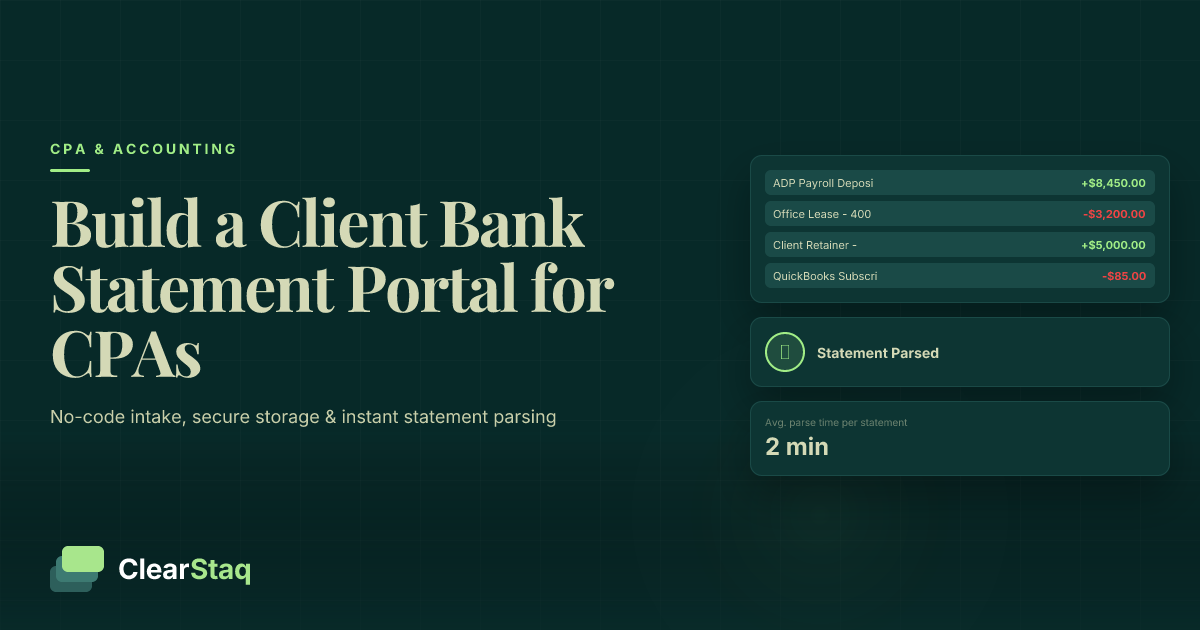
When a bank statement hits the ClearStaq API, it returns structured output within seconds:
- Every transaction with date, description, debit/credit amount, and running balance
- Income categorization: payroll deposits, ACH credits, wire transfers, and other inflows
- Expense categorization mapped to IRS-standard categories
- Monthly summary: average daily balance, total deposits, total withdrawals
- Fraud signals: flags if the document shows signs of alteration or manipulation
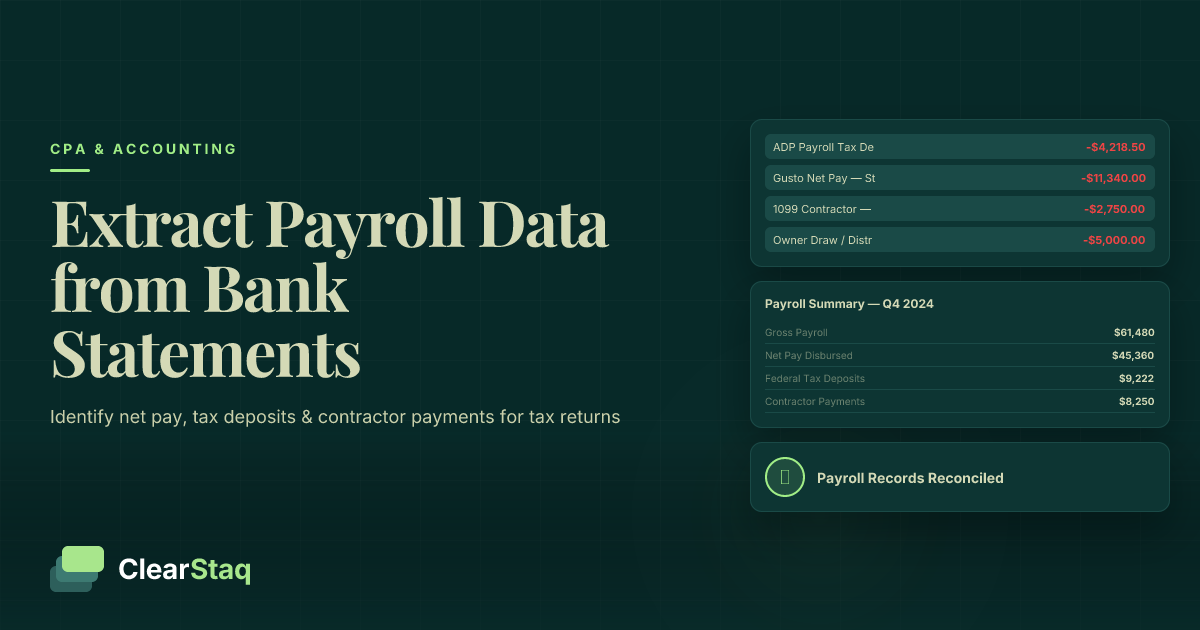
CPAs can use this output directly for bookkeeping reconciliation, advisory reporting, or tax prep. To see what's possible with the structured data, read our guide on how to extract payroll data from bank statements for tax returns.
ClearStaq supports 900+ bank formats, which means your firm doesn't need to standardize what clients submit. Whether a client banks with a regional credit union or a national institution, the API handles it. Explore the full CPA document automation platform to see the complete format coverage.
How to Make the API Call Without Code (Zapier HTTP Action)
In your Zapier workflow, after the file upload step, add a new action:
- Select Webhooks by Zapier → POST as the action type
- Set the URL to the ClearStaq API endpoint (found in the developer documentation)
- In the request body, pass the file URL from the Google Drive upload step as a dynamic variable
- Add your ClearStaq API key in the request headers under
Authorization - Test the step with a sample bank statement PDF — confirm that structured JSON is returned in the response
No code. No developer. The entire call is configured through Zapier's point-and-click interface in about 5 minutes. Once tested, this step runs automatically for every future submission.
See the Full Portal-to-Parsed-Data Pipeline in Action
Want to watch a client bank statement go from upload to structured Excel output in under 30 seconds? Book a demo and we'll walk you through the complete no-code workflow — from Jotform intake to ClearStaq parsed output.
Step 5: Automate Client Notifications and Reminders
A well-built portal doesn't just collect documents — it communicates with clients throughout the process. Automated notifications eliminate the "did you get my files?" emails that clog your inbox during tax season and give clients confidence that their submission was received.
Confirmation Email Template for Bank Statement Receipt
The confirmation email should fire within seconds of submission. Keep it brief — clients don't read long emails. A strong template covers four things:
- Confirmation of what was received (client name, file name or description)
- The date range of statements confirmed as submitted
- Next steps (e.g., "Your CPA will review within 2 business days")
- A resubmission link in case the wrong file was uploaded
Include your firm's name, logo, and contact information. This is a client-facing communication — it should look like it came from your firm, not from Jotform.
Reminder Cadence That Gets Responses Without Annoying Clients
Set up a three-reminder sequence using Zapier's delay action or Make's sleep module. The sequence runs automatically — no manual monitoring required:
- Reminder 1: 48 hours before the client deadline — friendly, low-pressure nudge
- Reminder 2: Day of deadline — clear urgency, still professional in tone
- Reminder 3: 24 hours after missed deadline — automated escalation flag to the assigned CPA for a personal follow-up call
Always add a filter step before each reminder that checks whether the client has already submitted. The moment a submission is received, the reminder sequence stops. Sending a reminder after a client has already uploaded is the fastest way to undermine their trust in the process.
Personalize every reminder using form field variables — client name, the specific months still outstanding, and your firm's deadline. Generic reminders get ignored. Specific ones get action.
Handling Multi-Client Volume During Tax Season
The portal architecture described in this guide scales to 50–100 simultaneous client submissions without any manual intervention. The key is that every layer is stateless from your team's perspective — Jotform accepts submissions, Zapier routes them, Google Drive organizes them, and ClearStaq processes them. No human has to touch a file for the system to work.
For a detailed look at managing this at scale, see our guide to multi-client bank statement processing, and the case for why processing hundreds of bank statements during tax season requires automation rather than headcount.
Building a Client Status Dashboard in Google Sheets
Connect Google Sheets to your Zapier workflow and every submission automatically adds a row. The dashboard gives your whole team real-time visibility into where each client stands:
- Client name and submission timestamp
- File name and date range received
- Parsing status (pending / complete / flagged)
- Assigned CPA (dropdown column updated manually or via form routing logic)
Apply conditional formatting to highlight outstanding submissions in red as deadlines approach. Use a filter view to isolate clients who haven't submitted — that's your daily chase list, automatically generated.
What to Do When Clients Submit Password-Protected PDFs
Password-protected bank statement PDFs are common, and they'll break an automated parsing workflow if you haven't planned for them. Add a dedicated field to your intake form asking clients to provide the PDF password if applicable. Store it in a secure, separate field — never in the same folder as the PDF itself.
ClearStaq can process password-protected PDFs when the password is passed as an API parameter alongside the file URL. Alternatively, instruct clients to remove password protection before uploading — most banks offer this option in the download settings, and you can include a short how-to note in the form instructions or confirmation email.
Security and Compliance Considerations
AICPA requires CPA firms to implement reasonable data security safeguards for client financial documents. Email doesn't meet that bar. A properly configured intake portal — using SOC2-compliant vendors at every layer — does.
Each tool in the recommended stack has appropriate credentials: Jotform Enterprise is HIPAA and SOC2 eligible, Google Workspace provides enterprise-grade encryption and audit logging, and ClearStaq is SOC2 compliant for handling sensitive financial data. Review every Zapier action in your workflow to confirm that data passing between steps doesn't transit through unsecured intermediaries.
For detailed guidance on how to handle client-submitted PDFs within a compliant framework, see our full overview of bank statement security practices.
Fraud Risk: What to Do If a Client Submits an Altered Bank Statement
This is a real risk for CPA firms — fabricated or altered bank statements are increasingly common, particularly among clients seeking to qualify for loans or misrepresent income for tax purposes. A structured intake portal actually helps here, because it creates a documented record of exactly what was submitted and when.
ClearStaq's fraud detection signals automatically flag documents showing signs of manipulation at the point of parsing: metadata anomalies, font inconsistencies, balance calculation errors, and pixel-level artifacts that indicate document editing. If a fraud signal is triggered, don't act on the data or confront the client immediately. Document the finding, preserve the original submission record, and consult with firm leadership before proceeding.
A flagged document is not proof of fraud — it's a prompt for human review. But it's far better to catch the issue before spending hours working with data you can't rely on.
Data Retention and Deletion Policies for Client Bank Statements
Tax-related documents generally require a 7-year retention period. Your storage setup should reflect this. Recommended practices:
- Store original PDF submissions in Google Drive with version history enabled
- Store parsed JSON outputs alongside originals for full auditability
- Set folder-level expiration reminders for documents beyond your retention window
- When a client relationship ends, follow your firm's offboarding checklist: revoke folder access, notify the client, and archive or delete files per your policy
Inform clients in your engagement letter that bank statements will be processed through an automated parsing system. This is a transparency best practice and also sets expectations that their data will be handled with care — a point that strengthens client trust rather than eroding it.
Frequently Asked Questions
What is the best client portal for accountants to collect bank statements?
For a no-code setup, combining Jotform (intake form) with Google Drive (storage) and Zapier (automation) gives CPA firms a secure, scalable bank statement collection workflow without proprietary portal software. Adding a parsing API like ClearStaq automates data extraction after receipt — something purpose-built portals like TaxDome and Canopy don't offer.
Can I build a client document portal without coding?
Yes. Using Jotform for the upload form, Zapier or Make for workflow automation, and Google Drive for storage, a CPA firm can build a fully functional client bank statement portal in a single business day. No developer is required at any step in the process.
Is it secure to receive bank statements from clients online?
Receiving bank statements online is more secure than email when the right tools are used. Jotform Enterprise, Google Workspace, and ClearStaq are SOC2-compliant platforms that encrypt data in transit and at rest. Avoid free-tier tools for sensitive financial documents, and restrict folder access to assigned staff only.
How do CPA firms collect documents from clients during tax season?
Most CPA firms still rely on email, which is insecure and inefficient. A growing number are switching to structured intake portals built on Jotform or Typeform that feed into automated storage and parsing workflows. This approach handles 50–100 client submissions simultaneously without manual file management.
Can bank statement data be extracted automatically after a client uploads it?
Yes. When the upload portal is connected to a bank statement parsing API like ClearStaq via Zapier, data extraction begins automatically the moment a file is received. The API returns structured transaction data, income and expense totals, and fraud signals within seconds — eliminating manual data re-entry entirely.
Stop Re-Keying Client Bank Statement Data
Connect your client portal to ClearStaq and turn every submission into clean, structured data — automatically, from the moment it arrives. Book a demo to see the full pipeline in action.
Frequently Asked Questions
What is the best client portal for accountants to collect bank statements?
For a no-code setup, combining Jotform with Google Drive and Zapier gives CPA firms a secure, scalable bank statement collection workflow without proprietary portal software. Adding a parsing API like ClearStaq automates data extraction after receipt — something purpose-built portals like TaxDome and Canopy do not offer.
Can I build a client document portal without coding?
Yes. Using Jotform for the upload form, Zapier or Make for workflow automation, and Google Drive for storage, a CPA firm can build a fully functional client bank statement portal in a single business day. No developer is required at any step in the process.
Is it secure to receive bank statements from clients online?
Receiving bank statements online is more secure than email when the right tools are used. Jotform Enterprise, Google Workspace, and ClearStaq are SOC2-compliant platforms that encrypt data in transit and at rest. Firms should avoid free-tier tools and restrict folder access to assigned staff only.
How do CPA firms collect documents from clients during tax season?
Most CPA firms still rely on email, which is insecure and inefficient. A growing number are switching to structured intake portals built on Jotform or Typeform that feed into automated storage and parsing workflows, handling 50–100 client submissions simultaneously without manual file management.
Can bank statement data be extracted automatically after a client uploads it?
Yes. When the upload portal is connected to a bank statement parsing API like ClearStaq via Zapier, data extraction begins automatically the moment a file is received. The API returns structured transaction data, income and expense totals, and fraud signals within seconds — eliminating manual re-entry entirely.
ClearStaq Team
Product Team
The ClearStaq team builds AI-powered tools for bank statement parsing, fraud detection, and income verification.