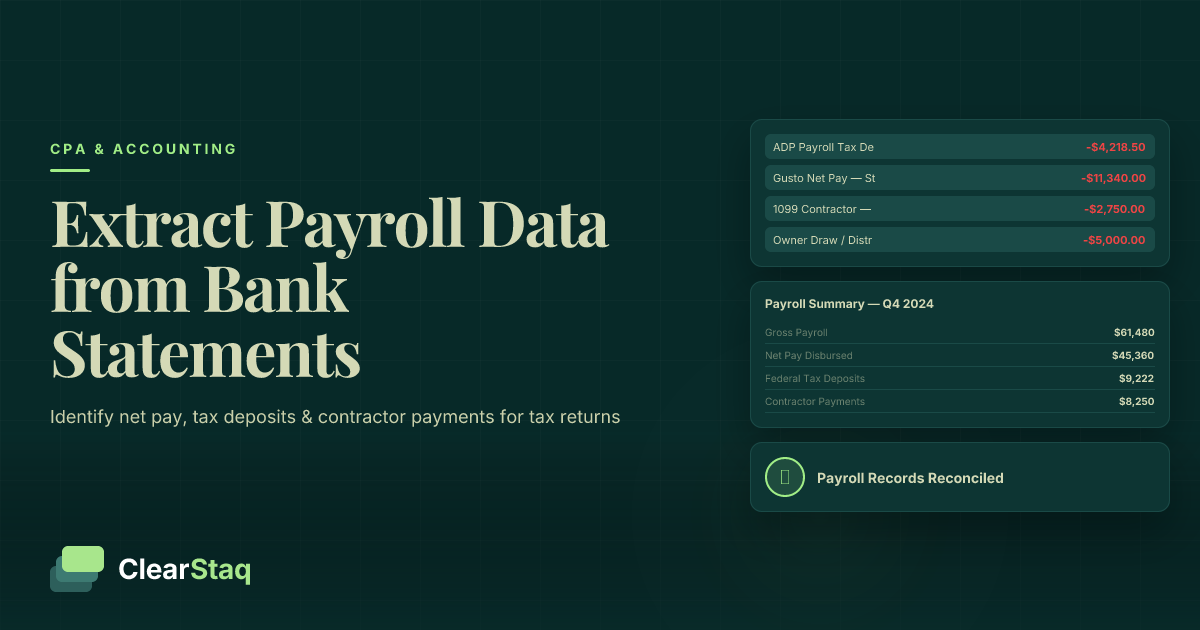
Payroll data extraction from bank statements involves identifying three distinct transaction types: net pay ACH debits to employees, employer payroll tax deposits to the IRS via EFTPS, and payroll service fees charged by providers like Gusto or ADP. These transactions, combined with contractor payment ACH debits, provide the core payroll figures needed to complete Schedule C, Form 941, and Form 940 for small business tax returns.
What you'll learn
- A single payroll run produces three separate bank debits — net pay ACH, EFTPS tax deposit, and payroll service fee — and missing any one understates the true wage expense
- Gross payroll never appears directly on a bank statement and must be reconstructed from net pay ACH debits plus EFTPS deposits, adjusted for the employer FICA match
- The most reliable way to distinguish contractor payments from employee payroll on a bank statement is the absence of a corresponding EFTPS deposit following the payment
- Automated bank statement parsing tools can identify and categorize all payroll transaction types across 900+ bank formats in minutes, replacing a 4-8 hour per-client manual process
- Bank statement reconstruction cannot provide per-employee gross wage breakdowns required for W-2 preparation and should be supplemented with payroll provider year-end reports whenever possible
Payroll data extraction from bank statements involves identifying three distinct transaction types: net pay ACH debits to employees, employer payroll tax deposits to the IRS via EFTPS, and payroll service fees charged by providers like Gusto or ADP. These transactions, combined with contractor payment ACH debits, provide the core payroll figures needed to complete Schedule C, Form 941, and Form 940 for small business tax returns.
Why Small Business Bank Statements Contain Payroll Data
Every payroll cycle produces multiple bank transactions — not just one. A business that runs biweekly payroll generates at least three separate debits per pay period: net pay to employees, a tax deposit to the IRS, and a fee to the payroll processor. That's 78 or more payroll-related transactions in a single tax year, all sitting in the bank statement.
This matters because bank statements serve as an independent audit trail for payroll activity. When formal payroll records are incomplete or missing, the bank statement becomes the primary reconstruction source. More than 40% of small businesses with fewer than 10 employees arrive at tax time with incomplete or missing payroll records. For a CPA handling these clients, payroll data extraction from bank statements isn't an edge case — it's a routine part of the job.
Understanding how payroll fits within the broader workflow of categorizing business expenses from bank statements is the foundation for accurate small business tax prep.
When a CPA Must Rely on Bank Statements for Payroll
Several common scenarios force a CPA to work backward from bank records:
- The client lost or never maintained payroll registers
- The business changed payroll providers mid-year and records weren't exported before the transition
- A sole proprietor paid contractors and informal employees without any payroll system in place
- An IRS audit has been opened and original payroll records are unavailable
In each case, the bank statement is what exists. A CPA who knows how to read it correctly can reconstruct a defensible payroll record for tax purposes.
What the IRS Requires for Payroll Documentation
IRS Publication 15 guidance on payroll record keeping requires employers to retain records of wages paid, taxes withheld, and tax deposits made. Bank statements alone don't satisfy every requirement — they're corroborating evidence, not a complete replacement for payroll registers.
That said, the IRS does accept bank statement evidence during audits when it's supported by additional documentation and a clear reconstruction methodology. How bank statement data maps to quarterly Form 941 and annual Form 940 obligations is something every CPA working with small business clients should understand cold.
The Three Types of Payroll Transactions on a Bank Statement
Most small business owners — and even some CPAs — don't realize that a single payroll run produces three or four separate debit transactions. Missing any one of them leads to understated wage expense or missed deductions. Each transaction type maps to different IRS forms and line items, so correctly identifying all three isn't optional.
Net Pay ACH Debits: Employee Take-Home Payments
Net pay ACH debits are the most visible payroll transactions on a bank statement. They appear under descriptions like GUSTO PAY, ADP PAYROLL, PAYCHEX DIR DEP, or RIPPLING PAYROLL.
These reflect net pay after all withholdings — not gross wages. That's a critical distinction. A business with $12,000 in gross wages might show only $9,200 in net pay ACH debits. Using that figure alone understates the true wage expense by nearly 25%.
With multiple employees, you may see either multiple individual ACH lines (one per employee) or a single batch ACH debit to the payroll provider's pooled account. Pay frequency — weekly, biweekly, semimonthly — can be identified by looking at the interval between recurring ACH debits from the same provider description.
Employer Payroll Tax Deposits: EFTPS Transactions
The second transaction type appears as IRS USATAXPYMT, EFTPS, or TREASURY TAX ACH debits. These are the employer's payroll tax deposits sent to the IRS through the Electronic Federal Tax Payment System (EFTPS).
Each EFTPS debit includes both the employee-side withholdings (federal income tax and the employee's share of FICA) and the employer's matching FICA contribution. Deposit frequency depends on employer size: monthly depositors submit one payment per month, while semiweekly depositors submit payments aligned with each payroll run.
These transactions represent the employer's total payroll tax liability for that deposit period and are critical for Form 941 reconciliation. They also contain a portion of the gross wage information that net pay ACH debits alone don't capture.
Payroll Service Fees: The Third Transaction Type CPAs Miss
The third transaction type is the one most often overlooked. Payroll service fees appear as GUSTO FEE, ADP FEES, PAYCHEX TPS TAXES, or ZENEFITS SVC FEE. They're easy to confuse with tax deposits or administrative expenses.
These fees are deductible business expenses. Depending on how the CPA categorizes them, they belong on Schedule C as either professional fees or wages (line 26). They should never be lumped into gross payroll calculations — they're a cost of using a payroll processor, not a wage payment.
Keeping all three transaction types in separate buckets from the start prevents misclassification errors that can cascade through every payroll-related form on the return.
Step-by-Step: How to Extract Payroll Data from Bank Statements
Manual payroll data extraction across 12 months of bank statements is a significant time commitment. Understanding how CPA firms process bank statements during tax season makes clear why a structured approach — and eventually, automated tooling — is essential at any real scale. Here's the manual workflow a CPA or small business owner would follow.
Step 1: Gather and Organize 12 Months of Bank Statements
- Download all statements for the full tax year from the business checking account(s)
- If the business used multiple accounts, identify which account(s) payroll was processed from — look for the first EFTPS or payroll processor ACH debit to confirm the source account
- Convert PDF statements to a searchable format — either text-layer PDFs or by using a PDF-to-CSV tool — to enable keyword filtering
- Note any account changes or bank switches during the year, which can create gaps in transaction history
Step 2: Filter and Tag Payroll-Related Transactions
- Search ACH descriptions for known payroll processor keywords: Gusto, ADP, Paychex, Rippling, QuickBooks Payroll, Zenefits, Patriot, SurePayroll
- Search for EFTPS, IRS USATAXPYMT, and TREASURY to capture all tax deposit transactions
- Flag any recurring ACH debits to the same payee on consistent intervals — biweekly or semimonthly — as probable net pay
- Create four separate categories: Net Pay, Tax Deposits, Payroll Fees, and Contractor Payments
- Total each category separately before any reconciliation math
Step 3: Reconstruct Gross Payroll When Payroll Registers Are Unavailable
Net pay alone understates the true wage expense. Gross payroll must be estimated when registers are unavailable. The formula approach:
Approximate Gross Payroll = Net Pay ACH Total + EFTPS Deposits (employer + employee portions) − Employer FICA Match
This is an approximation. Withholding rates vary by employee based on their W-4 elections, filing status, and supplemental wage situations. A CPA should document the assumptions behind any gross payroll reconstruction explicitly and recommend the client contact their former payroll provider for year-end reports whenever possible. Most providers retain data for seven or more years.
Step 4: Handle Multiple Payroll Providers Within the Same Tax Year
A common scenario: the business switched from ADP to Gusto in August. The cutover date can be identified by finding where one provider's ACH descriptions stop and the other's begin. During the transition month, review carefully for double payments — it's not unusual for a business to be billed by both providers simultaneously during an overlap period. Reconcile EFTPS deposit patterns across the transition months to ensure no tax deposits are counted twice or missed entirely.
Gross Payroll vs. Net Payroll vs. Employer Tax Deposits: What Each Looks Like
This is the distinction that causes the most errors in small business payroll tax preparation from bank records. Gross payroll never appears directly on the bank statement — it's a derived figure. Here's what actually does appear, and how the pieces fit together.
Example: Tracing One Pay Period on a Bank Statement
Consider a business with three employees on a biweekly payroll cycle. The gross wage total for one pay period is $12,000. Here's what that produces on the bank statement:
| Transaction Description | Amount | Transaction Type | IRS Form |
|---|---|---|---|
| GUSTO PAY — ACH Debit | $9,200 | Net Pay (Employee Take-Home) | Schedule C Line 26 |
| IRS USATAXPYMT — EFTPS | $2,118 | Employer Tax Deposit (Employee + Employer FICA + FIT) | Form 941 |
| GUSTO FEE — ACH Debit | $150 | Payroll Service Fee | Schedule C (Professional Fees) |
| Reconstructed Gross Payroll | ~$12,000 | Derived — does not appear on statement | Schedule C Line 26 / W-2 Box 1 |
The three debits total $11,468 in cash out the door. The remaining gap to the $12,000 gross is explained by the employer FICA match embedded in the EFTPS deposit. A CPA who sees only the $9,200 net pay ACH and uses that figure for Schedule C line 26 is understating the wage deduction by roughly 23%.
Mapping Bank Statement Figures to IRS Forms
Each figure extracted from the bank statement feeds a specific IRS form:
- Schedule C Line 26 (Wages) — For sole proprietors and single-member LLCs: gross payroll reconstructed from net pay plus EFTPS deposits, minus the employer FICA portion
- Form 941 (Quarterly) — Wages paid (line 2), federal income tax withheld (line 3), and FICA totals (lines 5a–5d) reconcile to EFTPS deposits made during the quarter
- Form 940 (FUTA) — Annual FUTA tax is based on the first $7,000 of wages paid to each employee; reconstruct per-employee totals if possible, or document the limitation
- W-2 Box 1 — Year-end gross wages per employee; bank statement reconstruction can approximate the aggregate but cannot provide per-employee breakdowns without additional records
Using automated expense categorization tools that map each transaction type to the correct IRS form line item eliminates the manual cross-referencing step and reduces the risk of misallocation.
Review the IRS employment tax due dates to verify that the EFTPS deposit dates on the bank statement align with the correct deposit schedule for the employer's size category.
Identifying 1099 Contractor Payments vs. W-2 Employee Payroll on Bank Statements
For guidance on extracting contractor payments from bank statements as a dedicated workflow, see our full guide. The distinction between contractor and employee payments is one of the most consequential calls a CPA makes during small business tax prep — and bank statements don't make it obvious.
Contractor payments go on Schedule C as contractor or professional fees. They don't trigger Form 941, FUTA, or W-2 obligations. Employee payroll does all three. On a bank statement, both look like ACH debits — which is why knowing the differentiators matters.
ACH Description Patterns That Signal Contractor Payments
Contractor payments don't follow the same ACH description patterns as employee payroll. Watch for these signals:
- Direct ACH transfers to an individual with a personal name in the memo field (e.g., "ACH CREDIT — JOHN SMITH")
- GUSTO CONTRACTOR vs. GUSTO PAY — Gusto processes both employee and contractor payments, but the ACH descriptions differ
- Payments via Zelle Business, PayPal Business, Venmo Business, or Bill.com — these platforms are frequently used for contractor relationships
- Wire transfers to individuals, particularly at irregular intervals or amounts that don't match a regular payroll cadence
The Telltale Sign: No EFTPS Deposit Following the Payment
The most reliable indicator is the presence or absence of an EFTPS tax deposit following the payment. Employee payroll — even for a single employee at a very small employer — always generates a corresponding EFTPS debit within a few business days of the pay date. Contractor payments generate no employer tax deposit at all.
Use this rule in practice: flag any ACH payment to an individual that isn't followed by an EFTPS debit within the deposit window. That payment is likely a contractor disbursement, not employee payroll. Any contractor who received $600 or more in aggregate during the tax year triggers a 1099-NEC filing obligation — so accurate identification matters beyond just the Schedule C categorization.
How Automated Bank Statement Parsing Accelerates Payroll Tax Prep
The manual workflow described above takes four to eight hours per client when applied to 12 months of statements. For a CPA firm handling 50 to 100 small business clients during tax season, that math doesn't work. Evaluating bank statement analysis software for tax preparers is a practical necessity, not a luxury.
Automated parsing tools identify and categorize all payroll transaction types in minutes — across any bank format, any payroll processor, and any statement layout.
What Automated Payroll Extraction Actually Does
A purpose-built bank statement parsing engine handles the full extraction workflow automatically:
- Ingests PDF bank statements across all major bank formats — no manual formatting setup for each institution
- Identifies payroll processor ACH descriptions automatically using pattern libraries covering Gusto, ADP, Paychex, Rippling, QuickBooks Payroll, and dozens more
- Separates net pay, tax deposits, payroll fees, and contractor payments into distinct categories without manual tagging
- Flags inconsistencies — for example, EFTPS deposit amounts that don't align proportionally with the net pay debits, which can signal underpayment issues or misclassified transactions
- Outputs structured data (JSON or CSV) ready for import into tax prep software — no manual re-entry
ClearStaq's bank statement analysis platform for CPAs supports pattern recognition across 900+ bank formats and automatically classifies payroll-related ACH descriptions. The structured output maps directly to Schedule C and Form 941 categories.
6 fields extracted automatically • 99.8% accuracy
Stop Manually Tagging Payroll Transactions Client by Client
Spending hours manually tagging payroll transactions for each client? See how ClearStaq extracts and categorizes net pay, tax deposits, and contractor payments from any bank statement — automatically. Book a demo to see it with a real client file.
Batch Processing for CPA Firms During Tax Season
The real productivity gain is batch processing. Instead of working through one client's statements at a time, a CPA firm can submit dozens of client statement packages simultaneously and receive structured payroll summaries for all of them.
Year-end processing works particularly well: submit 12 months of statements for a client and receive a full annual payroll summary broken out by transaction type, pay period, and form-mapped category. Each output includes source transaction references — which specific bank statement entries were classified into which category — creating a built-in audit trail.
Integration with existing tax software workflows is handled via API or CSV export, so the structured data flows directly into the CPA's existing prep process without a separate data entry step.
Limitations of Bank Statements as Payroll Records
Bank statements are a powerful corroborating source, but they're not a complete payroll system replacement. Every CPA using bank statement data for payroll reconstruction needs to be clear-eyed about what the statements can and cannot provide.
What Bank Statements Cannot Show
No matter how carefully you analyze a bank statement, it won't tell you:
- Per-employee gross wage breakdowns — required for W-2 preparation; the bank statement only shows aggregate ACH debits
- Pre-tax deduction details — health insurance premiums, 401(k) contributions, and FSA deferrals reduce taxable wages but don't appear separately on statements
- Garnishments and child support deductions — these reduce net pay but aren't identified in ACH descriptions
- State income tax withholding breakdowns — EFTPS deposits are federal only; state tax payments may appear as separate ACH debits to state revenue agencies
- Paid time off, sick pay, and non-cash compensation — none of these appear on bank statements at all
When to Escalate Beyond Bank Statement Analysis
Bank statement reconstruction is sufficient for approximating gross payroll totals and verifying deposit patterns. It's not sufficient for every tax obligation. Escalate when:
- W-2s must be prepared — per-employee gross wage data is required, and statements can't provide it
- EFTPS deposits appear inconsistent with the scale of net pay ACH debits — this may signal an underpayment issue requiring deeper investigation
- The business had employees in multiple states — state payroll tax complexity goes beyond what bank statement analysis can resolve
- The aggregate reconstruction produces figures that don't reconcile to any filed Form 941s — contact the payroll provider directly
Most payroll providers retain employer data for seven or more years. Recommending that a client contact their former provider for year-end reports is almost always worth the effort before relying solely on bank reconstruction.
CPA Workflow: Using Bank Statement Data to Complete Small Business Tax Returns
When you're working on automating quarterly business reviews with bank statement data, payroll extraction is one component of a broader financial picture. But for tax season specifically, the workflow below is designed for CPAs handling clients who never maintained a formal payroll system.
The Client Intake Checklist for Bank Statement Payroll Reconstruction
Start with a structured intake to gather everything available before beginning reconstruction:
- Request 12 months of bank statements for all business checking accounts
- Ask for any payroll reports the client does have — even a single quarterly 941 or a partial year report helps anchor the reconstruction
- Confirm which payroll processor(s) the client used and during which months — this drives the ACH description search terms
- Request copies of any EFTPS deposit confirmation notices if the client has them
- Document the number of W-2 employees and 1099 contractors for cross-reference against the transaction count
Populating Tax Forms from Bank Statement Payroll Data
With the extraction complete, here's how the data flows into each form:
- Schedule C Line 26 (Wages) — Reconstructed gross payroll from net pay ACH + EFTPS deposits, adjusted for employer FICA; contractor payments flow to line 11 or as professional fees
- Form 941 (Quarterly) — Reconcile EFTPS deposits by quarter against each filed or unfiled 941; flag any quarters where deposits don't match expected liability
- Form 940 (FUTA) — Calculate FUTA base wages with the $7,000 per-employee annual wage cap in mind; bank reconstruction gives you aggregate wages, not per-employee figures — document the limitation
- W-2 Preparation — Bank statements cannot support W-2 filing on their own; if W-2s were never filed and per-employee data is unavailable, contact the payroll provider before proceeding
Documenting Your Reconstruction for Audit Protection
A reconstruction without documentation is a liability. Build an audit trail into every engagement:
- Prepare a written reconstruction memo explaining the methodology — which transaction types were included, how gross payroll was estimated, and what assumptions were made
- Note which specific bank statement transactions were included in each calculation and why they were classified as they were
- Flag any assumptions explicitly — for example, "assumed standard 7.65% combined FICA rate for gross payroll estimation"
- Retain annotated bank statements with payroll transactions highlighted as part of the permanent tax file
- Recommend the client obtain year-end payroll reports from their provider retroactively and supplement the file when those reports arrive
For firms handling this at scale, multi-client bank statement processing tools generate structured outputs that include source transaction references automatically — building the audit trail into the extraction process itself rather than requiring a separate documentation step.
Frequently Asked Questions
How do you extract payroll data from a business bank statement?
Extracting payroll data from a business bank statement involves identifying three transaction types: net pay ACH debits to employees (look for descriptions like "GUSTO PAY" or "ADP PAYROLL"), employer tax deposits to the IRS via EFTPS (look for "IRS USATAXPYMT" or "EFTPS"), and payroll service fees from the payroll provider. Filtering 12 months of transactions by these ACH description patterns and summing each category gives you the data needed for Schedule C and Form 941 preparation.
Can bank statements be used for payroll tax preparation?
Yes, bank statements can serve as a primary source for payroll tax preparation when formal payroll records are unavailable — but with important limitations. They allow reconstruction of approximate gross payroll and verification of tax deposits, but they can't provide per-employee wage breakdowns required for W-2 preparation. CPAs typically use bank statement data as corroborating evidence and document their reconstruction methodology carefully for audit protection.
What is the difference between gross payroll and net payroll on a bank statement?
Net payroll is what actually appears on a bank statement as ACH debits to employees — take-home pay after all withholdings. Gross payroll never appears directly on the statement; it must be reconstructed by adding the net pay ACH debits, the EFTPS tax deposits (which include both employee-withheld and employer-matched amounts), and accounting for the employer FICA portion. Using only the net pay figures understates the true wage expense for tax purposes, often by 20% or more.
How do you identify 1099 contractor payments vs. W-2 employee payroll on a bank statement?
The most reliable indicator is the presence or absence of a corresponding EFTPS tax deposit. Employee payroll always generates an EFTPS debit from the employer; contractor payments don't. Additionally, contractor payments often appear as direct ACH transfers to an individual with a name in the memo field, or through platforms like Zelle Business, PayPal Business, or Bill.com — rather than through payroll processor descriptions like "GUSTO PAY" or "ADP PAYROLL."
What software extracts payroll data from bank statements automatically?
Automated bank statement parsing tools like ClearStaq identify and categorize payroll transactions across 900+ bank formats without manual review. These tools use pattern recognition to distinguish net pay ACH debits, EFTPS tax deposits, payroll service fees, and contractor payments based on ACH description libraries — then output structured data mapped to Schedule C and Form 941 line items, reducing per-client extraction time from hours to minutes during tax season.
Ready to Automate Payroll Data Extraction for Your Clients?
Stop reconstructing payroll data line by line. ClearStaq parses 12 months of bank statements, identifies every payroll transaction type, and delivers structured data ready for tax prep — so you can move on to the next client file. Book a demo today.
Frequently Asked Questions
How do you extract payroll data from a business bank statement?
Extracting payroll data from a business bank statement involves identifying three transaction types: net pay ACH debits to employees (look for descriptions like 'GUSTO PAY' or 'ADP PAYROLL'), employer tax deposits to the IRS via EFTPS (look for 'IRS USATAXPYMT' or 'EFTPS'), and payroll service fees from the payroll provider. Filtering 12 months of transactions by these ACH description patterns and summing each category gives you the data needed for Schedule C and Form 941 preparation.
Can bank statements be used for payroll tax preparation?
Yes, bank statements can serve as a primary source for payroll tax preparation when formal payroll records are unavailable — but with important limitations. They allow reconstruction of approximate gross payroll and verification of tax deposits, but they cannot provide per-employee wage breakdowns required for W-2 preparation. CPAs typically use bank statement data as corroborating evidence and document their reconstruction methodology carefully for audit protection.
What is the difference between gross payroll and net payroll on a bank statement?
Net payroll is what actually appears on a bank statement as ACH debits to employees — take-home pay after all withholdings. Gross payroll never appears directly on the statement; it must be reconstructed by adding net pay ACH debits, EFTPS tax deposits, and accounting for the employer FICA portion. Using only the net pay figures understates the true wage expense for tax purposes, often by 20% or more.
How do you identify 1099 contractor payments vs. W-2 employee payroll on a bank statement?
The most reliable indicator is the presence or absence of a corresponding EFTPS tax deposit. Employee payroll always generates an EFTPS deposit from the employer; contractor payments do not. Additionally, contractor payments often appear as direct ACH transfers to an individual with a name in the memo field, or through platforms like Zelle Business, PayPal Business, or Bill.com, rather than through payroll processor descriptions like 'GUSTO PAY' or 'ADP PAYROLL'.
What software extracts payroll data from bank statements automatically?
Automated bank statement parsing tools like ClearStaq identify and categorize payroll transactions across 900+ bank formats without manual review. These tools use pattern recognition to distinguish net pay ACH debits, EFTPS tax deposits, payroll service fees, and contractor payments based on ACH description libraries — then output structured data mapped to Schedule C and Form 941 line items, reducing per-client extraction time from hours to minutes during tax season.
ClearStaq Team
Product Team
The ClearStaq team builds AI-powered tools for bank statement parsing, fraud detection, and income verification.