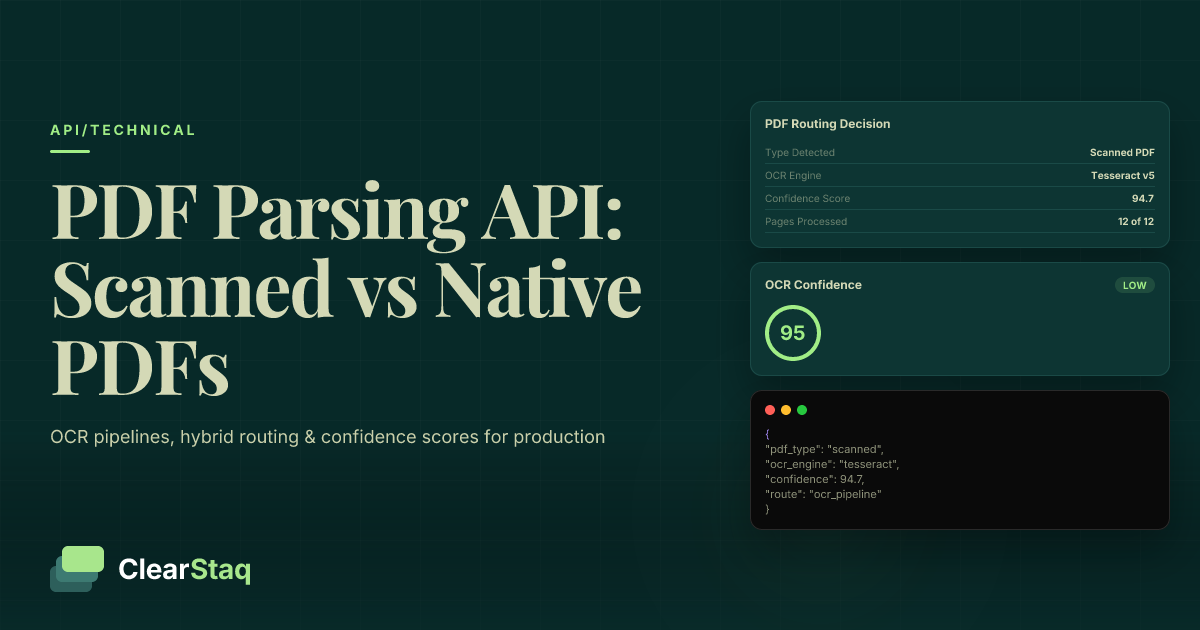
Bank statement PDFs come in two fundamental types: native PDFs with an embedded machine-readable text layer, and scanned PDFs that are rasterized images requiring OCR. Production pipelines must detect type programmatically at ingestion, route to the appropriate extraction path, apply bank-specific rules across 900+ formats, and return per-field confidence scores to trigger fallback review.
What you'll learn
- Native PDFs extract 10–50x faster than scanned PDFs because no OCR inference is required — detection at ingestion determines which path to route
- Hybrid PDFs are the most dangerous document type in production pipelines because naive parsers silently return corrupt text layers without triggering OCR fallback
- Character density (800–2,500 chars/page for native; below 50 for scanned) combined with image coverage analysis provides reliable programmatic PDF type classification
- Generic OCR achieves 90–95% character accuracy on bank statements, but a 1–5% error rate on financial data produces meaningful downstream errors in loan underwriting and fraud decisions
- Per-field confidence scores — not document-level scores — enable targeted human review routing: auto-accept above 0.95, soft review at 0.80–0.95, mandatory review below 0.80
- Running balance reconciliation is a strong secondary integrity signal that catches row-transposition errors even when individual field confidence scores appear acceptable
Bank statement PDFs come in two fundamental types: native PDFs (with an embedded, machine-readable text layer) and scanned PDFs (rasterized images requiring OCR). Production pipelines must detect type programmatically at ingestion, route to the appropriate extraction path, apply bank-specific parsing rules across 900+ formats, and return per-field confidence scores to trigger fallback review when needed.
Native PDFs vs. Scanned PDFs: What's Actually Different Under the Hood
If you're building a bank statement PDF parsing API or pipeline, the single most important distinction you need to understand is whether you're working with a native PDF or a scanned one. These two document types require fundamentally different extraction approaches — and routing them incorrectly wastes compute, degrades accuracy, and introduces silent errors that are hard to catch downstream.
For the fraud detection implications of scanned vs. native PDFs, the distinction matters even more — but let's start with the engineering fundamentals.
What Makes a PDF 'Native'
A native PDF (also called a digital PDF) contains an embedded text stream in the PDF object model. When a bank's online portal generates a statement, the core banking software writes character data, font tables, and glyph mappings directly into the file using ContentStream operators. No image rendering is involved.
Because the text is machine-readable by design, a PDF library can extract it in milliseconds without any image processing. Statements downloaded directly from Chase, Wells Fargo, Bank of America, and most major online portals are almost always native PDFs — they're generated programmatically from the same transaction database that powers the online interface.
What Makes a PDF 'Scanned'
A scanned PDF is a photograph of a physical document wrapped in a PDF container. The text doesn't exist as data — it exists as pixels. To extract any structured information, you must run OCR to reconstruct the character sequence from the image.
Scan quality varies enormously. Resolution (DPI), scan angle, lighting, and paper condition all affect downstream OCR accuracy. Common sources of scanned bank statements include physical branch-issued statements, fax-to-PDF workflows, and legacy document digitization projects where the original digital files were discarded.
The Hidden Third Type: Hybrid PDFs
Hybrid PDFs are the most dangerous document type in production pipelines — and the least discussed. A hybrid PDF has both a native text layer AND a scanned image overlay on the same page.
This typically happens when a digital PDF is printed, then scanned back into a new PDF — common in compliance workflows where physical sign-off is required. The original text layer survives in the file, but it may be corrupt, misaligned, or incomplete relative to what the image actually shows.
Most parsers fail silently on hybrids: they detect the native text layer, extract it, and return plausible-looking data — without flagging that the text layer doesn't accurately reflect the visible content. The result is structured output that looks correct but isn't.
How to Detect PDF Type Programmatically (Before You Parse Anything)
Type detection must happen at ingestion — before you route to any extraction pipeline. Attempting OCR on a native PDF wastes 10-50x the compute time for no accuracy gain. Attempting native text extraction on a scanned PDF returns an empty string or garbage, which may silently propagate through your pipeline as missing data.
The classification step also surfaces the PDF metadata exposed during native text extraction — creator application, modification timestamps, and font tables — which feeds directly into fraud signal analysis.
Text Density Heuristics for Type Detection
The primary detection signal is character density. Extract raw text using a PDF library (PyMuPDF, pdfplumber, or PDFium) and calculate the characters-per-page ratio:
- 800–2,500 characters/page: Consistent with a native bank statement — route to native extraction path
- 50–800 characters/page: Ambiguous — may be a sparse native document or a hybrid with partial text layer; apply secondary checks
- Below ~50 characters/page: Strongly indicates scanned — route to OCR pipeline
Watch for hybrid edge cases: a document can exceed the 50-character threshold because of a corrupt or partial text layer while the majority of content exists only in the image. Character count alone isn't sufficient — you need a secondary check.
Image Coverage Analysis for Scanned Detection
The secondary signal is image coverage. Inspect the PDF page objects for XObject image resources. If a single image covers more than 80% of the page area with no meaningful text stream alongside it, you have a definitive scanned classification.
A critical implementation note: per-page classification is required, not per-document. Multi-page bank statements frequently mix page types — a digitally generated cover page followed by scanned transaction pages is more common than you'd expect, particularly with older regional bank formats.
Handling the Unknown: Graceful Fallback Classification
Some documents fail both heuristics: password-protected PDFs, corrupted files, or exotic encoding formats may yield ambiguous signals. For production pipelines, default-to-OCR is the safer fallback than default-to-native. Running OCR on a native document wastes compute. Running native extraction on a scanned document returns silent empty or garbled output that corrupts downstream data.
Log the classification confidence score alongside each document_id. This creates the observability you need to catch systematic misclassification patterns — for example, a new bank format that consistently triggers the wrong routing path.
Parsing Native PDFs: Direct Text Extraction Without OCR
Once you've classified a document as native, text extraction is straightforward in concept — but bank-statement-specific layout rules make it complex in practice. Native extraction reads the PDF ContentStream directly, so there's no image processing and no OCR model inference. Speed advantage is significant: native extraction typically runs 10–50x faster per page than the OCR path.
That said, native extraction isn't error-free. Non-standard glyph maps, custom font encoding, and ligature handling can corrupt character output in ways that look plausible but are semantically wrong — particularly for currency symbols and decimal separators. For details on format differences across major bank statement layouts, the encoding quirks vary significantly by institution.
Table Extraction from Native Bank Statements
Here's what surprises most developers: native PDFs don't have semantic table structure. There are no HTML-style <table> tags. Transaction rows are defined by x/y bounding box coordinates in the PDF coordinate space — you reconstruct the table by grouping text tokens that share approximate y-coordinates into rows, and approximate x-coordinates into columns.
Column alignment isn't standardized across banks:
| Bank | Column Structure | Date Format | Notes |
|---|---|---|---|
| Chase | Fixed-width, left-aligned description | MM/DD | Multi-line descriptions common |
| Wells Fargo | Proportional, description wraps | MM/DD/YYYY | Debit/credit in separate columns |
| Bank of America | Fixed-width with running balance | MM/DD/YY | Statement period split across columns |
| Regional banks | Varies widely by core banking platform | Varies | Custom rules required per template |
pdfplumber's built-in table detection works well for standard layouts. For regional bank formats with unusual column spacing or merged cells, custom extraction rules are required.
Handling Multi-Page Native Statements
Multi-page native bank statements introduce several continuity challenges that single-page logic doesn't handle:
- Running balance continuity: The closing balance on page N must equal the opening balance on page N+1. Use this as an integrity check — if balances don't reconcile, your row-grouping logic has likely merged or split a transaction incorrectly.
- Header/footer deduplication: Column headers and page footers repeat on every page. Your extraction logic must identify and discard these, not treat them as transaction rows.
- Statement metadata propagation: Account number, statement period, and bank name typically appear only on page 1. Every transaction record in your output should carry these fields, which means propagating them forward during extraction.
- Page-break transactions: A transaction description can wrap across a page boundary. Without explicit handling, these produce two orphaned partial records instead of one complete transaction.
Parsing Scanned Bank Statements: The OCR Pipeline Explained
Scanned bank statement parsing is a five-stage pipeline, and errors compound at each stage. Understanding where accuracy is lost helps you prioritize engineering investment correctly.
The stages are: image extraction from the PDF container → pre-processing (deskew, denoise, binarize) → OCR engine inference → text reconstruction into positional tokens → structured data mapping to transaction fields.
Accuracy benchmarks matter here. Generic OCR on clean scanned bank statements achieves approximately 90–95% character-level accuracy. That sounds reasonable until you consider the context: a 1–5% error rate on financial data means wrong dollar amounts, truncated account numbers, and missed transactions — any of which can cause downstream loan underwriting or fraud decisions to be made on incorrect data. For a deeper look at what 99.5% parsing accuracy means in production, the difference between generic and purpose-built parsers is significant at scale.
Why Generic OCR Falls Short on Bank Statements
Generic OCR engines like Tesseract are trained on diverse text content and treat a scanned page as a flat sequence of characters. Bank statements are dense tabular layouts with critical positional relationships — column alignment is semantic, not decorative.
Specific failure patterns with generic OCR on bank statements include:
- Decimal point ambiguity: The difference between "1,234.56" and "1.234,56" is regional formatting — European bank statements use the opposite separator convention. Generic OCR returns whatever character it sees; it doesn't know whether a period is a decimal or a thousands separator.
- Running total column context: OCR engines process line-by-line. They have no concept of "this number in column 4 should equal the previous number in column 4 plus or minus the number in column 3." Column relationships are invisible to character-level OCR.
- Dense table row separation: Rows separated by thin ruling lines may be merged into a single run of text, losing transaction boundaries.
Cloud OCR APIs: AWS Textract and Google Document AI
AWS Textract's AnalyzeDocument API with table analysis improves on raw character OCR by explicitly detecting table structure. For multi-page scanned statements, async processing mode is required — the synchronous API has page limits that make it impractical for real bank statements, which commonly run 6–24 pages.
Google Document AI's specialized financial document processor performs better than Textract on complex bank layouts in head-to-head testing, but neither product is bank-format-aware at the level of institution-specific templates. A Chase statement and a regional credit union statement look very different, and neither cloud provider's models are tuned to the hundreds of distinct bank layouts in production use.
Pre-Processing Scanned Statements for Maximum OCR Accuracy
Pre-processing is the highest-leverage engineering investment for improving OCR output quality. Switching from Tesseract to a cloud OCR API yields a modest accuracy improvement on a poorly preprocessed image. Fixing the pre-processing pipeline yields a much larger improvement regardless of OCR engine — and the gains are especially significant for low-quality source scans.
For a broader perspective on reducing OCR errors in loan document processing, the pre-processing principles apply across document types, but bank statements have specific requirements worth covering in detail.
Deskewing and Geometric Correction
A scan angle deviation as small as 2 degrees significantly degrades table row alignment. When rows aren't horizontal, the bounding-box grouping logic that reconstructs transactions from OCR tokens starts assigning tokens to the wrong rows.
Use the Hough transform for line detection as a deskew reference — detect the dominant horizontal or vertical line orientation in the page image and rotate to align it with the axis. For statements scanned from bound booklets, page curl correction is also required: the curvature near the spine distorts character shapes in ways that degrade character recognition independently of skew.
Denoising and Contrast Enhancement
Fax artifacts, scanner noise, and toner inconsistency create speckle patterns that OCR engines misinterpret as characters or that break character strokes into fragments. Standard denoising approaches:
- Adaptive binarization (Sauvola method): Handles uneven illumination better than global thresholding. Particularly effective when lighting conditions vary across the page — common with flatbed scanners.
- CLAHE (Contrast-Limited Adaptive Histogram Equalization): Restores legibility on low-contrast aging thermal paper statements, which fade over time and scan poorly with standard contrast settings.
- Median filtering: Removes isolated noise pixels without blurring character edges the way Gaussian filtering does.
DPI normalization should happen before any of these steps: resample to 300 DPI minimum before passing to OCR. Below 200 DPI, character recognition accuracy degrades significantly for small-font bank statement text.
Table Border Detection for Bank Statements
This pre-processing step is not covered by any cloud OCR API out of the box — and it makes a significant difference for structured financial documents. Detect horizontal and vertical ruling lines using morphological operations on the binarized image. These lines define transaction row boundaries geometrically, independent of OCR output.
Once you've detected the table structure, you can use the grid as a scaffold: assign each OCR token to a cell based on its bounding box intersection with the detected grid, rather than relying on spatial proximity heuristics alone. This eliminates an entire category of row-merging errors that plague naive OCR approaches on dense tabular bank statement layouts.
Handling Hybrid PDFs: When a Document Has Both Text and Image Layers
Hybrid PDFs are where production bank statement pipelines most commonly fail — and fail silently. The danger isn't that extraction breaks and throws an error. The danger is that extraction succeeds and returns wrong data.
When a hybrid PDF's native text layer is corrupt or misaligned, naive extraction returns that layer without warning. The output passes format validation (it contains dates, amounts, transaction-like strings) but the values don't match what's actually in the document. These errors are extremely difficult to catch without explicit hybrid detection logic.
Detecting Corrupt or Misaligned Text Layers
After extracting the native text layer, run plausibility checks before accepting it as authoritative:
- Pattern matching: Does the extracted text contain valid date patterns? Recognizable currency amounts? Account number formats? If character count passes the threshold but no recognizable financial tokens are present, flag as a corrupt hybrid.
- Coordinate drift detection: Compare extracted text bounding boxes with the underlying page image. If text bounding boxes have drifted more than a threshold number of pixels from where those characters visually appear in the image, you're looking at a print-rescan misalignment.
- Density vs. content mismatch: If character density is in the native range (800+ chars/page) but the text fails basic financial token checks, the text layer exists but is not trustworthy.
The Prefer-Native, Fallback-to-OCR Strategy
The correct architecture for hybrid handling is sequential with explicit quality gates:
- Extract native text layer
- Run plausibility checks against expected bank statement patterns
- If checks pass → accept native text layer, proceed to structured data mapping
- If checks fail → discard native text layer, route to OCR pipeline on the underlying image
Log hybrid classifications separately from pure-native and pure-scanned documents in your pipeline monitoring. Hybrid rate is a useful signal: a sudden increase in hybrid classification for a specific bank template often means that institution has changed its statement generation process — a workflow change worth investigating before it corrupts a production data batch.
ClearStaq handles this classification and fallback logic transparently — no developer configuration is required to get correct behavior on hybrid inputs.
Production Architecture: Routing Logic for Mixed Document Inputs
In real-world deployment, your inbound document queue contains an unknown mixture of native, scanned, and hybrid PDFs. You don't know the type until you inspect the document — and your customers certainly won't pre-classify what they upload. The routing layer must handle all three types without developer intervention.
The production architecture pattern is: ingest → classify → route → extract → normalize → validate → output. Each stage has distinct failure modes and latency characteristics.
Upload
0.1sDrop any bank statement format
Parse
1.2sOCR + AI extraction
Detect
0.8sFraud & stacking analysis
Verify
0.3sIncome verification
Deliver
0.1sStructured JSON response
Queue Design for Mixed Document Types
Native and scanned documents have fundamentally different processing latency profiles, and mixing them in a single queue creates priority inversion problems. Best practices for queue design:
- Synchronous processing for native PDFs: At 50–200ms per page, native extraction can return results in the API response. No async complexity required.
- Async queue for scanned PDFs: At 2–8 seconds per page (depending on resolution and pre-processing complexity), scanned documents must be queued for background processing. A spike in scanned document volume should not degrade native parsing latency.
- Separate worker pools: OCR inference is GPU/CPU intensive. Scanned document workers should be isolated from native extraction workers to prevent resource contention.
- Dead-letter queue: Documents that fail classification and both extraction paths need a dedicated failure queue with alerting — not silent discard.
For implementation details on batch processing bank statements at scale, the queue architecture patterns apply directly to mixed-type document ingestion. For strategies to handle document volume spikes without throttling, see our guide on API rate optimization for peak processing loads.
Webhook Callbacks for Async Scanned Processing
The async processing pattern for scanned documents follows a submit-then-notify flow:
- Client submits PDF → API returns
job_idandestimated_processing_timeimmediately - Scanned document enters OCR processing queue
- On completion, API delivers parsed results to the registered webhook endpoint
The webhook payload should include: document_type classification (native|scanned|hybrid), full transactions array, account_summary, confidence_scores object keyed by field, and any extraction_warnings array. Implement idempotent webhook handlers — network failures trigger retries, and duplicate delivery is a guarantee you need to handle, not an edge case you can ignore.
Throughput Benchmarks: Native vs. Scanned Paths
Setting realistic SLA expectations requires understanding the latency profile of each path:
| Processing Path | Latency per Page | Response Mode | Primary Bottleneck |
|---|---|---|---|
| Native text extraction | 50–200ms | Synchronous | Bank-specific layout parsing rules |
| Scanned — clean, high-res | 2–4 seconds | Async + webhook | OCR inference |
| Scanned — low-res or complex | 5–8 seconds | Async + webhook | Pre-processing + OCR inference |
| Hybrid — native layer passes | 100–300ms | Synchronous | Plausibility check overhead |
| Hybrid — falls back to OCR | 2–8 seconds | Async + webhook | Full OCR pipeline |
At 100 documents per hour with a typical mix of 60% native / 30% scanned / 10% hybrid, scanned documents dominate total pipeline latency. Capacity planning should be based on the scanned path throughput, not the native path average.
Confidence Scores and Error Handling in a Production Pipeline
Confidence scores are the mechanism by which a bank statement PDF parsing API communicates extraction uncertainty. The key distinction is that useful confidence scoring operates at the field level, not just at the document level. A document-level confidence score tells you very little — a document can have 200 perfectly extracted transactions and 3 corrupted ones. Field-level scores let you act on exactly those 3 records without touching the rest.
For a detailed explanation of how these scores are calculated and interpreted, see our dedicated guide on confidence scores in bank statement parsing.
Per-Field Confidence in the API Response
Each extracted field carries an independent confidence score derived from three signals: OCR character-level probability distributions (from the underlying model's softmax output), cross-validation against running balance arithmetic, and format pattern matching (does this string match expected date, amount, or account number patterns?).
A realistic JSON response fragment for a scanned bank statement transaction looks like this:
{
  "transaction_id": "txn_00482",
  "date": "2024-11-15",
  "description": "AMAZON MARKETPLACE",
  "amount": -67.43,
  "running_balance": 4821.07,
  "confidence": {
    "date": 0.97,
    "description": 0.91,
    "amount": 0.88,
    "running_balance": 0.94
  },
  "flags": []
}
The recommended threshold structure for production routing decisions:
- Confidence > 0.95: Auto-accept — field passes to downstream systems without review
- Confidence 0.80–0.95: Soft review flag — surfaced to a human reviewer queue but doesn't block processing
- Confidence < 0.80: Mandatory review or rejection — do not pass to downstream credit or underwriting systems
When to Trigger Human Review
In clean batches of scanned bank statements, expect 85–90% of documents to pass all field-level confidence thresholds automatically. The remaining 10–15% represent genuine edge cases: low-resolution scans from aging documents, unusual regional bank formats, or physical damage to the source paper.
Running balance reconciliation is a strong secondary integrity signal that operates independently of per-field confidence scores. If the reconstructed running balance sequence doesn't reconcile mathematically from transaction to transaction, the entire document's confidence drops — even if individual field scores look acceptable. This catches a class of errors where OCR correctly read all the characters but assigned a transaction to the wrong row, producing plausible-looking but transposed data.
How ClearStaq's API Handles Both Document Types Automatically
ClearStaq's bank statement PDF parsing API accepts any bank statement PDF and handles native, scanned, and hybrid detection internally. There's no document_type parameter to set, no pre-classification step required from your integration — you submit the document, the API classifies it, routes it, extracts it, and returns structured data with confidence scores.
If you're just getting started, the getting started with the ClearStaq API guide walks through your first integration in under 60 seconds. For the complete JSON schema and output format documentation, see the structured bank statement data from PDF to JSON developer guide.
Skip the Classification Logic and Pre-Processing Pipelines
Submit any bank statement PDF to the ClearStaq bank statement parsing API and get structured JSON back — whether it's native, scanned, or hybrid — with per-field confidence scores included. No document_type parameter. No pre-processing configuration. No OCR pipeline to maintain.
API Request and Response Structure
A single POST endpoint accepts either a PDF binary upload or a document URL. The synchronous response for a native document includes the full structured payload. For scanned documents, the initial response returns a job_id and estimated_processing_time, with the full result delivered via webhook.
A complete API response includes:
document_type: Classification result — "native", "scanned", or "hybrid"transactions: Array of structured transaction objects with date, description, amount, running_balance, and per-field confidence scoresaccount_summary: Opening balance, closing balance, statement period, account number, institution nameconfidence_scores: Aggregate document-level confidence and per-field breakdownfraud_signals: Array of detected fraud indicators extracted during the same parsing pass — no second API call requiredextraction_warnings: Any low-confidence sections or format anomalies flagged during processing
Format-specific parsing rules for 900+ bank templates improve accuracy beyond generic OCR for both native and scanned paths. SOC2-compliant handling ensures scanned images containing sensitive financial data are processed and discarded securely throughout the OCR pipeline.
Getting Started and Integration Patterns
Authentication uses Bearer token headers. Rate limits apply per tier and are documented alongside error response codes in the API reference. Webhook registration for async scanned document results is handled through the developer dashboard — register your endpoint once and it receives all async job completions automatically.
For developers integrating into existing loan origination, fraud review, or financial underwriting systems, ClearStaq supports both polling (via job status endpoint) and webhook delivery for scanned document results, giving you flexibility to match your existing async architecture.
Frequently Asked Questions
What is the difference between a scanned PDF and a native PDF bank statement?
A native PDF bank statement contains an embedded machine-readable text layer created directly by the bank's software — text can be extracted programmatically without image processing. A scanned PDF is a photograph of a physical document wrapped in a PDF container, requiring OCR to reconstruct the text. Native PDFs parse faster, more accurately, and expose metadata that scanned PDFs do not.
How does OCR work on scanned bank statements?
OCR on scanned bank statements converts the rasterized page image into machine-readable text through four stages: image pre-processing (deskewing, denoising, binarization), character recognition by an OCR model, text reconstruction into positional tokens, and structured data mapping to transaction fields. Bank-statement-specific pre-processing and format-aware models significantly outperform generic OCR engines for financial document accuracy.
What accuracy should developers expect from OCR on scanned bank statements?
Generic OCR engines like Tesseract achieve 90–95% character-level accuracy on clean scanned bank statements, but this error rate produces meaningful data quality issues in financial contexts. Purpose-built financial document parsers with bank-specific models and pre-processing can reach 98–99% accuracy. Per-field confidence scores should be used to identify and flag any remaining low-accuracy extractions rather than treating all output as equally reliable.
How do you handle hybrid PDFs in a bank statement parsing pipeline?
Hybrid PDFs — which contain both a native text layer and a scanned image — require a prefer-native, fallback-to-OCR strategy. Extract the native text layer first and run plausibility checks against expected bank statement patterns (dates, amounts, account numbers). If the text layer fails quality thresholds, discard it and run OCR on the underlying image. Most generic parsers fail silently on hybrids by returning the corrupt text layer without warning.
How do you detect whether a bank statement PDF is native or scanned in code?
The most reliable programmatic approach combines two signals: character density (native bank statements typically yield 800–2,500 characters per page when text-extracted; below ~50 characters indicates scanned) and image coverage analysis (full-page XObject images covering more than 80% of page area confirm scanned classification). Per-page classification is required for multi-page documents, as individual pages within one PDF can differ in type.
What are the most common failure modes when parsing scanned bank statements at scale?
The most common production failure modes are: decimal point misreads corrupting transaction amounts, date field errors from ambiguous two-digit year formats, transaction description truncation at page-break line boundaries, and silent failures on hybrid PDFs where a corrupt native text layer is returned instead of triggering OCR. Running balance reconciliation checks catch many of these failures before structured data reaches downstream systems.
Ready to Build a Production-Grade Bank Statement Parsing Pipeline?
Building a bank statement parsing pipeline? ClearStaq handles native, scanned, and hybrid PDFs automatically — with 900+ bank format support and confidence scores on every field. Explore the API docs or parse your first statement in 60 seconds.
Frequently Asked Questions
What is the difference between a scanned PDF and a native PDF bank statement?
A native PDF bank statement contains an embedded machine-readable text layer created directly by the bank's software — text can be extracted programmatically without image processing. A scanned PDF is a photograph of a physical document wrapped in a PDF container, requiring OCR to reconstruct the text. Native PDFs parse faster, more accurately, and expose metadata that scanned PDFs do not.
How does OCR work on scanned bank statements?
OCR on scanned bank statements converts the rasterized page image into machine-readable text through four stages: image pre-processing (deskewing, denoising, binarization), character recognition by an OCR model, text reconstruction into positional tokens, and structured data mapping to transaction fields. Bank-statement-specific pre-processing and format-aware models significantly outperform generic OCR engines for financial document accuracy.
What accuracy should developers expect from OCR on scanned bank statements?
Generic OCR engines like Tesseract achieve 90–95% character-level accuracy on clean scanned bank statements, but this error rate produces meaningful data quality issues in financial contexts. Purpose-built financial document parsers with bank-specific models and pre-processing can reach 98–99% accuracy. Per-field confidence scores should be used to identify and flag any remaining low-accuracy extractions rather than treating all output as equally reliable.
How do you handle hybrid PDFs in a bank statement parsing pipeline?
Hybrid PDFs — which contain both a native text layer and a scanned image — require a prefer-native, fallback-to-OCR strategy. Extract the native text layer first and run plausibility checks against expected bank statement patterns (dates, amounts, account numbers). If the text layer fails quality thresholds, discard it and run OCR on the underlying image. Most generic parsers fail silently on hybrids by returning the corrupt text layer without warning.
How do you detect whether a bank statement PDF is native or scanned in code?
The most reliable programmatic approach combines two signals: character density (native bank statements typically yield 800–2,500 characters per page when text-extracted; below ~50 characters indicates scanned) and image coverage analysis (full-page XObject images covering more than 80% of page area confirm scanned classification). Per-page classification is required for multi-page documents, as individual pages within one PDF can differ in type.
What are the most common failure modes when parsing scanned bank statements at scale?
The most common production failure modes are: decimal point misreads corrupting transaction amounts, date field errors from ambiguous two-digit year formats, transaction description truncation at page-break line boundaries, and silent failures on hybrid PDFs where a corrupt native text layer is returned instead of triggering OCR. Running balance reconciliation checks catch many of these failures before structured data reaches downstream systems.
ClearStaq Team
Engineering Team
The ClearStaq team builds AI-powered tools for bank statement parsing, fraud detection, and income verification.