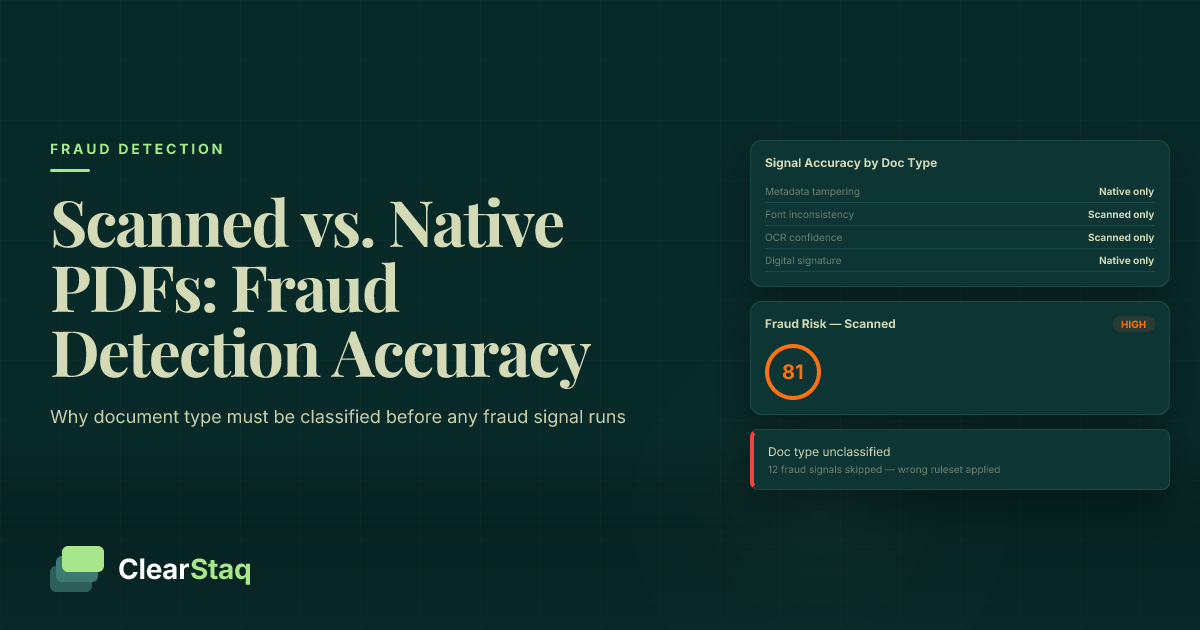
Scanned and native PDF bank statements require fundamentally different fraud detection techniques. Native PDFs contain rich metadata and selectable vector text for direct interrogation. Scanned PDFs are rasterized images that strip metadata, forcing detection systems to rely on image-layer signals such as DPI consistency, compression artifacts, and font rasterization anomalies.
What you'll learn
- Native PDFs contain metadata fields like /Creator, /ModDate, and embedded fonts that are permanently destroyed when a document is scanned
- The re-scanning attack — editing a native PDF, printing it, then scanning it back — is the most common sophisticated fraud technique and requires no specialized skills
- Automated fraud systems must classify document type before applying any signals, or they will produce false positives on legitimate scanned statements
- OCR extraction from scanned PDFs carries inherent accuracy risk that compounds fraud scoring error rates and must be reflected in confidence thresholds
- Image-layer signals including second-generation noise patterns, moiré artifacts, and DPI inconsistency are the primary detection surface for scanned document fraud
Scanned and native PDF bank statements are fundamentally different document types that require different fraud detection techniques. Native PDFs contain rich metadata and selectable vector text that fraud analysis tools can interrogate directly. Scanned PDFs are rasterized images that strip most metadata, forcing detection systems to rely on image-layer signals such as DPI consistency, compression artifacts, and font rasterization anomalies.
Scanned vs. Native PDF: What's the Actual Difference?
Both file types share the same .pdf extension. Open them in a PDF viewer and they look identical. But underneath the surface, a native PDF and a scanned PDF are as different as a spreadsheet and a photograph of that same spreadsheet.
Understanding the distinction is the foundation of reliable fraud detection. If your system can't tell the two apart, it's applying the wrong signals to the wrong document — and producing unreliable scores on both ends. For a broader grounding in what those wrong scores can miss, see our guide to signs of a fake bank statement.
One important caveat before going further: many legitimate borrowers — particularly older account holders and small business owners who receive paper mail — can only provide scanned statements. The distinction matters for how you analyze a document, not for assigning automatic suspicion to it.
What Lives Inside a Native PDF
A native PDF is generated directly by the bank's core banking software. No paper was ever involved. The document exists as structured digital data from the moment it's created, and it contains:
- Selectable, searchable text encoded as vector glyphs — you can highlight and copy individual characters
- Embedded font information identifying the exact typeface and rendering engine used
- Document metadata: creator application, author field, creation timestamp, modification timestamp, and producer string
- Logical document structure including bookmarks and tagged PDF layers
- Hyperlinks and form fields in some cases
Every one of these elements is a potential fraud signal. None of them survive the scanning process.
What Lives Inside a Scanned PDF
A scanned PDF is a photograph of a printed page, stored inside a PDF container. The bank generated the original document digitally, it was printed, and then a scanner converted it back into a digital file. What that file contains is fundamentally different:
- One or more rasterized image layers — typically JPEG, TIFF, or PNG encoded within the PDF wrapper
- No selectable text unless OCR software has been run after scanning
- Minimal to no document metadata — only scanner device data in some cases
- DPI and compression settings determined by the scanner hardware
- Possibly an invisible OCR text overlay added by the scanner software
The metadata from the original bank-generated document is permanently gone. The file's "creator" is now the scanner.
Why the Document Type Changes Everything for Fraud Detection
Fraud signals are not document-agnostic. A signal that's highly reliable for native PDFs can be completely meaningless — or actively misleading — when applied to a scanned document.
Consider metadata timestamp analysis. A modification date that postdates a statement's closing period is a strong fraud indicator in a native PDF. But in a scanned document, there is no meaningful modification timestamp from the bank. If your system flags a scanned PDF for a missing or scanner-generated /ModDate, it has just produced a false positive on a potentially legitimate document.
The reverse is equally damaging. Running only image-layer checks on a native PDF misses the entire metadata attack surface that fraudsters exploit. The FBI consistently identifies financial document fraud as a significant driver of loan losses — and the attack vectors differ entirely by document type.
Any automated system that does not classify document type before running fraud analysis is working with the wrong signal set by default.
How OCR Accuracy Differs — and Why It Compounds Error Rates
Text extraction from a native PDF is direct character mapping. The software reads vector glyphs and converts them to characters with near-perfect accuracy — typically 99.9%+. There's no interpretation involved.
Text extraction from a scanned PDF requires OCR: software must infer characters from pixel patterns. Accuracy degrades with scan quality, document skew, background noise, ink bleed, or insufficient resolution. A scan at 150 DPI with slight page curl can produce character error rates that compound across dozens of balance figures.
Those OCR errors don't just create inconvenience. They create downstream fraud scoring errors. A misread balance figure can suppress a legitimate fraud signal or trigger a false one. Low-confidence OCR fields should trigger adjusted fraud score thresholds and surface uncertainty to underwriters — not produce flat rejections or unqualified approvals. For a detailed look at how this uncertainty is quantified, see our article on confidence scores in parsed bank statements.
The False Positive Problem: Legitimate Borrowers with Scanned Statements
A policy of treating "scanned = suspicious" is both commercially damaging and discriminatory. Many small business owners manage their finances through physical statements delivered by mail. Older borrowers may have never set up online banking portals that generate native PDFs. These are real applicants with legitimate documents.
The correct approach is not to penalize scanned documents uniformly. It's to apply the signal set appropriate for scanned documents and flag for manual review only when image quality genuinely degrades extraction confidence. A system that rejects scanned statements outright will disproportionately exclude valid applicants while doing nothing to catch sophisticated fraud.
What Metadata Lives Inside a Native PDF (and Vanishes When You Scan It)
For native PDFs, PDF metadata analysis is one of the most powerful fraud detection layers available. These fields are embedded in every bank-generated PDF — and they tell a precise story about how and when a document was created.
For a technical deep dive into how these signals are used in practice, see our guide to PDF metadata analysis for fraud detection.
Key Metadata Fields and What They Reveal
| Metadata Field | Expected Value (Legitimate) | Fraud Indicator |
|---|---|---|
/Creator |
Core banking software identifier (e.g., specific platform name) | Adobe Acrobat, Microsoft Word, LibreOffice, PDFfiller, or online converter |
/Producer |
Bank's PDF rendering library | Acrobat Distiller, iLovePDF, Smallpdf, or generic open-source renderer |
/CreationDate |
Date within or shortly after the statement period | Date inconsistent with the statement period |
/ModDate |
Should match or closely follow /CreationDate |
Any date after the statement closing date — strong fraud indicator |
/Author |
Blank or institutional naming convention | Personal name or username |
| Font embedding data | Bank's proprietary or licensed fonts | Substitute fonts that visually match but carry different names |
A /ModDate that postdates the statement period is the single most reliable metadata fraud indicator. It means the PDF was opened and saved after the document was supposedly finalized — which has one obvious explanation.
Scanning destroys every one of these fields. The resulting file's metadata reflects the scanner device. There's no /Creator pointing to bank software, no meaningful /ModDate tied to the original document, and no font embedding data. Fraudsters who know this use scanning deliberately as an obfuscation technique — which brings us to the most important attack vector in this space.
Font Rendering: Vector Text vs. Rasterized Text as a Fraud Signal
Native PDFs render text as mathematical vector descriptions. They're infinitely scalable and perfectly consistent — every character of a given font looks identical throughout the document.
Scanned PDFs render text as pixel grids. Minor inconsistencies in character spacing, weight, and baseline alignment are normal and expected from the scanning process.
In a fraudulent native PDF, font substitution creates detectable differences. When a fraudster replaces a bank's licensed proprietary font with a visually similar free alternative, the font name embedded in the PDF doesn't match the bank's known font set — even if the visual appearance looks correct at a glance.
In a fraudulent scanned PDF, the signal shifts to the image layer. Look for regions with anomalously sharp pixel edges inconsistent with the surrounding scanner output. Digitally inserted text before printing, or image-layer text insertion after scanning, both leave this kind of edge artifact.
The Re-Scanning Trick: How Fraudsters Use Scans to Destroy Evidence
This is the obfuscation technique that no competitor article has explained in depth — and it's more widespread than most underwriters realize. The re-scanning attack requires no technical expertise, no specialized software, and no hacking skills. It's available to anyone with a PDF editor, a printer, and a scanner.
The attack converts a native PDF with detectable fraud signals into a scanned PDF with none of them. Understanding it is essential for any team that reviews financial documents.
Step-by-Step: How the Re-Scanning Attack Works
- Step 1: The fraudster downloads a legitimate bank statement as a native PDF from an online banking portal — their own account or a stolen one.
- Step 2: They open the file in a PDF editor (Adobe Acrobat Pro, Foxit, or a free online tool) and alter transaction amounts, deposit figures, or running balances.
- Step 3: They print the edited document on a standard home or office printer.
- Step 4: They scan the printed document back to PDF using a personal scanner or a multifunction printer.
- Step 5: They submit the resulting file. Its metadata now reflects only the scanner. The
/Creatorfield is clean. The/ModDateis gone. The font embedding data is gone. There's no trace of the PDF editor that made the alterations.
A naive fraud detection system — one that only checks metadata — will return a clean result. The evidence has moved from the metadata layer to the image layer. For a broader view of how AI-based systems address this, see our piece on how AI detects altered PDFs.
How Detection Systems Catch Re-Scanned Documents
The re-scanning attack isn't undetectable. It leaves a specific set of image-layer artifacts that a single-generation scan doesn't produce.
- Second-generation image noise: A document that was printed and re-scanned carries printer dot patterns layered under scanner noise. This two-layer noise signature is distinct from a single-generation scan and can be detected through noise decomposition analysis.
- Compression artifact inconsistency: Regions of the image where digital editing occurred before printing may show different JPEG compression fingerprints after scanning. The compression "fingerprint" from the original digital content can survive the print-scan cycle in subtle ways.
- Moiré patterns: The halftone dot pattern from the printer creates moiré interference patterns in the rescanned output that are not present in documents scanned directly from an original paper statement.
- Font pixel density anomalies: Regions of altered text — printed from digital editing — may show subtly different pixel densities compared to the surrounding original text that went through the same print-scan cycle from the original document.
ClearStaq's image noise pattern analysis is specifically trained on the two-generation artifact signature that re-scanning produces. The result is a composite fraud score that incorporates all of these image-layer signals simultaneously.
Fraud Risks Specific to Scanned Bank Statements
Scanned documents carry a distinct fraud risk profile. The attack vectors that work best against scanned statements exploit the absence of metadata and the limitations of image-layer analysis. Documenting these matters — bank statement fraud in MCA lending and adjacent markets shows exactly how costly these attacks can become at scale.
The major attack types unique to or most effective in scanned documents include:
- Re-scanning to destroy metadata — covered in detail in the section above; this is the most common sophisticated attack
- Deliberate low-resolution scanning — submitting intentionally low-DPI scans (under 100 DPI) to make text illegible enough that OCR errors obscure fabricated figures
- Physical cut-and-paste fraud — printing a legitimate statement, physically cutting and taping altered figures over the originals, then scanning the composite document; surprisingly common in lower-sophistication fraud rings
- Scanner model spoofing — using a scanner or scanning app that strips EXIF metadata entirely, leaving no device fingerprint
- Image compression masking — applying high JPEG compression to the scanned file to blur pixel-level evidence of digital alterations made before printing
Image-Layer Signals That Indicate Manipulation in Scanned Documents
When metadata is absent, image-layer analysis is the primary detection surface. These are the signals that matter:
- DPI inconsistency across the document: Different regions scanned at different resolutions suggest image stitching or region replacement. A legitimate single-pass scan produces uniform DPI throughout.
- Compression artifact boundaries: Sharp JPEG block boundaries in specific regions — particularly around transaction figures — suggest post-scan digital insertion of altered numbers.
- Baseline alignment irregularities: Text rows that are not parallel to the scan plane indicate physical cut-and-paste manipulation before scanning. Legitimate scans show consistent baseline angles throughout.
- Brightness and contrast discontinuities: Patched regions of the image with different tonal profiles than surrounding areas suggest a composite document — multiple pieces of paper assembled before scanning.
- Background texture anomalies: In a real scan, the paper grain pattern is continuous across the page. Cut-and-pasted regions break this continuity at the join edges.
Fraud Risks Specific to Native PDFs
Native PDFs carry a completely different fraud risk profile. Because they exist as editable digital files with rich internal structure, the attack vectors are structural rather than image-based. The most common techniques include:
- Direct PDF editing: Using Adobe Acrobat Pro, Foxit, or online tools to alter transaction amounts, balances, and dates while preserving the visual layout. This leaves metadata traces that detection systems can identify.
- Template fabrication: Building a complete fake statement from scratch using a bank's publicly visible PDF formatting as a template, or purchasing a forgery kit from fraud forums.
- Metadata laundering: Clearing or backdating
/ModDateand/CreationDatefields after editing to mask evidence of manipulation. Not all PDF editors expose this capability, but some do. - Font substitution: Replacing a bank's licensed proprietary font with a visually similar free alternative. The font name embedded in the PDF reveals the substitution even when visual inspection can't detect it.
- Invisible text layer manipulation: Altering the selectable text layer while leaving the visual rendered layer unchanged. This is technically sophisticated but creates a detectable discrepancy between what the eye sees and what text extraction reads.
Native PDF editing fraud frequently accompanies transaction-level manipulation. Watch for round-number deposit patterns in conjunction with the structural signals below — they often appear together in fabricated statements.
Metadata Signals That Expose Manipulated Native PDFs
/ModDateafter the statement closing date: The most reliable single indicator that a native PDF was opened and re-saved after the bank generated it./Creatorshowing a consumer tool: Adobe Acrobat, Microsoft Word, LibreOffice, PDFfiller, or any consumer application in the Creator field of what should be a bank-generated document.- Font name mismatch: Embedded font names that don't match the bank's known font set for that statement format and institution.
- Object stream inconsistencies: Some content streams in the PDF using different compression or encoding than others — a sign that specific objects were added or replaced after initial generation.
- Cross-reference table anomalies: Signs that the PDF's internal object index was rebuilt after editing. Acrobat-based manipulation often leaves this signature in the file's internal structure.
How AI Classifies Document Type Before Analysis Even Begins
Document type classification isn't an optional enhancement. It's a required pre-processing step. Running the wrong signal set produces unreliable scores — and unreliable scores cost lenders money in both directions: missed fraud and rejected legitimate applicants.
Classification happens before any transaction data is examined. The system analyzes the document's structure to determine what kind of file it's actually dealing with, using a multi-signal ensemble:
- Selectable text layer presence: Does the file contain an extractable text layer? Native PDFs always do. Scanned PDFs typically don't unless OCR was applied.
- Font embedding data: Are fonts embedded as vector descriptions? Native PDFs embed font metrics. Scanned PDFs don't.
- Metadata field population: Are the standard metadata fields populated with meaningful values, or are they blank or scanner-generated?
- Image layer presence and DPI profile: Does the document contain high-resolution image objects consistent with scanner output?
Classification outputs a confidence level: "native PDF — 98% confidence," "scanned PDF — 94% confidence," or "ambiguous — manual review recommended." The ambiguous category is important: OCR-processed scanned PDFs contain a text overlay layer that can fool simpler classification systems into treating them as native. The difference is that OCR overlay text lacks the font embedding metrics and vector precision of genuinely native text — detectable through font metric inspection and character spacing analysis.
Document-Type-Aware Fraud Signal Sets
Once document type is established, the appropriate signal set activates:
| Signal Category | Native PDF | Scanned PDF | Both |
|---|---|---|---|
| Metadata interrogation | ✓ | — | — |
| Font analysis | ✓ | — | — |
| Object stream integrity | ✓ | — | — |
| Cross-reference table validation | ✓ | — | — |
| Invisible text layer comparison | ✓ | — | — |
| DPI uniformity analysis | — | ✓ | — |
| Compression artifact mapping | — | ✓ | — |
| Image noise pattern analysis | — | ✓ | — |
| Baseline alignment measurement | — | ✓ | — |
| Balance arithmetic verification | — | — | ✓ |
| Round-number deposit analysis | — | — | ✓ |
| Statement period consistency | — | — | ✓ |
Applying native signals to scanned documents produces false positives by design. A scanned PDF will always fail metadata checks — not because it's fraudulent, but because scanning erases the fields those checks depend on.
How ClearStaq Handles Document Classification
ClearStaq automatically classifies every uploaded document as scanned or native PDF before applying any fraud signals. Classification uses a multi-signal ensemble combining text layer analysis, metadata population scoring, image layer detection, and DPI profiling.
The 27 fraud signals in ClearStaq's detection engine include document-type-aware variants that activate based on classification output. For ambiguous documents — such as OCR-processed scans with a text overlay — ClearStaq applies both signal sets and surfaces any conflict as a review flag rather than making an automated determination.
Support for 900+ bank formats means ClearStaq maintains reference templates for both native and scanned versions of statements from major institutions. This enables baseline deviation detection: when a document's formatting deviates from the known pattern for that bank and document type, that deviation becomes part of the fraud signal composite.
You can explore the full classification pipeline in ClearStaq's fraud detection platform documentation.
See How ClearStaq Classifies Documents Before Analysis Begins
See how ClearStaq automatically classifies scanned and native PDFs and applies the correct fraud signal set in real time. Book a demo to walk through a live document analysis.
What Underwriters Should Do Differently Based on Document Type
Automated fraud scoring is the first line of defense. But underwriters make the final call — and they need to know how to interpret signals differently depending on what type of document is in front of them. This is the practical guidance that no competitor article has addressed.
Building a Document-Type-Aware Review Checklist
For native PDFs, verify:
/Creatorand/Producerfields match known bank software identifiers, not consumer tools/ModDatedoes not postdate the statement closing date- Embedded font names match the bank's known font set for that format
- No discrepancy between selectable text layer content and visually rendered figures
For scanned PDFs, verify:
- DPI is at or above 200 — request a higher-resolution rescan if not
- No sharp compression artifact boundaries around transaction figure regions
- Text baseline alignment is consistent throughout the document
- Background texture is continuous with no visible seams or tonal discontinuities
Universal checks for all document types:
- Arithmetic verification of running balances — every row should add up
- Cross-reference deposit totals against stated period averages
- Check for round-number clustering in large deposits
Escalation triggers: Any single high-confidence fraud signal warrants escalation. So does any combination of three or more lower-confidence signals — the aggregate pattern is the alert.
Threshold Adjustments for Scanned Statement Review
Scanned statements carry inherently higher uncertainty in extracted figures. OCR variability means that a parsed balance figure from a scanned document has wider error bounds than the same figure from a native PDF.
Underwriters should apply wider tolerance bands on balance verification for scanned documents. When parsed data from a scanned statement shows a discrepancy, confirm against the document image directly — don't treat the OCR-extracted figure as ground truth without visual verification.
Flag for manual review when the platform's confidence score for a scanned statement drops below the established threshold. The confidence scores in parsed bank statements that ClearStaq surfaces are specifically designed to inform this calibration — scanned documents carry adjusted confidence intervals that tell underwriters exactly how much to trust automated extraction before they rely on it for a credit decision.
Regulatory frameworks including the Bank Secrecy Act require accurate document verification regardless of format. A document-type-aware review process isn't just better risk management — it's part of a defensible compliance posture.
Frequently Asked Questions
What is the difference between a scanned PDF and a native PDF bank statement?
A native PDF bank statement is generated digitally by the bank's software and contains selectable text, embedded fonts, and rich metadata including creation timestamps and software identifiers. A scanned PDF is a photograph of a printed page stored in a PDF container — it contains an image layer with no structural metadata, and any text must be extracted via OCR. Both share the .pdf extension, making the distinction invisible without analysis.
Can scanned bank statements be faked?
Yes. The most common technique is the re-scanning attack: a fraudster edits a native PDF, prints it, and scans it back to create a clean file with no suspicious metadata. Physical cut-and-paste manipulation followed by scanning is also documented. Detecting these requires image-layer analysis — DPI consistency checks, compression artifact mapping, and two-generation noise pattern analysis — not metadata inspection.
What metadata is present in a native PDF that a scanned PDF lacks?
Native PDFs contain /Creator, /Producer, /Author, /CreationDate, and /ModDate fields, along with embedded font data and internal object structure. Scanning destroys all of these — the resulting file's metadata reflects only the scanner device. A modification date tied to the original bank-generated document simply doesn't exist in a scanned copy.
Why do lenders prefer native PDF bank statements over scanned copies?
Native PDFs allow fraud detection systems to interrogate metadata timestamps, font integrity, and PDF object structure — signals that are entirely absent in scanned documents. They also enable near-perfect text extraction without OCR, eliminating the accuracy risk that degrades fraud scoring confidence in scanned documents. That said, scanned statements from legitimate borrowers are valid — they just require a different analysis approach.
How do fraudsters manipulate scanned PDF bank statements?
The most common technique is the re-scanning attack: editing a native PDF, printing it, and scanning it back to destroy evidence of editing. Other methods include physically cutting and taping altered figures before scanning, deliberately submitting low-resolution scans to obscure OCR-detectable inconsistencies, and using image editing software to alter the raster image before converting it to PDF. Each technique leaves distinct image-layer artifacts that trained detection systems can identify.
Can AI reliably detect whether a bank statement is scanned or native?
Yes — with high confidence in most cases. Classification systems analyze selectable text layer presence, font embedding data, metadata field population, and image layer DPI profiles to distinguish document types. The edge case is OCR-processed scanned PDFs, which have a text overlay that can fool simpler systems. Robust classifiers detect this by examining font metric precision and character spacing consistency, which differ between genuine vector text and OCR overlays.
Ready to See Document-Type-Aware Fraud Detection in Action?
Whether your applicants submit native PDFs or scanned copies, ClearStaq applies the right fraud signals for the document type — automatically, before a single transaction is reviewed. Book a demo to see document-type-aware fraud detection in action.
Frequently Asked Questions
What is the difference between a scanned PDF and a native PDF bank statement?
A native PDF bank statement is generated digitally by the bank's software and contains selectable text, embedded fonts, and rich metadata including creation timestamps and software identifiers. A scanned PDF is a photograph of a printed page stored in a PDF container — it contains an image layer with no structural metadata, and any text must be extracted via OCR. Both share the .pdf extension, making the distinction invisible without analysis.
Can scanned bank statements be faked?
Yes. The most common technique is the re-scanning attack: a fraudster edits a native PDF, prints it, and scans it back to create a clean file with no suspicious metadata. Physical cut-and-paste manipulation followed by scanning is also documented. Detection requires image-layer analysis including DPI consistency checks, compression artifact mapping, and two-generation noise pattern analysis.
What metadata is present in a native PDF that a scanned PDF lacks?
Native PDFs contain /Creator, /Producer, /Author, /CreationDate, and /ModDate fields, along with embedded font data and internal object structure. Scanning destroys all of these — the resulting file's metadata reflects only the scanner device, not the bank that generated the original document.
Why do lenders prefer native PDF bank statements over scanned copies?
Native PDFs allow fraud detection systems to interrogate metadata timestamps, font integrity, and PDF object structure — signals entirely absent in scanned documents. They also enable near-perfect text extraction without OCR, eliminating the accuracy risk that degrades fraud scoring confidence in scanned documents.
How do fraudsters manipulate scanned PDF bank statements?
The most common technique is the re-scanning attack: editing a native PDF digitally, printing it, and scanning it back to destroy evidence of editing. Other methods include physically cutting and pasting altered figures before scanning, deliberately submitting low-resolution scans to obscure OCR-detectable inconsistencies, and using image editing software to alter the raster image before converting it to PDF.
Can AI reliably detect whether a bank statement is scanned or native?
Yes, with high confidence in most cases. Classification systems analyze selectable text layer presence, font embedding data, metadata field population, and image layer DPI profiles. The edge case is OCR-processed scanned PDFs, which contain a text overlay that can fool simpler systems — robust classifiers detect this by examining font metric precision and character spacing consistency.
ClearStaq Team
Product Team
The ClearStaq team builds AI-powered tools for bank statement parsing, fraud detection, and income verification.