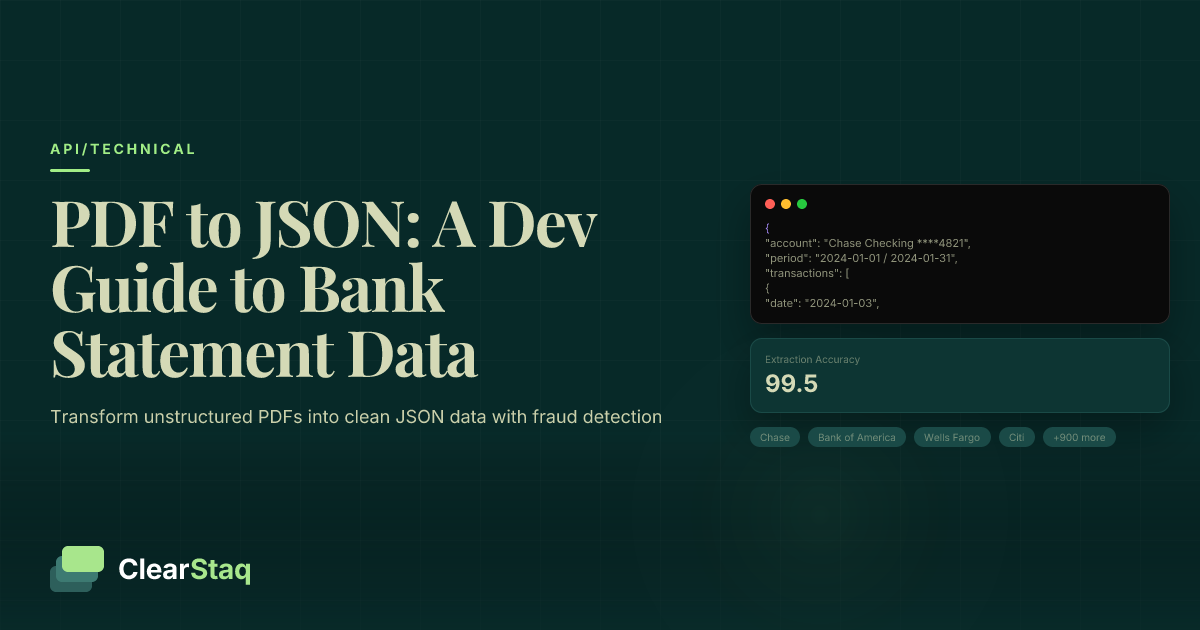
Converting PDF bank statements to JSON involves using specialized APIs that can handle 900+ bank formats, extract transaction data with 99.5% accuracy, and output structured JSON with standardized fields. Modern solutions like ClearStaq combine OCR, pattern recognition, and fraud detection to transform unstructured PDF documents into clean, developer-friendly JSON data.
What you'll learn
- Specialized APIs handle 900+ bank formats automatically without custom parsing logic
- JSON format enables seamless database integration and automated workflow processing
- Modern solutions achieve 99.5% accuracy with built-in fraud detection during extraction
- Batch processing and webhooks reduce processing time by 70% for high-volume applications
- SOC2 compliance and enterprise security protect sensitive financial data throughout processing
Converting PDF bank statements to JSON involves using specialized APIs that can handle 900+ bank formats, extract transaction data with 99.5% accuracy, and output structured JSON with standardized fields. Modern solutions like ClearStaq combine OCR, pattern recognition, and fraud detection to transform unstructured PDF documents into clean, developer-friendly JSON data.
Why Convert PDF Bank Statements to JSON?
Bank statements arrive as PDF documents — a format designed for human reading, not programmatic analysis. For fintech developers, this creates a significant bottleneck. Your application needs structured data to perform analysis, detect fraud, and automate underwriting decisions.
Structured data enables automated processing and analysis that would be impossible with raw PDF files. When transaction data is formatted as JSON, your application can instantly calculate cash flow patterns, identify recurring payments, and flag suspicious activity. This transformation from unstructured PDF to structured JSON is the foundation of modern financial technology.
The Problems with PDF Bank Statements
PDF bank statements present unique challenges for developers. Each bank uses different layouts, fonts, and table structures. Chase statements look completely different from Wells Fargo or local credit union formats. This **unstructured format** means you can't simply parse text in a predictable way.
The **varied layouts** across institutions create parsing nightmares. Transaction tables might span multiple pages, dates could be in MM/DD/YYYY or DD/MM/YYYY format, and amounts might include currency symbols or parentheses for negative values. Some banks even embed transactions within complex table structures that break traditional parsing approaches.
Most critically, **manual processing overhead** makes PDF bank statements expensive to work with at scale. Human reviewers take 15-30 minutes per statement, introducing errors and creating bottlenecks in loan applications or fraud investigations.
Benefits of JSON for Financial Data
JSON format solves these problems by providing a consistent structure for financial data. **API compatibility** means your application can consume bank statement data using the same HTTP requests and response handling you use for other services.
**Database integration** becomes seamless when transaction data arrives in JSON format. You can directly insert records into PostgreSQL, MongoDB, or other databases without complex transformation logic. Each transaction becomes a standardized object with predictable field names and data types.
Most importantly, **automated workflows** become possible. Your application can automatically calculate debt-to-income ratios, detect income irregularities, or trigger fraud alerts — all from the structured data in your JSON response.
Understanding Bank Statement PDF Structure
Before building a PDF to JSON converter, you need to understand what you're parsing. Bank statement PDFs follow a general structure but vary significantly in implementation across institutions.
Most bank statements contain three main sections: a header with account information and statement period, a transaction table with date/description/amount columns, and a footer with balance summaries. However, the positioning, formatting, and field names for these sections differ across the 900+ bank format support variations you'll encounter.
The biggest parsing challenge comes from **text-based vs image-based PDFs**. Text-based PDFs contain selectable text that can be extracted directly, while image-based PDFs require OCR (Optical Character Recognition) to convert pixels back into text. Many banks generate hybrid PDFs where account numbers are images (for security) while transaction tables contain selectable text.
Text Layer vs Scanned Documents
When working with bank statement PDFs, the first step is determining whether the document contains a text layer or requires OCR processing. Text-based PDFs allow direct text extraction using libraries like PyPDF2 or pdf-lib, but this only works when banks generate PDFs programmatically.
**OCR requirements** kick in for scanned documents, photographed statements, or PDFs where banks deliberately rasterize sensitive information. Modern OCR engines like Tesseract or cloud-based solutions can achieve 95%+ accuracy, but this drops significantly with poor image quality or unusual fonts.
**Quality considerations** become critical for OCR processing. Blurry scans, skewed pages, or low-contrast text can cause misreading of crucial data like account numbers or transaction amounts. Professional-grade solutions pre-process images to improve OCR accuracy before extraction.
Bank Format Variations
The biggest challenge in PDF to JSON conversion is handling format variations across banks. **Layout differences** mean transaction tables might start on different pages, use different column orders, or split information across multiple lines.
**Field positioning** varies dramatically between institutions. Some banks place dates in the first column, others in the last. Account balances might appear as running totals after each transaction or only at the end of the statement period.
**Date formats** represent another parsing challenge. US banks typically use MM/DD/YYYY, but international banks might use DD/MM/YYYY or YYYY-MM-DD. Some banks write out month names ("Jan 15, 2024") while others use numeric formats ("01/15/24").
PDF Metadata and Security
Bank statement PDFs contain valuable metadata that can help with processing and fraud detection. **Creator information** in the PDF metadata often reveals the software used to generate the document — legitimate bank statements typically show specific banking software signatures.
**Encryption handling** becomes necessary when banks password-protect statements. Many institutions email encrypted PDFs with the account number or SSN as the password. Your API needs to handle these encrypted documents gracefully.
**Digital signatures** in PDF metadata can indicate document authenticity. Banks increasingly embed digital certificates in their statements, which can be verified during processing to confirm the document hasn't been tampered with.
Setting Up ClearStaq API for PDF Processing
Getting started with ClearStaq API setup takes minutes, not hours. The API handles the complexity of bank format detection, OCR processing, and data extraction so you can focus on building features rather than parsing documents.
The setup process involves three key steps: generating API credentials, configuring your development environment, and testing your first API call. ClearStaq's RESTful API works with any programming language and integrates easily into existing applications.
Authentication Setup
**API key generation** starts in your ClearStaq dashboard. Navigate to API Keys and create a new key with the permissions your application needs. Production keys have different rate limits and features than development keys, so plan accordingly.
**Bearer token usage** follows OAuth 2.0 standards. Include your API key in the Authorization header of every request: `Authorization: Bearer your-api-key-here`. This approach keeps credentials secure and allows for easy key rotation.
**Security best practices** include storing API keys as environment variables, never committing them to version control, and implementing key rotation policies. Consider using services like AWS Secrets Manager or HashiCorp Vault for production deployments.
SDK Installation
**Node.js setup** requires installing the ClearStaq SDK via npm:
npm install @clearstaq/bank-statement-api
**Python installation** follows a similar pattern with pip:
pip install clearstaq-python
**cURL examples** work for testing and languages without official SDKs. The API accepts standard HTTP requests, so any HTTP client library can interact with ClearStaq endpoints.
Testing Your Connection
**Health check endpoint** at `/api/v1/health` confirms your API credentials work and the service is responding. This endpoint doesn't count against your rate limits and provides basic system status information.
**Sample API call** should be your first real test. Upload a small PDF bank statement to verify your authentication setup and understand the response format. Start with a simple, single-page statement for easier debugging.
**Error troubleshooting** becomes easier when you understand common setup issues. Invalid API keys return 401 status codes, while malformed requests return 400 with detailed error messages explaining what went wrong.
{
  "status": "success",
  "fraud_score": 57,
  "transactions": 47,
  "bank": "Chase",
  "processing_time_ms": 238
}Step-by-Step: PDF to JSON Conversion
Converting a PDF bank statement to JSON involves four main steps: uploading the file, monitoring processing status, retrieving results, and parsing the JSON response. The entire process typically completes in 10-30 seconds depending on document complexity.
The **upload process and file handling** uses multipart form data to send PDF files to the ClearStaq API. The service immediately returns a job ID that you'll use to track processing status and retrieve results when complete.
See PDF to JSON Conversion in Action
Ready to see PDF to JSON conversion in action? Start your free trial and process your first bank statement in under 60 seconds.
File Upload Process
**Multipart form data** is the standard method for uploading binary files via HTTP. Your request should include the PDF file in a field named `file` along with any additional parameters like processing options or callback URLs.
**File size limits** currently cap uploads at 50MB, which accommodates even the largest multi-page bank statements. If you encounter larger files, consider splitting them into individual statement periods or contacting support for enterprise limits.
**Supported formats** include PDF files with or without text layers. The API automatically detects whether OCR processing is needed and applies the appropriate extraction method for optimal accuracy.
Polling for Results
**Async processing** means your upload request returns immediately with a job ID, while document processing happens in the background. This design prevents timeouts and allows your application to handle other tasks while waiting for results.
**Status endpoints** at `/api/v1/jobs/{job_id}/status` provide real-time processing updates. Status values include `queued`, `processing`, `completed`, and `failed`, along with estimated completion times when available.
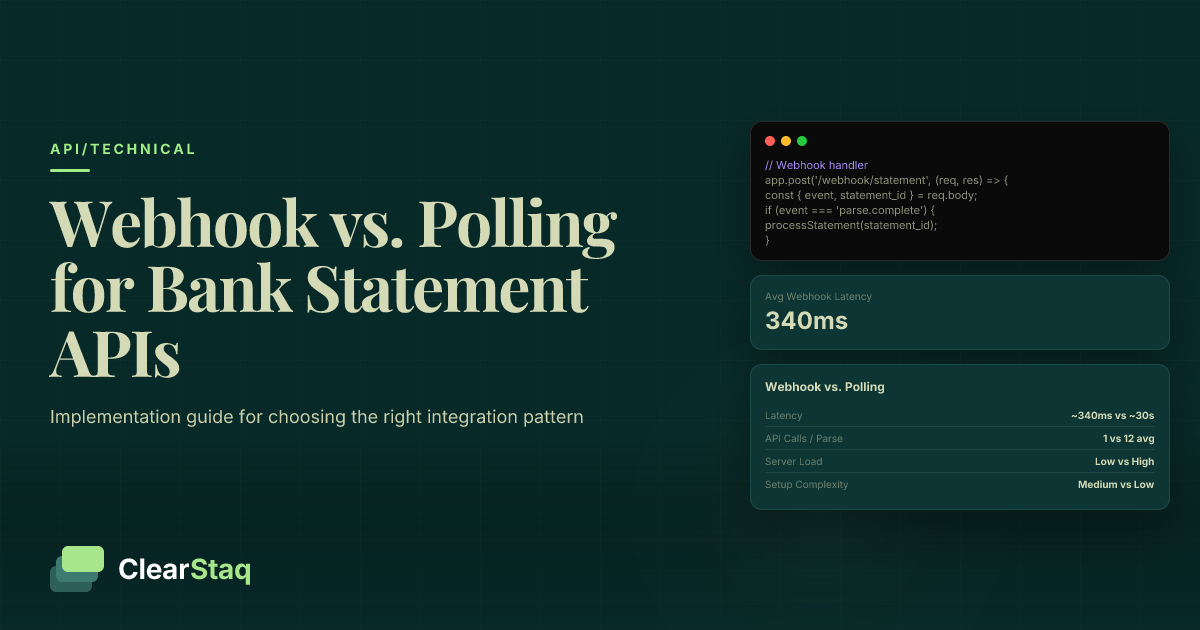
**Webhook alternatives** eliminate the need for polling by sending HTTP callbacks when processing completes. Configure webhook URLs in your API settings to receive immediate notifications with results or error details.
Parsing the JSON Response
**Response structure** follows a consistent schema regardless of the input bank format. The top level contains metadata about the processing job, while the `data` object holds extracted bank statement information.
**Field extraction** results appear in standardized formats. Dates are normalized to ISO 8601 format (YYYY-MM-DD), amounts are decimal numbers without currency symbols, and descriptions are cleaned of extra whitespace and special characters.
**Error handling** becomes straightforward when you understand the response format. Failed jobs include an `errors` array with specific error codes and human-readable messages explaining what went wrong and how to fix it.
JSON Schema for Bank Statement Data
A well-designed JSON schema makes bank statement data predictable and easy to work with. ClearStaq's standardized schema includes account-level metadata, transaction arrays, and processing information that helps your application understand data quality and completeness.
The schema balances completeness with usability. Every field includes data type information, validation rules, and optional/required indicators. This structure allows your application to safely access data without extensive null checking or type coercion.
Account-Level Data
**Account number** extraction handles various formats including masked numbers (****1234), full account numbers, and routing number combinations. The API standardizes these into consistent formats while preserving original values in separate fields.
**Bank name** identification works across 900+ institutions, including community banks, credit unions, and international institutions. Names are standardized to match common formats (e.g., "Bank of America" vs "BofA" vs "BOA").
**Statement period** parsing extracts start and end dates from various statement formats. These dates help applications understand the time range covered by transaction data and identify any gaps in account history.
**Balance information** includes beginning balance, ending balance, and any intermediate balance calculations. This data enables validation of transaction completeness and accuracy by checking mathematical consistency.
Transaction Schema
**Date formats** are normalized to YYYY-MM-DD regardless of the original PDF format. The schema also preserves original date strings in case your application needs to verify parsing accuracy or handle edge cases.
**Amount handling** converts all monetary values to decimal numbers with consistent precision. Negative amounts (debits) are represented as negative numbers, eliminating the need to parse parentheses or special formatting.
**Description parsing** cleans and standardizes transaction descriptions while preserving original text. Cleaned descriptions remove extra spaces, normalize capitalization, and extract structured information like check numbers or reference IDs.
**Category codes** provide automatic transaction categorization based on merchant information and description patterns. Categories follow a hierarchical system that supports both high-level grouping and detailed analysis.
Metadata Fields
**Processing confidence** scores indicate the API's certainty about extracted data. Scores range from 0.0 to 1.0, with values above 0.95 indicating high confidence suitable for automated processing.
**OCR quality** metrics help identify potential extraction issues in scanned documents. Low OCR quality scores suggest manual review might be needed for critical applications like loan underwriting.
**Page numbers** and **extraction timestamps** provide audit trails for compliance and debugging. These fields help track where specific data originated and when it was processed.
Handling Different Bank Formats
Modern bank statement APIs must handle incredible format diversity. ClearStaq automatically detects and processes over 900 different bank formats, from major national institutions to small community banks and credit unions.
Format detection happens automatically during processing. The API analyzes PDF layout, text patterns, and metadata to identify the bank and statement type, then applies the appropriate extraction rules for that specific format.
Automatic Format Detection
**Template matching** compares incoming PDFs against a database of known bank statement layouts. The system examines header information, logo placement, table structures, and text patterns to identify the source institution.
**Layout analysis** uses computer vision techniques to understand document structure even when the specific bank isn't immediately recognized. The API can extract data from never-before-seen formats by analyzing visual patterns and text positioning.
**Bank identification** combines multiple signals including PDF metadata, header text, routing numbers, and layout characteristics. This multi-factor approach ensures accurate format detection even when individual signals are ambiguous.
Multi-Page Processing
**Page continuation** handling ensures transactions spanning multiple pages are properly captured. The API understands when transaction tables continue from one page to the next and reconstructs complete transaction records.
**Transaction splitting** occurs when banks break long descriptions across multiple lines or pages. The API reassembles these fragments into complete transaction records with full description text.
**Balance reconciliation** verifies that running balances are mathematically consistent across pages. This validation step catches OCR errors and ensures data integrity in the final JSON output.
International Support
**Currency handling** supports multiple international currencies with proper symbol detection and decimal formatting. The API recognizes various currency representations and normalizes amounts for consistent processing.
**Date formats** vary significantly between countries and institutions. The API handles DD/MM/YYYY, MM/DD/YYYY, YYYY-MM-DD, and various textual date formats while maintaining accuracy in date parsing.
**Language processing** extends beyond English to support major international languages. The API can process international document processing in multiple languages while extracting standardized data fields.
Automatic format detection
No configuration required • Just upload and go
Error Handling and Validation
Robust error handling is essential when working with diverse PDF formats and varying document quality. The ClearStaq API provides detailed error information and validation metrics to help your application handle edge cases gracefully.
Error responses follow standard HTTP status codes with additional context in the response body. This approach allows your application to implement appropriate retry logic and user feedback based on the specific error type.
API Error Codes
**HTTP status codes** follow REST conventions: 200 for success, 400 for client errors, 500 for server errors. Each error response includes a specific error code and human-readable message explaining the issue.
**Error message format** provides structured information about what went wrong and how to fix it. Messages include field-level validation errors, processing failures, and suggestions for resolving common issues.
**Rate limiting responses** return 429 status codes when you exceed API limits. The response includes headers indicating when you can retry and your current usage levels.
Data Quality Validation
**Confidence scores** help your application decide when extracted data is reliable enough for automated processing. Scores below 0.8 might require manual review, while scores above 0.95 are suitable for automated decisions.
**Field completeness** metrics indicate what percentage of expected fields were successfully extracted. Low completeness scores might indicate document quality issues or unusual bank formats.
**Balance verification** checks that transaction amounts add up to reported account balances. Mathematical inconsistencies could indicate OCR errors, missing transactions, or document tampering.
Retry Strategies
**Exponential backoff** is recommended for handling temporary API errors. Start with a 1-second delay and double it with each retry, up to a maximum of 60 seconds between attempts.
**Circuit breakers** prevent your application from overwhelming the API during widespread outages. After a threshold of consecutive failures, stop making requests for a cooling-off period.
**Fallback processing** options include queueing failed documents for later processing or routing them to manual review workflows when automated extraction fails.
Fraud Detection During Extraction
One of ClearStaq's unique advantages is performing fraud detection during the PDF extraction process. Rather than simply converting documents to JSON, the API analyzes 27 fraud detection signals to identify potentially manipulated or fraudulent bank statements.
This integrated approach saves processing time and provides immediate risk assessment along with data extraction. Your application receives both the structured JSON data and a comprehensive fraud analysis in a single API call.
Automated Fraud Signals
**Document integrity checks** examine PDF structure for signs of manipulation. These include inconsistent fonts, overlapping text layers, and unusual creator metadata that might indicate document tampering.
**Pattern analysis** identifies suspicious transaction patterns like perfectly round numbers, unrealistic account balances, or transaction timing that doesn't match typical banking behavior.
**Anomaly detection** flags unusual characteristics in account activity, such as sudden large deposits, inconsistent transaction frequencies, or balance changes that don't match transaction histories.
PDF Forensics
**Metadata examination** analyzes PDF creation details including software used, creation timestamps, and modification history. Legitimate bank statements typically have consistent metadata signatures from banking software.
**Font analysis** detects inconsistencies in text rendering that might indicate document editing. Different fonts, sizes, or rendering methods within the same document can signal manipulation.
**Creation history** tracking identifies documents that have been modified after initial creation. Multiple creation dates or software signatures might indicate tampering attempts.
Risk Score Integration
**Fraud probability** scores range from 0.0 (low risk) to 1.0 (high risk) based on the combination of detected signals. These scores help your application make automated decisions about document authenticity.
**Signal weighting** considers the severity and reliability of different fraud indicators. Some signals are stronger indicators of fraud than others, and the scoring system accounts for these differences.
**Decision thresholds** can be customized based on your risk tolerance. Conservative applications might flag scores above 0.3 for manual review, while others might only escalate scores above 0.7.
Performance Optimization and Batch Processing
For applications processing large volumes of bank statements, performance optimization becomes critical. ClearStaq provides several features to handle high-throughput scenarios efficiently while maintaining accuracy and reliability.
Batch processing capabilities allow uploading multiple statements simultaneously, while async processing with webhooks eliminates the need for constant polling. These features can reduce processing time by 70% compared to sequential document handling.
Batch Upload Strategies
**Multi-file processing** allows uploading up to 50 statements in a single API call. The batch endpoint returns individual job IDs for each document, enabling parallel processing while maintaining individual error handling.
**Parallel requests** can further improve throughput when processing hundreds of statements. Consider implementing a worker pool that processes 5-10 documents simultaneously while respecting API rate limits.
**Queue management** helps handle large processing volumes by implementing a job queue system. Popular options include Redis with Bull.js for Node.js applications or Celery for Python-based systems.
Webhook Implementation
**Real-time notifications** eliminate polling overhead by sending HTTP callbacks when documents finish processing. Configure webhook endpoints in your API dashboard to receive immediate notifications with processing results.
**Status updates** include comprehensive information about processing completion, errors, or fraud detection results. Webhook payloads contain the same data as polling responses but arrive automatically when ready.
**Result delivery** via webhooks includes the full JSON response along with any fraud analysis results. This approach reduces API calls and improves application responsiveness.
Caching and Storage
**Result caching** prevents duplicate processing of identical documents. Implement content-based hashing to identify previously processed statements and return cached results instantly.
**Database optimization** includes indexing strategies for transaction data, account information, and metadata fields. Consider using time-series databases for transaction data and document databases for JSON storage.
**CDN integration** can improve response times by caching API responses geographically closer to your users. Services like CloudFlare or AWS CloudFront work well with JSON API responses.
Security and Compliance Considerations
Bank statement processing involves sensitive financial data that requires enterprise-grade security controls. ClearStaq maintains SOC2 compliance and implements comprehensive data protection measures throughout the processing pipeline.
Security considerations extend beyond just API authentication to include data encryption, access controls, audit trails, and regulatory compliance requirements that vary by industry and geography.
Data Security Standards
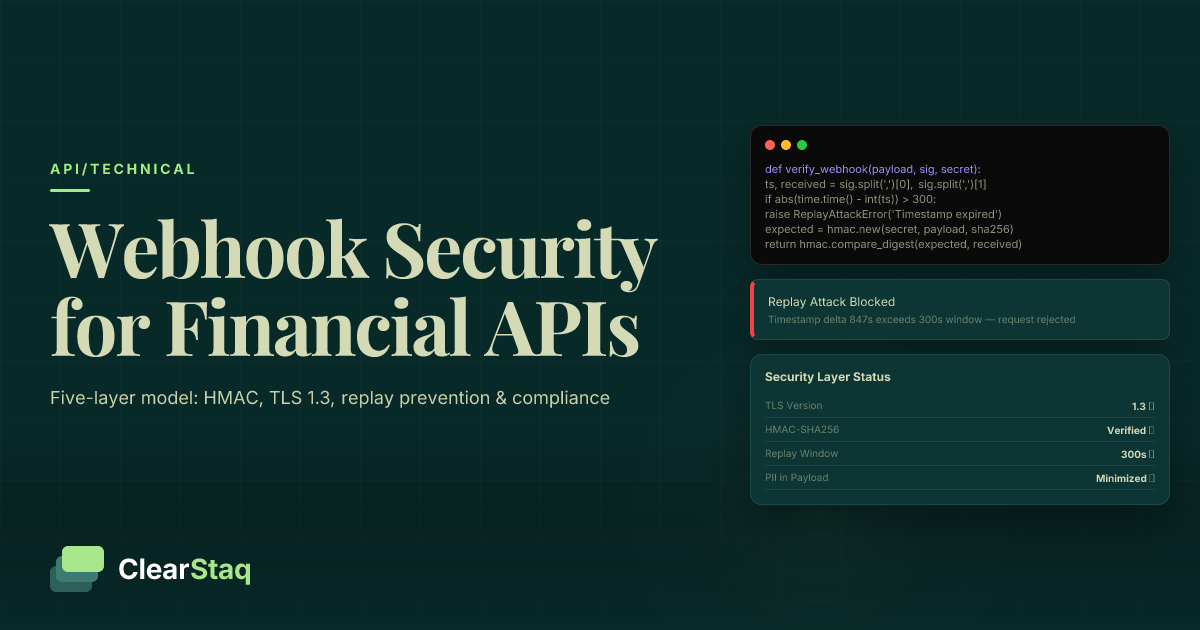
**Encryption protocols** protect data in transit using TLS 1.3 and at rest using AES-256 encryption. All API communications use HTTPS exclusively, and stored data receives enterprise-grade encryption protection.
**Access controls** implement role-based permissions and API key restrictions. You can configure keys with specific permissions, rate limits, and allowed IP address ranges for additional security.
**Key management** includes automatic key rotation, secure storage, and audit logging of all key usage. Enterprise customers can integrate with external key management systems like AWS KMS or HashiCorp Vault.
Compliance Requirements
**SOC2 certification** ensures that ClearStaq meets stringent security and privacy controls required for financial data processing. This certification covers security, availability, processing integrity, confidentiality, and privacy.
**GDPR considerations** include data minimization, right to deletion, and consent management for European users. The API provides endpoints for data deletion and consent tracking to support GDPR compliance.
**Financial regulations** vary by jurisdiction but often include data residency requirements, audit trail maintenance, and specific encryption standards. ClearStaq's infrastructure supports these requirements across multiple regions.
Audit and Monitoring
**Activity logging** records all API calls, processing events, and data access patterns. These logs provide comprehensive audit trails for compliance reporting and security monitoring.
**Access tracking** monitors who accessed what data and when, supporting compliance requirements and security incident investigation. Logs include IP addresses, user agents, and request details.
**Incident response** procedures include automated alerting for security events, data breach protocols, and customer notification systems. ClearStaq maintains detailed incident response plans and conducts regular security drills.
Frequently Asked Questions
How do I convert PDF bank statements to JSON format?
Use a specialized API like ClearStaq that can automatically detect bank formats and extract structured data. Upload the PDF via API call, poll for processing completion, then retrieve the JSON response with standardized transaction data.
What API can extract data from bank statements?
ClearStaq's bank statement parsing API supports 900+ bank formats with 99.5% accuracy. It extracts account details, transactions, and metadata while performing fraud detection during processing.
How to handle different bank statement formats programmatically?
Modern APIs use template matching and AI to automatically detect bank formats. ClearStaq handles format detection transparently, so developers don't need custom parsing logic for each bank.
What JSON structure should I use for bank statement data?
Use a standardized schema with account-level metadata, transaction arrays containing date/amount/description fields, and processing metadata like confidence scores and extraction timestamps.
How to validate extracted bank statement data?
Check confidence scores for each extracted field, verify running balance calculations, validate date formats, and implement range checks for amounts. Modern APIs provide built-in validation metrics.
Ready to Convert PDF Bank Statements to JSON?
Stop wrestling with PDF parsing libraries and format variations. ClearStaq's API handles 900+ bank formats, fraud detection, and structured JSON output — so you can focus on building features, not parsing documents.
Frequently Asked Questions
How do I convert PDF bank statements to JSON format?
Use a specialized API like ClearStaq that can automatically detect bank formats and extract structured data. Upload the PDF via API call, poll for processing completion, then retrieve the JSON response with standardized transaction data.
What API can extract data from bank statements?
ClearStaq's bank statement parsing API supports 900+ bank formats with 99.5% accuracy. It extracts account details, transactions, and metadata while performing fraud detection during processing.
How to handle different bank statement formats programmatically?
Modern APIs use template matching and AI to automatically detect bank formats. ClearStaq handles format detection transparently, so developers don't need custom parsing logic for each bank.
What JSON structure should I use for bank statement data?
Use a standardized schema with account-level metadata, transaction arrays containing date/amount/description fields, and processing metadata like confidence scores and extraction timestamps.
How to validate extracted bank statement data?
Check confidence scores for each extracted field, verify running balance calculations, validate date formats, and implement range checks for amounts. Modern APIs provide built-in validation metrics.
ClearStaq Team
Engineering Team
The ClearStaq team builds AI-powered tools for bank statement parsing, fraud detection, and income verification.