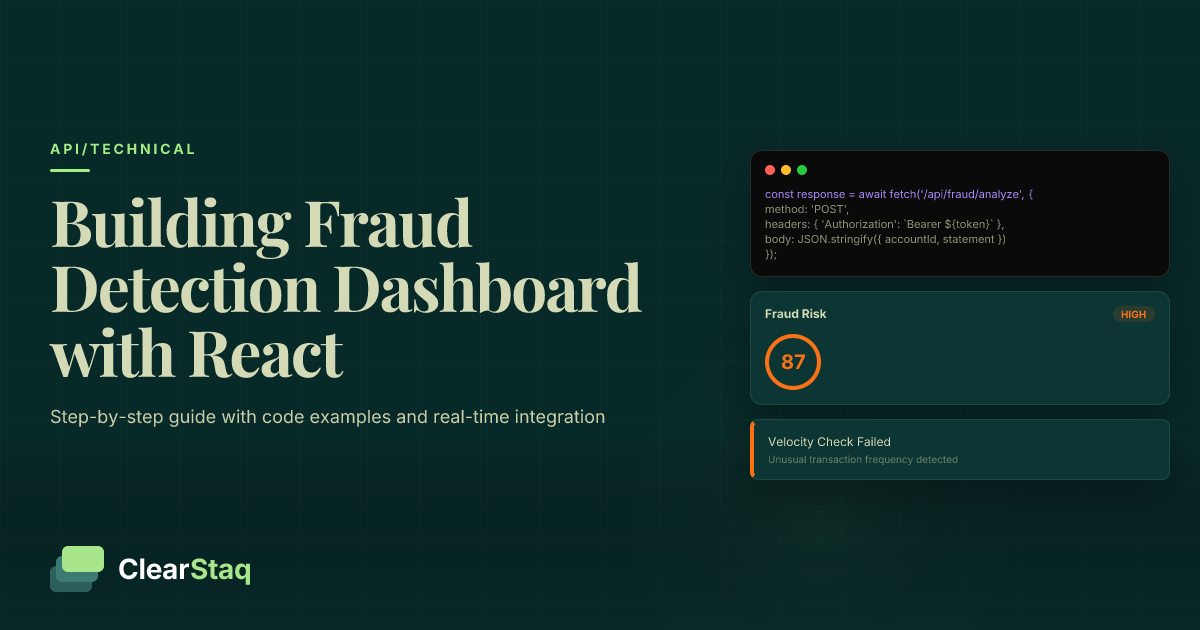
Build a production-ready fraud detection dashboard using React and ClearStaq's API by setting up authentication, creating visualization components for 27 fraud signals, implementing real-time webhook alerts, and adding responsive charts for fraud scores and risk indicators. This tutorial covers complete integration from setup to deployment.
What you'll learn
- Complete React dashboard integration with ClearStaq's fraud detection API requires authentication setup, service layers, and real-time webhook configuration
- Visualization components should display 27 fraud signals with color-coded risk indicators and interactive charts using libraries like Recharts
- Real-time fraud alerts can be implemented using WebSocket connections and webhook integrations for instant notifications to analysts
- Production-ready dashboards need comprehensive error handling, loading states, responsive design, and proper testing strategies
- Advanced features like historical data analysis, filtering, and export capabilities transform basic fraud monitoring into comprehensive fraud management platforms
Build a production-ready fraud detection dashboard using React and ClearStaq's API by setting up authentication, creating visualization components for 27 fraud signals, implementing real-time webhook alerts, and adding responsive charts for fraud scores and risk indicators. This tutorial covers complete integration from setup to deployment.
Prerequisites and Project Setup
Building a robust fraud detection dashboard requires careful setup of your development environment and proper integration with ClearStaq's fraud detection API. This tutorial assumes you're building a production-ready application that financial institutions can rely on for daily fraud monitoring.
Development Environment Requirements
Your development environment needs Node.js 16 or higher and npm 8+. Install the latest LTS version of Node.js from the official website to ensure compatibility with modern React features and ClearStaq's API requirements.
Create a new React project with the required dependencies:
npm install axios recharts @mui/material @emotion/react @emotion/styled react-router-dom socket.io-client
These packages provide essential functionality: Axios for API calls, Recharts for fraud score visualization, Material-UI for consistent styling, React Router for navigation, and Socket.io for real-time updates.
ClearStaq API Setup
Register for your ClearStaq API credentials through the developer portal. You'll need your API key for authentication and webhook URL for real-time fraud alerts. For comprehensive guidance on initial setup, see our Getting started with ClearStaq API documentation.
Store your API credentials securely in environment variables:
REACT_APP_CLEARSTAQ_API_KEY=your_api_key_here
REACT_APP_CLEARSTAQ_BASE_URL=https://api.clearstaq.com/v1
Never commit API keys to version control. Use a .env.local file for development and secure environment variable management in production.
Project Structure
Organize your fraud detection dashboard with a clean component structure that separates concerns and maintains scalability:
- components/ - Reusable UI components (charts, alerts, forms)
- services/ - API integration and data fetching logic
- hooks/ - Custom React hooks for state management
- pages/ - Main dashboard views and routing components
- utils/ - Helper functions and constants
This structure ensures your fraud detection dashboard tutorial code remains maintainable as you add advanced features like real-time monitoring and historical analysis.
Understanding ClearStaq's Fraud Detection API
ClearStaq's API provides comprehensive fraud detection capabilities specifically designed for bank statement analysis. Understanding the API structure is crucial for building effective dashboard visualizations that help fraud analysts make quick decisions.
API Endpoints Overview
The ClearStaq API offers three primary endpoints for your fraud detection dashboard React integration:
| Endpoint | Method | Purpose |
|---|---|---|
| /upload | POST | Upload bank statement for analysis |
| /analysis/{id} | GET | Retrieve fraud analysis results |
| /webhooks | POST | Configure real-time notifications |
Each endpoint returns structured JSON with fraud scores, individual signal breakdowns, and metadata essential for dashboard visualization.
Fraud Detection Response Structure
ClearStaq analyzes bank statements using 27 fraud signals that detect everything from PDF manipulation to suspicious transaction patterns. The API response includes:
- Overall fraud score (0-100) with risk classification
- Individual signal scores for each of the 27 detection methods
- Detailed explanations for flagged items
- Confidence levels for each detection
- Processing metadata including timestamps and document info
This comprehensive data structure enables rich visualizations that help fraud analysts understand not just whether a document is fraudulent, but exactly why and with what confidence level.
Authentication and Security
All API requests require proper authentication using your API key in the Authorization header. ClearStaq maintains SOC2 compliance requirements for secure data handling throughout the fraud detection process.
Implement rate limiting awareness in your dashboard to handle high-volume fraud detection scenarios gracefully. The API allows up to 100 requests per minute for standard plans, with higher limits available for enterprise customers.
Building the React Dashboard Foundation
Your fraud detection dashboard needs a solid foundation that can handle real-time updates, complex data visualization, and intuitive user interactions. We'll build a responsive layout that works equally well for fraud analysts on desktop workstations and mobile devices.
Dashboard Layout Components
Create a flexible layout using Material-UI's Grid system that adapts to different screen sizes. Your main dashboard should include:
- Header navigation with user authentication and quick actions
- Sidebar menu for filtering and dashboard sections
- Main content area with fraud visualization components
- Alert panel for real-time fraud notifications
Use CSS Grid and Flexbox for responsive behavior that maintains usability across devices. Financial fraud can happen anytime, so your dashboard must be accessible on tablets and phones for urgent review scenarios.
State Management Architecture
Implement a robust state management system using React's useReducer hook for complex fraud data handling. Your state should track:
const [dashboardState, dispatch] = useReducer(fraudDashboardReducer, { fraudScores: [], alerts: [], loading: false, filters: {}, selectedTimeRange: '24h' });
Create custom hooks for common operations like useFraudData and useRealTimeAlerts to encapsulate API logic and make components cleaner. This approach keeps your fraud detection dashboard React components focused on presentation while maintaining clean separation of concerns.
Responsive Design Implementation
Design your dashboard with a mobile-first approach that prioritizes critical fraud information on smaller screens. Use Material-UI breakpoints to show/hide secondary information based on screen size.
Critical fraud alerts should remain visible at all breakpoints, while detailed analysis charts can collapse into accordions on mobile devices. This ensures fraud analysts can triage urgent cases regardless of their device.
Integrating ClearStaq API for Bank Statement Analysis
The heart of your fraud detection dashboard lies in seamless integration with ClearStaq's API. This integration must handle file uploads, process results efficiently, and provide clear feedback to users throughout the analysis workflow.
API Service Layer
Create a dedicated service layer that abstracts all ClearStaq API interactions. This approach centralizes authentication, error handling, and response parsing:
class ClearStaqService { constructor(apiKey) { this.client = axios.create({ baseURL: process.env.REACT_APP_CLEARSTAQ_BASE_URL, headers: { 'Authorization': `Bearer ${apiKey}` } }); } }
Configure request interceptors to handle authentication automatically and response interceptors to parse fraud detection data consistently across your dashboard components.
File Upload Implementation
Bank statement uploads require careful handling of file validation, progress tracking, and error states. Implement drag-and-drop functionality with clear visual feedback:
- File validation - Accept only PDF files under 10MB
- Progress tracking - Show upload progress with cancel capability
- Error handling - Clear messages for common upload failures
- Preview functionality - Display file metadata before analysis
Use FormData for file uploads and implement proper cleanup of cancelled uploads to prevent memory leaks in your fraud detection dashboard tutorial implementation.
Error Handling Patterns
Robust error handling is critical for fraud detection dashboards where analysts depend on accurate, timely information. Implement exponential backoff for temporary API failures and clear user messaging for permanent errors.
Different error types require different handling strategies - network timeouts should trigger automatic retries, while authentication errors need immediate user attention. For backend architecture insights, explore our processing pipeline with webhooks documentation.
Creating Fraud Score Visualization Components
Effective fraud score visualization transforms complex detection data into actionable insights. Your dashboard components must present ClearStaq's 27 fraud signals in an intuitive format that enables quick decision-making by fraud analysts.
Ready to Build Your Fraud Detection Dashboard?
Explore our API documentation and start integrating ClearStaq's fraud detection capabilities today. Get access to 27 fraud signals and real-time analysis tools.
Main Fraud Score Display
Design a prominent fraud score display using a circular progress indicator that immediately communicates risk level. Use color coding that follows industry standards:
| Score Range | Risk Level | Color Code |
|---|---|---|
| 0-30 | Low Risk | Green (#4CAF50) |
| 31-70 | Medium Risk | Orange (#FF9800) |
| 71-100 | High Risk | Red (#F44336) |
Include confidence indicators and timestamp information to help analysts understand the reliability and recency of fraud assessments.
Fraud Signal Breakdown
Create interactive components that display each of ClearStaq's 27 fraud signals with individual scores and explanations. Group signals by category:
- Document Integrity - PDF metadata, font analysis, pixel manipulation
- Transaction Patterns - Unusual deposits, round numbers, timing anomalies
- Account Behavior - Balance irregularities, frequency analysis
- Data Consistency - Running balance validation, date sequences
Use expandable cards that show summary scores initially, with detailed breakdowns available on click. This progressive disclosure keeps the interface clean while providing depth when needed.
Interactive Charts with Recharts
Implement responsive charts using Recharts library for consistent, professional visualizations. Key chart types for your bank statement fraud dashboard include:
// Fraud Signal Bar Chart <BarChart data={fraudSignals}> <Bar dataKey="score" fill="#1976d2" /> <Tooltip content={CustomTooltip} /> </BarChart>
Custom tooltips should explain what each fraud signal detects and why it's important for overall risk assessment. This educational aspect helps train new fraud analysts while providing detailed context for experienced reviewers.
Implementing Real-Time Fraud Alerts
Real-time fraud alerts are essential for catching suspicious activity as it happens. Your dashboard must integrate webhook notifications and provide immediate visual and audio feedback when high-risk documents are detected.
Webhook Setup and Configuration
Configure webhook endpoints to receive instant notifications when ClearStaq completes fraud analysis. Set up your webhook URL in the ClearStaq dashboard and implement proper security verification:
app.post('/webhooks/clearstaq', (req, res) => { const signature = req.headers['x-clearstaq-signature']; if (!verifyWebhookSignature(req.body, signature)) { return res.status(401).send('Unauthorized'); } // Process fraud alert });
Webhook payloads include complete fraud analysis results, enabling immediate dashboard updates without polling the API. This real-time capability is crucial for time-sensitive fraud detection scenarios.
Real-Time Updates with WebSockets
Establish WebSocket connections between your dashboard and backend to push fraud alerts immediately to connected browsers. Implement connection resilience with automatic reconnection logic:
- Connection management - Handle connect/disconnect events gracefully
- Message queuing - Buffer alerts during connection interruptions
- Heartbeat monitoring - Detect and recover from silent failures
For comprehensive webhook integration guidance, review our documentation on real-time fraud alerts using webhooks.
Alert Notification System
Design a multi-layered notification system that ensures critical fraud alerts reach analysts immediately:
- Toast notifications for non-disruptive medium-risk alerts
- Modal dialogs for high-risk findings requiring immediate attention
- Sound alerts for critical fraud detections (with user controls)
- Browser notifications when dashboard is in background
Implement notification persistence so analysts can review missed alerts when returning to the dashboard. Include quick action buttons for common responses like "Mark as Reviewed" or "Escalate to Supervisor".
Adding Advanced Dashboard Features
Professional fraud detection dashboards require advanced features that support complex analysis workflows and reporting requirements. These capabilities transform your basic fraud monitoring tool into a comprehensive fraud management platform.
Historical Data Visualization
Implement time series charts that show fraud trends over different periods. Analysts need to identify patterns in fraud attempts, success rates of detection, and seasonal variations in fraudulent activity.
Create configurable date range controls with presets for common time periods (last 24 hours, 7 days, 30 days, quarter). Use line charts for trends and heat maps for pattern recognition across different time dimensions.
Filtering and Search
Build comprehensive filtering capabilities that allow analysts to segment fraud data by multiple criteria:
| Filter Type | Options | Use Case |
|---|---|---|
| Risk Level | Low, Medium, High | Focus on high-priority cases |
| Date Range | Custom, Presets | Time-based analysis |
| Document Type | Bank statements, Paystubs | Document-specific patterns |
| Fraud Signals | Individual signals | Signal-specific investigation |
Implement saved filter combinations that analysts can quickly apply for routine investigations. This feature dramatically improves workflow efficiency for fraud teams.
Export and Reporting
Provide robust export capabilities for compliance reporting and investigation documentation. Support multiple export formats:
- PDF reports - Formatted investigation summaries with charts
- CSV exports - Raw data for spreadsheet analysis
- JSON exports - Complete fraud analysis data for system integration
Include export filters that match dashboard filters, ensuring analysts can export exactly what they're viewing. Add batch export capabilities for large-scale compliance reporting requirements.
Error Handling and Loading States
Professional fraud detection dashboards require robust error handling that maintains user confidence and provides clear guidance when problems occur. Your ClearStaq API React integration must handle various failure scenarios gracefully.
Error Boundary Setup
Implement React Error Boundaries to catch and handle component failures without crashing the entire dashboard. This is critical for fraud detection systems where uptime directly impacts business operations:
class FraudDashboardErrorBoundary extends React.Component { constructor(props) { super(props); this.state = { hasError: false, errorDetails: null }; } static getDerivedStateFromError(error) { return { hasError: true, errorDetails: error }; } }
Provide fallback UI that allows analysts to continue working with cached data while system issues are resolved. Include error reporting mechanisms that help your development team identify and fix problems quickly.
Loading State Management
Design informative loading states that keep users engaged during fraud analysis processing. Bank statement analysis can take 10-30 seconds, so provide progress indicators and estimated completion times.
Use skeleton screens that show the expected layout of fraud results while analysis is in progress. This approach feels faster than generic loading spinners and helps users prepare for the incoming data.
User Experience Optimization
Implement progressive enhancement that works even when API connections are unstable. Cache recent fraud analysis results locally so analysts can review previous cases during network outages.
Provide clear recovery paths for common error scenarios - expired sessions should redirect to re-authentication, network timeouts should offer retry buttons, and validation errors should highlight specific fields needing correction.
Testing and Deployment
Testing fraud detection dashboards requires specialized approaches that verify both functional correctness and security compliance. Your testing strategy must cover API integrations, real-time features, and edge cases specific to financial fraud detection.
Testing Strategy
Develop comprehensive test suites using Jest and React Testing Library. Focus on critical fraud detection workflows:
- Unit tests - Individual component behavior and fraud score calculations
- Integration tests - API service layer with mocked ClearStaq responses
- End-to-end tests - Complete fraud analysis workflows
- Performance tests - Dashboard responsiveness with large datasets
Mock ClearStaq API responses with realistic fraud detection scenarios including edge cases like network failures, malformed data, and high-load conditions.
Environment Setup
Configure environment-specific variables for development, staging, and production deployments. Use different ClearStaq API endpoints and rate limits for each environment:
// Development environment REACT_APP_CLEARSTAQ_API_URL=https://api-dev.clearstaq.com REACT_APP_WEBHOOK_URL=https://dev.yourapp.com/webhooks // Production environment REACT_APP_CLEARSTAQ_API_URL=https://api.clearstaq.com REACT_APP_WEBHOOK_URL=https://yourapp.com/webhooks
Implement proper secrets management using environment variables or secure secret storage services. Never embed API keys in client-side code or commit them to version control.
Production Deployment
Optimize your fraud detection dashboard React build for production with code splitting, lazy loading, and CDN integration. Financial applications require fast loading times and high availability.
Implement monitoring and alerting for your dashboard deployment to detect issues before they impact fraud analysts. Track key metrics like API response times, error rates, and user engagement patterns.
Next Steps and Advanced Features
Once your basic fraud detection dashboard is operational, consider advanced features that provide additional value for fraud detection teams and integrate deeper with existing financial technology stacks.
Performance Optimizations
Implement advanced React optimization techniques for handling large volumes of fraud data:
- Virtualization - Render only visible rows in large fraud case lists
- Memoization - Cache expensive fraud score calculations
- Code splitting - Load advanced features on demand
- Service workers - Cache static assets and enable offline functionality
Monitor Core Web Vitals and implement performance budgets to maintain fast loading times as your fraud detection dashboard grows in complexity.
Advanced Features
Consider implementing machine learning integration that learns from analyst decisions to improve fraud detection accuracy over time. This creates a feedback loop that enhances ClearStaq's already powerful fraud detection capabilities.
Add custom fraud rule creation that allows analysts to define institution-specific risk criteria. This flexibility enables your dashboard to adapt to unique fraud patterns your organization encounters.
Production Enhancements
Implement comprehensive analytics tracking to understand how fraud analysts use your dashboard. This data helps identify workflow improvements and guides future feature development.
For complete API integration resources and advanced implementation examples, explore our ClearStaq API documentation which includes sample code, best practices, and integration guides for various technology stacks.
Frequently Asked Questions
How do you integrate the ClearStaq API with React?
Integration involves setting up authentication with API keys, creating service layers for API calls, and implementing React components to handle file uploads and display fraud analysis results. The process includes error handling, loading states, and real-time updates via webhooks.
What components are needed for a fraud detection dashboard?
Essential components include file upload interface, fraud score visualization, individual signal breakdown charts, real-time alert system, historical data views, and filtering capabilities. Each component should handle loading and error states appropriately.
How to display fraud scores and risk indicators in React?
Use visualization libraries like Recharts to create interactive charts, implement color-coded risk indicators, and provide detailed tooltips. Display the main fraud score prominently with breakdown of individual signals and their contributions to the overall score.
How to handle real-time fraud alerts in a dashboard?
Implement WebSocket connections or webhook integrations to receive live updates, use React state management to update the UI immediately, and provide notification systems like toast messages or sound alerts for critical fraud detections.
What's the best way to visualize fraud detection data?
Use a combination of circular progress indicators for main scores, bar charts for signal breakdowns, time series charts for historical trends, and color-coded badges for risk levels. Interactive tooltips provide detailed explanations of each fraud signal.
Ready to Build Advanced Fraud Detection?
Take your fraud detection dashboard to the next level. Access our complete API documentation and start building with ClearStaq's 27-signal fraud detection engine.
Frequently Asked Questions
How do you integrate the ClearStaq API with React?
Integration involves setting up authentication with API keys, creating service layers for API calls, and implementing React components to handle file uploads and display fraud analysis results. The process includes error handling, loading states, and real-time updates via webhooks.
What components are needed for a fraud detection dashboard?
Essential components include file upload interface, fraud score visualization, individual signal breakdown charts, real-time alert system, historical data views, and filtering capabilities. Each component should handle loading and error states appropriately.
How to display fraud scores and risk indicators in React?
Use visualization libraries like Recharts to create interactive charts, implement color-coded risk indicators, and provide detailed tooltips. Display the main fraud score prominently with breakdown of individual signals and their contributions to the overall score.
How to handle real-time fraud alerts in a dashboard?
Implement WebSocket connections or webhook integrations to receive live updates, use React state management to update the UI immediately, and provide notification systems like toast messages or sound alerts for critical fraud detections.
What's the best way to visualize fraud detection data?
Use a combination of circular progress indicators for main scores, bar charts for signal breakdowns, time series charts for historical trends, and color-coded badges for risk levels. Interactive tooltips provide detailed explanations of each fraud signal.
ClearStaq Team
Engineering Team
The ClearStaq team builds AI-powered tools for bank statement parsing, fraud detection, and income verification.