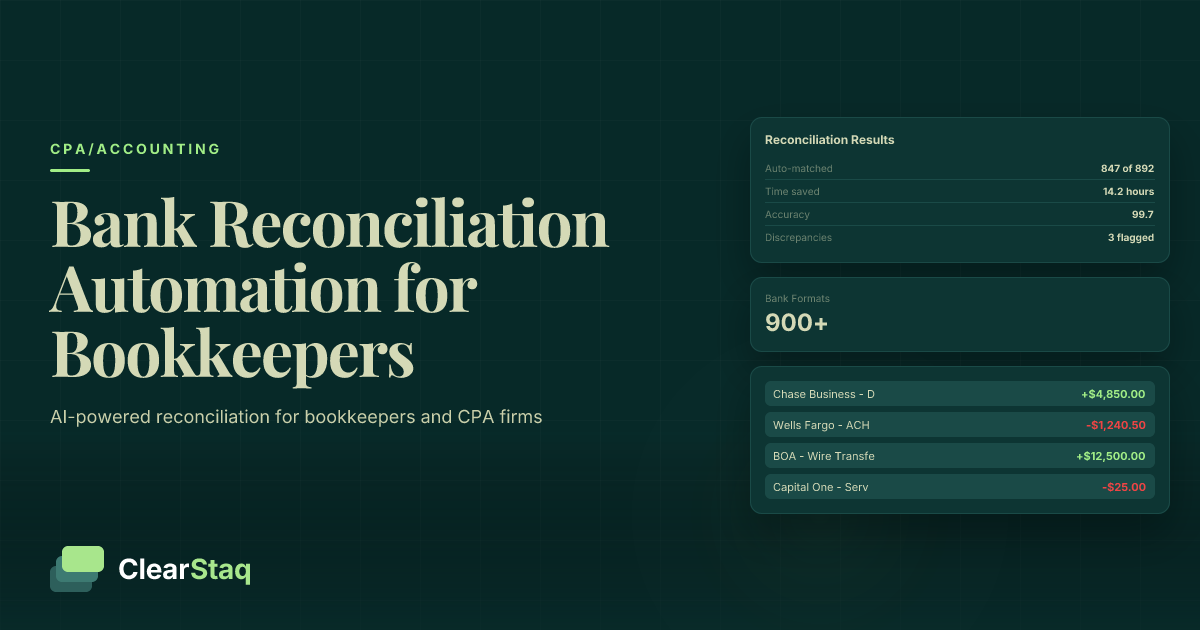
Bank statement reconciliation automation uses AI-powered parsing and matching algorithms to automatically import, categorize, and reconcile transactions across 900+ bank formats. This technology reduces manual reconciliation time by 80-90% while eliminating human errors and enabling real-time fraud detection during the reconciliation process.
What you'll learn
- Automated reconciliation reduces manual work by 80-90%, freeing up 30+ hours monthly for advisory services
- AI parsing supports 900+ bank statement formats automatically without manual configuration
- Smart matching algorithms handle date variations and amount discrepancies for 95% auto-match rates
- Integrated fraud detection analyzes 27 signals during reconciliation to protect client accounts
- ROI typically achieved within 2-3 months with 300-500% annual returns on automation investment
Bank statement reconciliation automation uses AI-powered parsing and matching algorithms to automatically import, categorize, and reconcile transactions across 900+ bank formats. This technology reduces manual reconciliation time by 80-90% while eliminating human errors and enabling real-time fraud detection during the reconciliation process.
What Is Bank Statement Reconciliation Automation?
Bank statement reconciliation automation transforms how bookkeepers handle one of their most time-consuming tasks. Instead of manually downloading statements, entering transactions, and matching records line by line, automated systems use AI technology to parse bank statements, categorize transactions, and match them with existing accounting records in minutes rather than hours.
This technology goes far beyond basic bank feeds offered by accounting software. While bank feeds import cleared transactions, automation handles the complete reconciliation process including bank statement parsing, transaction matching, categorization, and exception handling for discrepancies.
Traditional vs. Automated Reconciliation
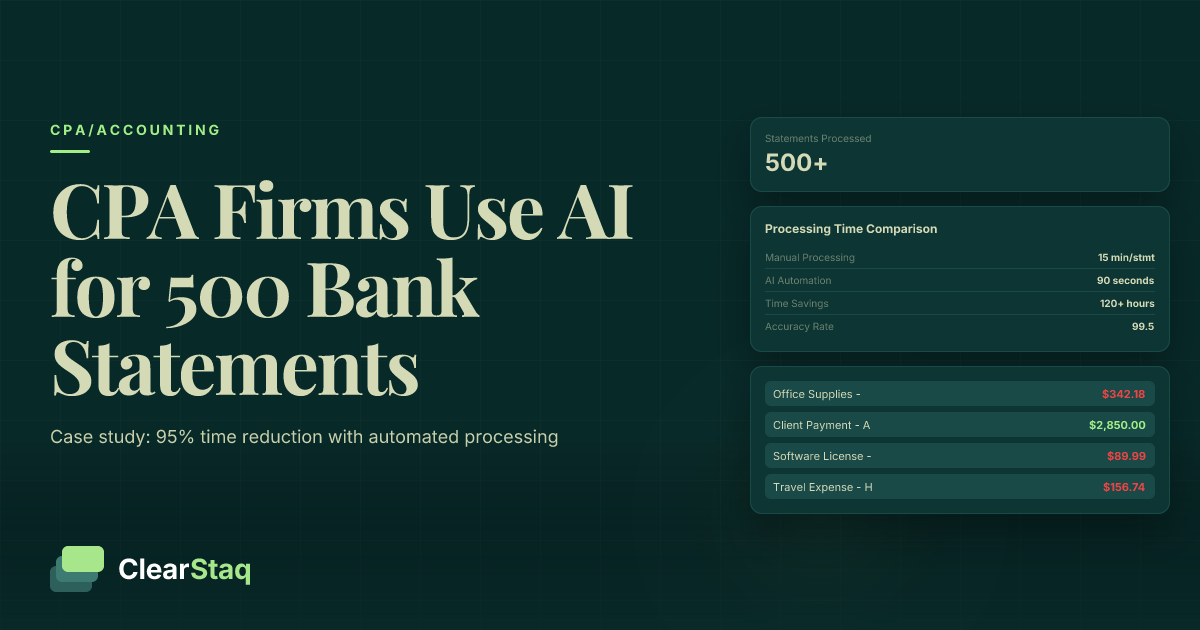
Manual reconciliation follows a predictable pattern: download statements, open accounting software, compare transactions one by one, investigate discrepancies, and make adjusting entries. This process typically takes 45-90 minutes per client each month.
Automated reconciliation compresses this timeline dramatically. AI-powered systems parse statements in seconds, match 95% of transactions automatically, and flag exceptions for quick review. What once took an hour and a half now requires 10-15 minutes of focused attention on genuine discrepancies.
The error rate tells an even more compelling story. Manual reconciliation carries a 2-5% transaction miss rate due to fatigue and human oversight. Automated systems achieve 99.5% accuracy through consistent algorithms that don't tire or lose focus during busy season.
Core Components of Automation
Effective automation relies on three critical technologies working together. AI parsing engines extract transaction data from any bank statement format, whether it's a PDF from a regional credit union or a CSV export from a major national bank.
Smart matching algorithms compare extracted transactions with accounting records using multiple criteria: amounts, dates, reference numbers, and payee information. These systems handle real-world variations like pending transaction settlements and merchant name differences.
Exception handling workflows automatically flag transactions that require human attention while providing context and suggested resolutions. This ensures nothing falls through the cracks while maintaining the speed benefits of automation.
The Hidden Cost of Manual Reconciliation for Bookkeepers
The true cost of manual reconciliation extends far beyond the time spent clicking and typing. When you factor in opportunity costs, error rates, and client satisfaction impacts, the math becomes overwhelming for any growing bookkeeping practice.
Consider a bookkeeper managing 20 clients who reconcile monthly statements. At 60 minutes per client, that's 20 hours monthly spent on reconciliation alone. With billable rates averaging $75-125 per hour, this represents $1,500-2,500 in monthly opportunity cost that could be redirected toward higher-value advisory services.
The hidden costs of manual review compound during tax season when reconciliation backlogs create bottlenecks. Rushed work leads to more errors, which trigger time-consuming investigations and potentially damage client relationships.
Time Investment Breakdown
Manual reconciliation time breaks down predictably across three phases. Data gathering consumes 15-20 minutes as bookkeepers download statements, organize files, and prepare their workspace. This seemingly minor task multiplies across dozens of client accounts monthly.
Transaction matching represents the bulk of reconciliation time at 25-40 minutes per statement. Bookkeepers scan line items, search for corresponding entries, and manually mark matches. Complex statements with hundreds of transactions can stretch this phase significantly longer.
Error investigation adds another 10-20 minutes when discrepancies arise. Unlike automated systems that flag specific issues, manual reviewers must hunt through transactions to identify the source of imbalances, often requiring calls to banks or clients for clarification.
The Error Multiplication Effect
Small reconciliation errors have an outsized impact on downstream processes. A missed $500 transaction in January affects monthly financial statements, quarterly reports, and annual tax preparation. The correction process typically requires 30-45 minutes of detective work plus additional time to update affected reports.
Client trust erodes when financial statements contain errors or arrive late due to reconciliation delays. In competitive markets, clients increasingly expect real-time financial insights rather than month-end scrambles to close books and deliver reports.
The rework costs accumulate quickly. Correcting reconciliation errors during tax season can cost 3-4 times the original reconciliation time due to tight deadlines and the need to update multiple dependent documents.
5 Ways to Automate Bank Statement Reconciliation
Successful reconciliation automation combines multiple techniques to handle different aspects of the process. The most effective approaches address data extraction, matching logic, categorization, exception handling, and workflow efficiency.
1. AI-Powered Statement Parsing
Modern parsing technology automatically extracts transaction data from any bank statement format without manual intervention. Instead of copying and pasting from PDFs or manually importing CSV files, AI engines recognize transaction patterns across thousands of bank formats.
This capability proves especially valuable for bookkeepers serving diverse client bases. Whether handling statements from local credit unions using proprietary formats or international banks with region-specific layouts, automated parsing eliminates the format compatibility headaches that plague manual workflows.
Native PDF parsing delivers superior accuracy compared to OCR-based solutions. Rather than guessing at text through image recognition, advanced parsers understand the underlying document structure to extract precise transaction details including dates, amounts, descriptions, and running balances.
6 fields extracted automatically • 99.8% accuracy
2. Smart Transaction Matching
Automated matching goes beyond simple amount comparisons to handle real-world transaction variations. Fuzzy matching algorithms accommodate timing differences when transactions clear on different dates than when they were entered in accounting systems.
Multi-criteria matching compares amounts, dates, payees, and reference numbers simultaneously to identify correct matches even when individual data points vary slightly. This approach handles scenarios like merchant name variations, where "Amazon.com" on a statement might correspond to "Amazon Web Services" in accounting records.
Tolerance settings allow for minor amount discrepancies that occur with credit card processing fees or foreign exchange fluctuations. The system can be configured to automatically match transactions within specified dollar amounts or percentages.
3. Automated Categorization
Machine learning-powered categorization assigns appropriate chart of accounts codes to transactions based on merchant names, transaction patterns, and historical coding decisions. This eliminates the manual step of selecting categories for each transaction during reconciliation.
Custom rules enable bookkeepers to establish client-specific categorization logic. For example, transactions from a specific vendor might always map to office supplies, while recurring payments automatically categorize as rent or utilities based on amounts and timing.
The system learns from corrections, improving categorization accuracy over time. When bookkeepers adjust category assignments, the automated expense categorization engine incorporates this feedback to make better suggestions for similar future transactions.
4. Exception Handling Workflows
Automated flagging identifies transactions requiring human attention without interrupting the reconciliation flow. Common exceptions include duplicate transactions, unusual amounts, unmatched items, and transactions with insufficient detail for automatic categorization.
Priority queues organize exceptions by importance and urgency. High-dollar discrepancies receive immediate attention, while minor categorization questions can be batched for efficient review. This prevents small issues from derailing entire reconciliation processes.
Investigation workflows provide context and suggested resolutions for each flagged item. Instead of starting from scratch, bookkeepers see potential matches, similar transactions from history, and recommended next steps to resolve exceptions quickly.
5. Batch Processing Multiple Accounts
Efficient batch processing enables bookkeepers to reconcile multiple client accounts simultaneously. Rather than handling statements one at a time, automated systems process dozens of statements in parallel while maintaining proper client separation.
Bulk upload capabilities accept multiple statement files simultaneously, automatically routing each to the correct client account based on account numbers or naming conventions. This eliminates the tedious process of uploading and processing statements individually.
Progress tracking provides real-time visibility into batch processing status. Bookkeepers can monitor which statements have been processed, identify any that require attention, and plan their review time accordingly rather than waiting for each statement to complete before starting the next.
Ready to see 900+ bank formats parsed automatically?
Start your free trial and upload your most challenging bank statement to experience the difference.
How AI-Powered Parsing Transforms Reconciliation
AI-powered parsing represents the foundation that makes comprehensive reconciliation automation possible. Unlike basic import tools that work with limited file formats, advanced parsing engines adapt to any bank statement structure automatically, eliminating the format compatibility issues that force bookkeepers into manual workflows.
This technology enables bookkeepers to handle complex reconciliation scenarios that would be prohibitively time-consuming manually. Statements with thousands of transactions, multiple account segments, or unusual formatting become routine processing tasks rather than day-long projects.
The integration of fraud detection during parsing adds a valuable service layer that manual reconciliation cannot match. While extracting transaction data, the system simultaneously analyzes 27 fraud signals to identify potentially manipulated statements or suspicious transaction patterns.
Multi-Format Bank Statement Support
Comprehensive format support covers the full spectrum of financial institution statement types. PDF statements from major banks parse automatically regardless of layout changes or regional variations. CSV exports from online banking systems import seamlessly without requiring format mapping or field configuration.
Specialized formats like QFX and OFX files receive native support without conversion requirements. Credit union statements, which often use proprietary formats, parse successfully through AI pattern recognition rather than rigid template matching.
The 900+ bank format support includes international institutions, enabling bookkeepers to serve clients with foreign accounts or multi-currency operations. This capability proves especially valuable for businesses with international suppliers or customers.
Integrated Fraud Detection
Real-time fraud analysis during parsing protects both bookkeepers and their clients from document manipulation. The system examines PDF metadata, font consistency, transaction sequencing, and mathematical accuracy to identify signs of statement alteration.
Automated alerts flag suspicious patterns like round-number deposits, unusual transaction timing, or inconsistent formatting that might indicate fraudulent activity. This early warning capability helps bookkeepers protect clients from check fraud, account takeovers, or falsified financial records.
Document authenticity verification ensures that statements originate from legitimate financial institutions rather than sophisticated forgeries. This protection proves especially important when reconciling statements for loan applications or financial due diligence.
API-First Architecture
RESTful API access enables custom workflow integration tailored to specific bookkeeping practice requirements. Rather than forcing adaptation to predetermined workflows, API connectivity allows practices to embed parsing capabilities into their existing process flows.
Third-party software connections facilitate direct integration with popular accounting platforms, practice management systems, and client portals. This eliminates data silos and reduces the manual handoffs between different software tools.
Real-time processing capabilities support on-demand reconciliation workflows where statements process immediately upon upload rather than waiting for scheduled batch runs. This responsiveness enables bookkeepers to provide same-day financial updates when clients need urgent information.
Building an Efficient Reconciliation Workflow
Successful automation requires thoughtful workflow design that balances efficiency gains with proper controls and quality assurance. The most effective implementations create clear processes that team members can follow consistently while maintaining flexibility for client-specific requirements.
Multi-client processing strategies become critical as automation enables bookkeepers to handle larger client loads efficiently. Without proper workflow organization, the time savings from automation can be lost to administrative overhead and task switching inefficiencies.
Setting Up Automated Workflows
Initial configuration establishes the foundation for successful automation. This includes mapping bank statement formats to appropriate processing rules, setting up matching tolerances, and configuring categorization logic for different client types.
Rule customization enables client-specific automation while maintaining overall efficiency. Some clients may require conservative matching criteria for high-stakes reconciliation, while others benefit from aggressive automation that handles minor discrepancies without manual intervention.
Testing procedures validate automation performance before full deployment. Running historical statements through new workflows reveals potential issues and calibrates accuracy expectations. This testing phase prevents surprises during live operations.
Multi-Client Management
Client separation maintains data security and prevents reconciliation cross-contamination. Automated systems must ensure that transactions from different clients never mix, even when processing multiple statements simultaneously.
Batch processing strategies optimize workflow efficiency by grouping similar reconciliation tasks. Processing all monthly statements at once leverages automation momentum while providing dedicated time blocks for exception review and client communication.
Progress tracking across multiple clients enables workload planning and deadline management. Multi-client processing dashboards show completion status, identify bottlenecks, and help prioritize attention where needed most.
Quality Control Integration
Review checkpoints maintain reconciliation accuracy without sacrificing automation benefits. Strategic quality control points catch systematic errors while allowing routine transactions to flow through automated processes.
Exception handling procedures ensure that automated systems escalate appropriate items for human review. Clear criteria define which discrepancies require immediate attention versus those that can wait for batch review during scheduled quality control sessions.
Audit trails document all automated decisions and manual overrides for compliance and troubleshooting purposes. Complete documentation supports client questions, regulatory requirements, and workflow optimization efforts.
Choosing the Right Automation Tools
Selecting reconciliation automation software requires careful evaluation of capabilities, integration options, and long-term scalability. The wrong choice can create more complications than the manual processes it replaces, while the right solution transforms practice efficiency and client satisfaction.
Integration capabilities often matter more than standalone features. The best automation tools work seamlessly with existing accounting software, practice management systems, and client communication platforms rather than forcing adoption of entirely new ecosystems.
Essential Features Checklist
Parsing accuracy forms the foundation of effective automation. Evaluate tools using actual client bank statements to verify that parsing performance meets real-world requirements rather than relying on vendor demonstrations with cherry-picked examples.
Matching sophistication determines how much human intervention automated reconciliation requires. Look for tools that handle timing differences, amount variations, and description discrepancies intelligently rather than requiring exact matches for automated processing.
Exception handling capabilities prevent automation bottlenecks when discrepancies arise. Effective tools provide clear workflows for resolving exceptions rather than dumping flagged items back into manual processes.
Integration Requirements
Accounting software compatibility ensures smooth data flow between reconciliation tools and existing financial systems. Native integration prevents data export/import cycles that introduce errors and consume time.
API availability enables custom integrations and workflow automation beyond standard software connections. Practices with unique requirements benefit from flexible integration options that accommodate specific process flows.
Data export capabilities provide backup options and support compliance requirements. Tools should offer multiple export formats and maintain complete transaction histories for auditing purposes.
Security and Compliance
SOC2 compliance demonstrates vendor commitment to data security and operational excellence. SOC2 compliance provides assurance that sensitive financial data receives appropriate protection throughout processing workflows.
Data encryption protects client information during transmission and storage. End-to-end encryption ensures that financial data remains secure even if communication channels are compromised.
Access controls enable appropriate user permissions and activity monitoring. Tools should support role-based access, session management, and audit logging to maintain security without hindering productivity.
Implementation Best Practices
Successful automation implementation requires systematic planning and gradual rollout to avoid disrupting existing client services. The most effective approaches start small, prove value, and scale systematically rather than attempting wholesale transformation immediately.
Change management becomes especially important when automation affects daily workflows that team members have performed manually for years. Resistance to new processes can undermine even the most technically sound automation implementation.
Phased Implementation Strategy
Pilot client selection focuses initial automation efforts on ideal candidates: clients with straightforward reconciliation requirements, regular statement availability, and cooperative attitudes toward process changes. Success with pilot clients builds confidence and provides real-world performance data.
Gradual expansion applies lessons learned from pilot implementations to additional clients systematically. Each expansion phase validates automation performance with different reconciliation complexities and statement formats before scaling further.
Success metrics establish objective criteria for measuring automation effectiveness. Key performance indicators include processing time reduction, error rate improvement, client satisfaction scores, and team productivity gains.
Training Your Team
Software training covers both technical operation and process integration. Team members need to understand not just how to use automation tools, but how automated reconciliation fits into overall client service workflows.
Process changes require clear documentation and consistent communication. Updated procedures should specify when to rely on automation, how to handle exceptions, and what quality control measures remain necessary.
Quality standards must evolve to accommodate automated processes while maintaining accuracy expectations. Training should emphasize reviewing automation results effectively rather than performing every reconciliation step manually.
Avoiding Common Pitfalls
Over-automation represents a frequent implementation mistake where practices attempt to automate every reconciliation step immediately. Gradual automation expansion allows time to validate accuracy and build confidence before eliminating manual oversight completely.
Insufficient testing can lead to errors that undermine client confidence in automated processes. Thorough testing with historical data reveals edge cases and calibrates accuracy expectations before processing live statements.
Poor exception handling procedures create bottlenecks that negate automation benefits. Clear workflows for reviewing and resolving flagged items prevent exceptions from accumulating into unmanageable backlogs.
ROI Calculator: Time and Cost Savings
The financial impact of reconciliation automation extends beyond simple time savings to encompass capacity expansion, error reduction, and service quality improvements. Quantifying these benefits provides clear justification for automation investment and helps practices optimize implementation strategies.
Most bookkeeping practices achieve positive ROI within 2-3 months of automation implementation. The combination of direct time savings and increased capacity for higher-value services typically delivers 300-500% annual returns on automation investment.
Time Savings Breakdown
Per-client time reduction averages 80-90% for routine reconciliation tasks. A 60-minute manual reconciliation becomes a 6-10 minute review of automated results, freeing up 50+ minutes for advisory services or additional client capacity.
Seasonal efficiency gains prove especially valuable during tax season when reconciliation backlogs traditionally create bottlenecks. Automated processing prevents the accumulation of reconciliation debt that forces rushed year-end work and potential errors.
Error reduction benefits extend beyond time savings to improve client satisfaction and reduce rework costs. Preventing reconciliation errors eliminates the 30-45 minutes typically required to investigate and correct each mistake.
Cost-Benefit Analysis
Software costs typically range from $200-500 monthly for comprehensive reconciliation automation, compared to labor costs of $1,500-2,500 monthly for manual reconciliation across 20 clients. The monthly savings alone justify automation investment before considering capacity expansion benefits.
Capacity increase value represents the most significant ROI component for growing practices. Time freed from manual reconciliation enables serving additional clients or providing higher-value advisory services without proportional staff increases.
Client satisfaction improvements translate to reduced churn and increased referrals, though these benefits prove harder to quantify than direct time savings. Faster, more accurate financial reporting enhances client relationships and supports premium service positioning.
How ClearStaq Maximizes ROI
Advanced parsing capabilities eliminate the format compatibility issues that limit other automation solutions. Supporting 900+ bank formats means automation works with virtually any client account rather than requiring manual fallbacks for unusual statement types.
Fraud detection value-add enables bookkeepers to offer enhanced security services that justify premium pricing. Clients increasingly value proactive fraud protection, especially given rising rates of business account compromise and check fraud.
API flexibility supports custom workflow integration that maximizes automation benefits within existing practice management systems. Rather than forcing adoption of new software ecosystems, CPA automation platform integration preserves existing investments while adding powerful automation capabilities.
Frequently Asked Questions
What is automated bank reconciliation?
Automated bank reconciliation uses AI-powered software to import, parse, and match bank statement transactions with accounting records automatically. It eliminates manual data entry and reduces reconciliation time by 80-90% while improving accuracy.
How much time does bank reconciliation automation save?
Automation typically saves 80-90% of reconciliation time. For a bookkeeper handling 20 clients, this means reducing 30+ hours of monthly work to just 3-6 hours, freeing up time for higher-value advisory services.
Can automated reconciliation handle all bank statement formats?
Advanced platforms like ClearStaq support 900+ bank statement formats including PDFs, CSVs, QFX, and OFX files from major banks, credit unions, and international institutions. The AI adapts to new formats automatically.
What's the ROI of bank reconciliation automation?
Most bookkeeping firms see ROI within 2-3 months. The combination of time savings, reduced errors, increased client capacity, and improved satisfaction typically delivers 300-500% annual returns on automation investment.
How does automated reconciliation handle discrepancies?
Smart reconciliation tools flag discrepancies automatically and create exception workflows for review. They use fuzzy matching to handle date/amount variations and provide detailed audit trails for all automated decisions.
Stop Spending Your Nights Reconciling Bank Statements
ClearStaq's automation handles the boring parts so you can focus on growing your practice and serving clients better. Start your free trial today.
Frequently Asked Questions
What is automated bank reconciliation?
Automated bank reconciliation uses AI-powered software to import, parse, and match bank statement transactions with accounting records automatically. It eliminates manual data entry and reduces reconciliation time by 80-90% while improving accuracy.
How much time does bank reconciliation automation save?
Automation typically saves 80-90% of reconciliation time. For a bookkeeper handling 20 clients, this means reducing 30+ hours of monthly work to just 3-6 hours, freeing up time for higher-value advisory services.
Can automated reconciliation handle all bank statement formats?
Advanced platforms like ClearStaq support 900+ bank statement formats including PDFs, CSVs, QFX, and OFX files from major banks, credit unions, and international institutions. The AI adapts to new formats automatically.
What's the ROI of bank reconciliation automation?
Most bookkeeping firms see ROI within 2-3 months. The combination of time savings, reduced errors, increased client capacity, and improved satisfaction typically delivers 300-500% annual returns on automation investment.
How does automated reconciliation handle discrepancies?
Smart reconciliation tools flag discrepancies automatically and create exception workflows for review. They use fuzzy matching to handle date/amount variations and provide detailed audit trails for all automated decisions.
ClearStaq Team
Product Team
The ClearStaq team builds AI-powered tools for bank statement parsing, fraud detection, and income verification.