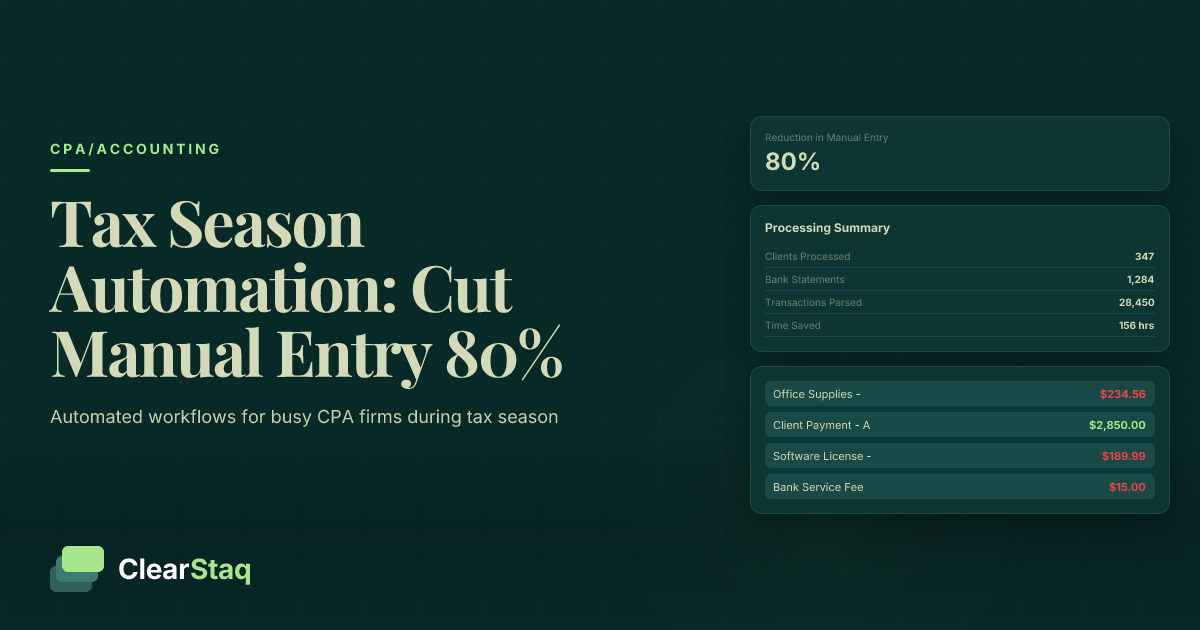
CPAs can reduce manual data entry by 80% during tax season through automated bank statement processing, expense categorization, and multi-client batch processing. Key automation areas include document parsing, transaction categorization mapped to chart of accounts, and API integration with existing tax software workflows.
What you'll learn
- Tax season automation saves CPAs 60-80 hours per season by eliminating manual data entry
- Bank statement processing accounts for 40% of manual data entry time during tax season
- Automated expense categorization achieves 95% accuracy while mapping to chart of accounts
- Multi-client batch processing allows simultaneous handling of hundreds of statements
- CPA firms typically see 300-500% ROI in their first tax season with automation
CPAs can reduce manual data entry by 80% during tax season through automated bank statement processing, expense categorization, and multi-client batch processing. Key automation areas include document parsing, transaction categorization mapped to chart of accounts, and API integration with existing tax software workflows.
Why Tax Season Automation Matters for CPAs
Tax season pushes every CPA firm to its limits. The average CPA processes over 300 client bank statements between January and April, with each statement requiring 15-20 minutes of manual data entry. That's 75-100 hours per accountant spent on repetitive tasks that technology can handle in seconds.
The pressure intensifies each year. Client volumes increase, deadlines remain fixed, and the complexity of financial documentation continues to grow. Meanwhile, your staff works longer hours, error rates climb, and the risk of burnout threatens your most valuable asset — your people.
The Hidden Cost of Manual Data Entry
Manual data entry costs more than just time. When CPAs manually process bank statements, the average error rate jumps to 3.6% during peak season — significantly higher than the 0.5% baseline. Each error requires 30-45 minutes to identify and correct, creating a cascade of delays.
Consider the financial impact: If your firm bills at $150 per hour and spends 100 hours on manual data entry, that's $15,000 in billable time lost to low-value tasks. Add overtime costs, which typically increase 40% during tax season, and the true cost becomes staggering.
Client Expectations in 2026
Today's clients expect real-time updates on their tax preparation status. They want faster turnaround times — 48 hours, not two weeks. And surprisingly, they expect lower fees despite increased complexity. Firms that can't deliver this combination lose clients to tech-forward competitors who've embraced CPA tax season workflow automation.
The competitive landscape has shifted. Clients now ask prospective CPAs about their technology stack, data security measures, and processing times. Firms still relying on manual processes find themselves at a significant disadvantage when competing for new business.
The 80% Rule: Where Manual Data Entry Happens Most
Not all manual tasks are created equal. Our analysis of CPA workflows reveals that 80% of data entry time concentrates in just three areas. Understanding this concentration helps you target automation efforts where they'll have the biggest impact.
Bank statement processing consumes 40% of total data entry time. Each client typically provides statements from 2-3 accounts, often in different formats. Staff must manually extract transactions, identify business expenses, and transfer data to tax preparation software.
Expense categorization accounts for another 25% of manual work. Every transaction needs proper classification according to IRS guidelines and your firm's chart of accounts. This task requires both accuracy and consistency — a challenging combination during busy season.
Client data collection rounds out the remaining 15%. Chasing missing documents, clarifying transaction details, and organizing supplementary information creates constant interruptions that fragment your team's productivity.
Bank Statement Processing Bottleneck
The bank statement bottleneck stems from format diversity. Your clients use dozens of different banks, each with unique statement layouts. Some provide searchable PDFs, others offer scanned images, and many still deliver paper statements that clients photograph with their phones.
Processing delays compound the problem. Clients submit statements throughout tax season, forcing your team to context-switch between different accounts and filing statuses. Each interruption reduces efficiency and increases the likelihood of errors.
Manual transaction review adds the final layer of complexity. Staff must verify running balances, identify duplicate entries, and flag suspicious transactions — all while maintaining focus during 10-hour workdays.
Expense Categorization Complexity
Proper expense categorization requires deep knowledge of both IRS regulations and client-specific business contexts. A restaurant's "supplies" purchase differs significantly from a construction company's, yet both might appear identical on a bank statement.
Chart of accounts mapping presents another challenge. Each client may use different accounting systems with unique categorization structures. Your team must mentally translate between these systems while maintaining compliance with tax reporting requirements. Tools that categorize business expenses from bank statements automatically can eliminate this mental gymnastics.
The IRS continually updates categorization rules and allowable deductions. Keeping current with these changes while processing hundreds of returns creates a perfect storm for categorization errors that could trigger audits or penalties.
5 Key Areas for CPA Tax Season Automation
Successful automation strategies target specific workflow bottlenecks with purpose-built solutions. These five areas offer the highest return on investment for CPA firms looking to reduce data entry CPA workload.
1. Automated Document Intake
Modern document intake systems eliminate the chaos of email attachments and physical drop-offs. Clients upload statements directly to secure portals that automatically validate file formats and completeness. The system alerts staff when new documents arrive and flags any that require special attention.
Smart intake platforms recognize document types automatically. Bank statements route to parsing queues, receipts flow to expense processing, and tax forms organize themselves by type. This pre-sorting saves hours of manual organization time.
Version control becomes automatic. When clients submit updated statements, the system maintains audit trails showing what changed and when. No more confusion about which statement version contains the final numbers.
2. Intelligent Data Extraction
Data extraction technology has evolved beyond simple OCR. Modern systems understand document context, identifying transaction tables, date formats, and balance calculations regardless of bank formatting.
Multi-format support ensures compatibility with any client submission. Whether dealing with encrypted PDFs, scanned images, or even smartphone photos, extraction accuracy remains consistent. The best systems achieve 99.5% accuracy on standard bank statements.
Error handling happens automatically. When extraction confidence drops below threshold levels, the system flags specific fields for human review rather than rejecting entire documents. This targeted approach maintains processing speed while ensuring accuracy.
3. Smart Expense Categorization
AI-powered categorization learns from your firm's historical patterns. After processing thousands of transactions, the system recognizes that "AMZN Marketplace" typically maps to office supplies for your business clients but might indicate inventory purchases for e-commerce clients.
Chart of accounts integration streamlines the categorization process. Modern automated expense categorization systems connect directly to your accounting software, ensuring transactions map correctly to client-specific account structures.
Learning algorithms improve accuracy over time. Each correction teaches the system, reducing future errors. Within a few processing cycles, categorization accuracy typically exceeds 95% for regular clients.
4. Multi-Client Workflow Management
Batch processing transforms how firms handle multiple clients. Instead of switching between individual files, staff can process dozens of statements simultaneously. Priority queues ensure urgent clients receive attention first while routine processing continues in the background.
Workflow automation extends beyond data extraction. Automated systems can generate preliminary reports, flag unusual transactions, and even prepare draft returns for review. This end-to-end automation dramatically reduces the time from document receipt to client delivery.
5. Quality Control and Review Processes
Automated quality control catches errors before they reach reviewers. Systems check for mathematical inconsistencies, missing data, and unusual patterns that might indicate problems. This pre-review screening ensures senior staff focus on high-value analysis rather than basic error detection.
Audit trails document every processing step. From initial upload through final categorization, systems maintain complete records of who did what and when. This documentation proves invaluable during client questions or IRS inquiries.
Bank Statement Processing: The Biggest Time-Saver
Bank statements represent the single largest opportunity for time savings during tax season. These documents contain the transaction data that drives most tax calculations, yet they arrive in dozens of incompatible formats that resist manual processing.
Why do bank statements consume 40% of tax prep time? The answer lies in their complexity. Each statement contains hundreds of transactions that must be extracted, categorized, and verified. Multiply this by multiple accounts per client and hundreds of clients per firm, and the scale becomes overwhelming.
Modern bank statement automation tax season solutions process these documents in seconds rather than minutes. They handle 900+ bank formats automatically, eliminating compatibility issues that plague manual processing. More importantly, they maintain 99.5% accuracy even on complex statements with multiple columns and subtotals.
Batch Processing for Multiple Clients
Queue management systems revolutionize how firms process client documents. Staff can upload hundreds of statements at once, letting the system process them in parallel while maintaining client separation. Multi-client bank statement processing reduces processing time from hours to minutes.
Parallel processing maximizes throughput during peak periods. While one statement undergoes data extraction, others move through categorization and validation. This pipeline approach ensures consistent output even when dealing with tax season volume spikes.
Status tracking provides real-time visibility into processing progress. Dashboards show which clients are complete, which await review, and which require additional documentation. This transparency helps managers allocate resources effectively and keep clients informed.
Integration with Tax Software
Direct integration with tax preparation software eliminates manual data transfer. Extracted transactions flow automatically into the appropriate forms and schedules. Systems that import bank statements into QuickBooks and other accounting platforms save additional hours of data entry.
API endpoints enable real-time synchronization between systems. As bank data processes, it immediately becomes available in your tax software. This tight integration reduces errors caused by manual copying and ensures data consistency across platforms.
Two-way sync capabilities allow updates in either system to reflect everywhere. If a reviewer recategorizes an expense in the tax software, the change propagates back to the source data. This bidirectional flow maintains data integrity throughout the preparation process.
Choosing the Right Automation Tools
Selecting automation tools requires careful evaluation of features, integration capabilities, and vendor stability. The right choice can transform your practice, while the wrong one creates new headaches during an already stressful season.
Start with accuracy as your primary criterion. A tool that saves time but introduces errors creates more work than it eliminates. Look for solutions with documented accuracy rates above 99% for standard bank statements. Test with your actual client documents before committing.
Integration capabilities determine how well new tools fit your existing workflow. Automated tax preparation workflow solutions should connect seamlessly with your current tax software, practice management system, and client portals. Avoid solutions that require extensive manual data transfer between systems.
Must-Have Features for CPA Firms
Multi-client support separates professional tools from consumer solutions. Your automation platform must handle hundreds of simultaneous clients while maintaining strict data separation. Look for role-based access controls, client-specific processing rules, and bulk operations capabilities.
Chart of accounts mapping flexibility accommodates diverse client needs. The system should support multiple mapping templates, allow custom rules for specific clients, and integrate with common accounting frameworks. Advanced solutions learn from your corrections to improve future categorization accuracy.
Audit trails satisfy both internal quality control and external compliance requirements. Every action should be logged with timestamp and user identification. Export capabilities ensure you can provide documentation when clients or regulators ask questions months or years later.
Integration Requirements
Tax software compatibility tops the integration checklist. Whether you use ProConnect, Lacerte, Drake, or UltraTax, ensure your automation tools communicate smoothly. ClearStaq vs DocuClipper comparison shows how integration depth varies between solutions.
Practice management systems coordinate your entire workflow. Automation tools should update project status, track time savings, and integrate with billing. This holistic integration provides the data needed to demonstrate ROI and optimize processes.
Client portal connectivity streamlines document collection. The best solutions allow clients to upload directly to processing queues, eliminating manual download and organization steps. Automatic notifications keep clients informed without staff intervention.
Implementation: Rolling Out Automation in Your Firm
Successful automation implementation requires more than just purchasing software. The most effective rollouts follow a structured approach that minimizes disruption while maximizing adoption. Start planning your implementation at least 60 days before tax season begins.
Change management proves as important as technology selection. Your team needs time to learn new systems, adjust workflows, and build confidence. Rushing implementation guarantees resistance and reduces the likelihood of success.
Phase 1: Pilot with Select Clients
Choose pilot clients carefully. Select those with straightforward returns and standard documentation. Avoid complex situations that might obscure whether problems stem from the technology or the client's unique circumstances.
Success metrics guide your pilot evaluation. Track time savings, error rates, and staff feedback. Compare automated processing results with manual methods to validate accuracy. Document any issues and their resolutions for future training.
Feedback collection should be systematic and ongoing. Schedule weekly check-ins with pilot team members. Create simple forms for logging issues and suggestions. This structured approach ensures you capture insights that improve the full rollout.
Staff Training and Adoption
Training schedules should accommodate different learning styles and speeds. Offer multiple sessions covering the same material. Record training videos for staff who prefer self-paced learning. Create quick reference guides for common tasks.
Best practices emerge from actual usage. Document shortcuts and efficiency tips discovered by early adopters. Share success stories that demonstrate time savings and error reduction. This peer-to-peer knowledge transfer often proves more effective than formal training.
Troubleshooting guides prevent small issues from becoming major frustrations. Compile common problems and their solutions. Establish clear escalation paths for issues requiring vendor support. Quick problem resolution maintains momentum and prevents automation abandonment.
How ClearStaq Transforms CPA Tax Season Workflows
ClearStaq addresses the specific challenges CPAs face during tax season with purpose-built features. Unlike generic document processing tools, ClearStaq understands the unique requirements of tax preparation workflows and multi-client environments.
The platform's multi-client batch processing capabilities allow firms to upload hundreds of bank statements simultaneously. Each client's data remains completely segregated while processing in parallel. This approach maintains the efficiency of bulk processing without compromising data security or client confidentiality.
Automated expense categorization in ClearStaq maps directly to your chart of accounts structure. The system learns from your categorization patterns, improving accuracy with each processed statement. CPA automation solutions like this eliminate the repetitive decision-making that exhausts staff during tax season.
CPA-Specific Features
Bulk client processing extends beyond simple batch uploads. ClearStaq maintains separate processing rules, categorization preferences, and output formats for each client. A restaurant's transactions categorize differently than a construction company's, even when processed in the same batch.
Custom categorization rules accommodate client-specific requirements. Set rules based on transaction descriptions, amounts, or dates. Create exceptions for unique situations. The system applies these rules consistently across all statements, ensuring uniformity that manual processing can't match.
Audit trail maintenance happens automatically with every action logged. From initial upload through final export, ClearStaq tracks who did what and when. This comprehensive documentation proves invaluable during reviews, client inquiries, or regulatory audits.
Peak Season Performance
Scalable processing ensures consistent performance regardless of volume. ClearStaq's infrastructure handles tax season peaks without slowdowns or queuing delays. Process one statement or one thousand with the same rapid turnaround.
Priority queues let you manage urgent clients without disrupting routine processing. Flag high-priority statements for immediate processing while others continue through standard workflows. This flexibility helps maintain client relationships during time-sensitive situations.
24/7 availability means your team can process documents whenever convenient. Upload statements after hours for morning delivery. Access results from home during weekend catch-up sessions. This round-the-clock availability extends your effective working hours without extending staff schedules.
See ClearStaq's Fraud Detection in Action
Upload a bank statement and see instant fraud analysis with 27 detection signals. Start your free trial — no credit card required.
Measuring Success: ROI and Time Savings
Quantifying automation benefits requires systematic measurement before and after implementation. Track specific metrics that demonstrate both immediate time savings and long-term value creation. Most firms see positive ROI within their first tax season.
Time savings provide the most obvious metric. Measure how long tasks take before automation, then compare with post-implementation times. Include not just data entry, but also error correction, client communication, and review processes. The full picture often reveals savings beyond initial estimates.
Cost reduction extends beyond direct labor savings. Factor in reduced overtime, fewer temporary staff requirements, and decreased error-related rework. Many firms also report reduced staff turnover as automation eliminates the most tedious aspects of tax season work.
Time Tracking Methodology
Baseline measurements establish your starting point. Track a representative sample of client statements through your current manual process. Document each step, from receipt through final categorization. Include time spent on corrections and client clarifications.
Post-implementation tracking uses the same methodology for accurate comparison. Process similar statements through your automated workflow. Track active time spent on review and exceptions, not total processing time. This distinction highlights the true efficiency gains.
ROI calculations should include both hard and soft benefits. Hard benefits include reduced labor costs and increased capacity. Soft benefits encompass improved accuracy, faster client turnaround, and enhanced staff satisfaction. Together, these factors typically yield 300-500% first-year ROI.
Beyond Time Savings
Error reduction improves client relationships and reduces liability exposure. Automated processing maintains consistent accuracy even during peak periods when manual error rates typically spike. This reliability builds client confidence and reduces time spent on corrections.
Client satisfaction increases with faster turnaround times and proactive communication. Automation enables you to provide status updates and deliver results days or weeks faster than manual processing allows. Happy clients refer others and remain loyal despite competitive pressures.
Staff retention improves when you eliminate mind-numbing data entry tasks. Your team can focus on high-value advisory work rather than manual processing. This shift not only improves job satisfaction but also positions your firm for growth beyond compliance services.
Frequently Asked Questions
How can CPAs automate tax season workflows?
CPAs can automate workflows through bank statement processing, expense categorization, multi-client batch processing, and API integrations with existing tax software. The biggest impact comes from automating document intake and data extraction.
What tools reduce data entry for CPAs during tax season?
Bank statement parsing tools, OCR document processors, and automated expense categorization systems reduce data entry by up to 80%. ClearStaq specializes in multi-client processing for CPA firms.
How much time does automation save CPAs during tax season?
Automation typically saves 80% of manual data entry time. For a CPA processing 300 client statements, this translates to 60-80 hours saved per tax season, plus reduced errors and staff overtime.
What's the ROI of tax season automation for CPA firms?
Most CPA firms see 300-500% ROI in the first tax season through reduced labor costs, faster turnaround times, and ability to handle more clients without additional staff.
How do you integrate automation into existing CPA workflows?
Start with a pilot program using select clients, ensure API compatibility with existing tax software, train staff on new processes, and gradually expand to all clients while maintaining quality controls.
Ready to cut your tax season data entry by 80%?
Join hundreds of CPA firms using ClearStaq to automate their busiest season. Book a demo to see the multi-client dashboard in action.
Frequently Asked Questions
How can CPAs automate tax season workflows?
CPAs can automate workflows through bank statement processing, expense categorization, multi-client batch processing, and API integrations with existing tax software. The biggest impact comes from automating document intake and data extraction.
What tools reduce data entry for CPAs during tax season?
Bank statement parsing tools, OCR document processors, and automated expense categorization systems reduce data entry by up to 80%. ClearStaq specializes in multi-client processing for CPA firms.
How much time does automation save CPAs during tax season?
Automation typically saves 80% of manual data entry time. For a CPA processing 300 client statements, this translates to 60-80 hours saved per tax season, plus reduced errors and staff overtime.
What's the ROI of tax season automation for CPA firms?
Most CPA firms see 300-500% ROI in the first tax season through reduced labor costs, faster turnaround times, and ability to handle more clients without additional staff.
How do you integrate automation into existing CPA workflows?
Start with a pilot program using select clients, ensure API compatibility with existing tax software, train staff on new processes, and gradually expand to all clients while maintaining quality controls.
ClearStaq Team
Product Team
The ClearStaq team builds AI-powered tools for bank statement parsing, fraud detection, and income verification.