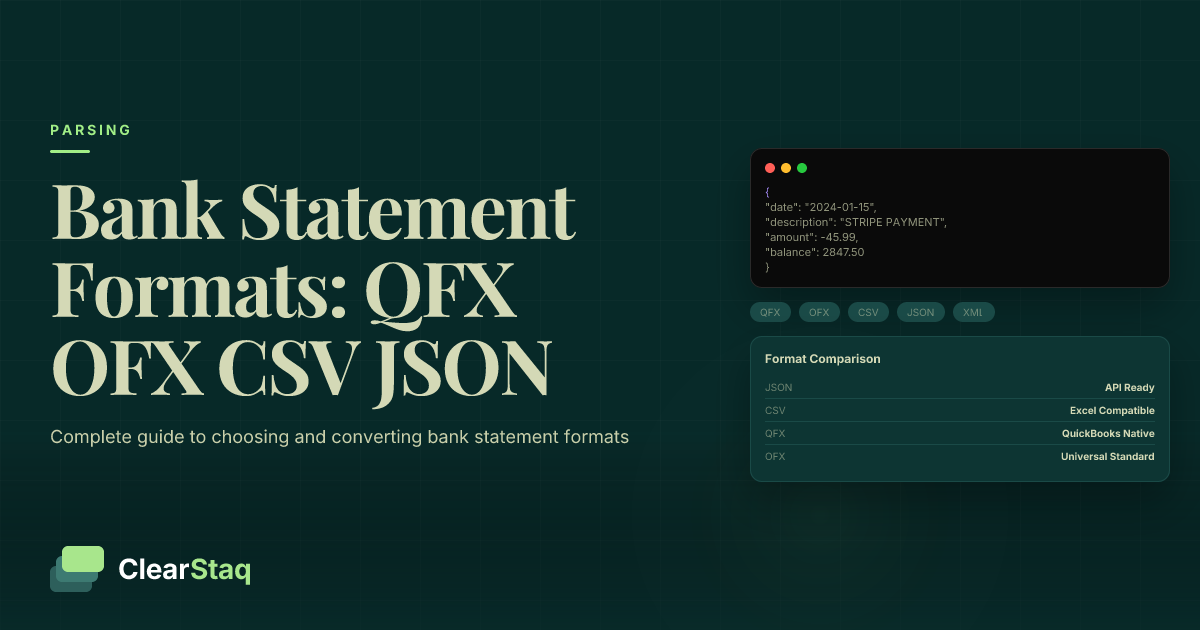
Bank statement conversion formats include QFX (QuickBooks' proprietary format), OFX (open XML standard), CSV (comma-separated values), and JSON (JavaScript Object Notation). Each format serves different purposes: QFX for QuickBooks integration, OFX for broad accounting software compatibility, CSV for spreadsheet analysis, and JSON for modern API-based applications.
What you'll learn
- QFX is QuickBooks' proprietary format optimized for direct import, while OFX is an open standard supporting multiple platforms
- CSV offers universal compatibility and human readability but lacks rich metadata compared to XML-based formats
- JSON provides the most flexible data structure for modern API-based applications and real-time processing
- Format choice depends on software compatibility, processing volume, and technical infrastructure requirements
- API-based parsing services can automatically convert any input format to your desired output format
Bank statement conversion formats include QFX (QuickBooks' proprietary format), OFX (open XML standard), CSV (comma-separated values), and JSON (JavaScript Object Notation). Each format serves different purposes: QFX for QuickBooks integration, OFX for broad accounting software compatibility, CSV for spreadsheet analysis, and JSON for modern API-based applications.
What Are Bank Statement File Formats?
Bank statement file formats are standardized ways to structure financial transaction data for computer processing. Think of them as different languages that accounting software uses to understand your banking information. Without these formats, you'd be stuck manually entering every transaction into your financial software.
Why do formats matter so much? It's all about software compatibility and data exchange. Your bank might provide statements in one format, but your accounting software needs another. The right format enables seamless data flow between systems, eliminating hours of manual data entry and reducing errors.
Four main formats dominate the financial data landscape: QFX (QuickBooks Exchange), OFX (Open Financial Exchange), CSV (Comma-Separated Values), and JSON (JavaScript Object Notation). Each evolved to solve specific problems in financial data management, from proprietary software integration to open standards that work across platforms.
Why File Formats Matter for Financial Data
Data portability stands as the primary benefit of standardized formats. When your financial data lives in a recognized format, you can move it between applications without losing critical transaction details. This flexibility becomes essential as businesses grow and their software needs evolve.
Software integration capabilities depend heavily on format compatibility. Modern accounting platforms expect data in specific formats, and providing the wrong one means your import fails or requires manual intervention. The right format enables automated workflows that save time and reduce errors.
Automation capabilities unlock when you use the appropriate format. Instead of manually entering transactions, properly formatted data flows directly into your accounting system. This automation extends beyond simple imports to enable real-time bank statement parsing and instant financial insights.
The Evolution of Bank Statement Formats
The journey from manual entry to automated processing transformed how businesses handle financial data. In the early days, accountants typed every transaction by hand. Then came basic file imports, followed by increasingly sophisticated formats that carried more transaction metadata.
The rise of API-based solutions represents the latest evolution in bank statement formats. JSON emerged as the preferred format for modern applications, enabling real-time data exchange between cloud services. This shift reflects the broader move toward connected, automated financial workflows.
QFX Format: QuickBooks' Native Format
QFX stands as QuickBooks' proprietary format, developed by Intuit specifically for seamless integration with their accounting software. Built on the OFX standard but optimized for QuickBooks, QFX files carry the .qfx extension and enable direct import without conversion steps.
The format's primary advantage lies in its direct import capability into QuickBooks. Users simply download their bank statement in QFX format and import it with a few clicks. QuickBooks automatically matches transactions, categorizes expenses, and updates account balances.
QFX Technical Structure
QFX uses an XML-based format that structures transaction data in a hierarchical manner. Each file begins with an SGML header that identifies the format version and encoding. This header requirement ensures QuickBooks can properly parse the incoming data.
The transaction data structure within QFX files includes detailed fields for dates, amounts, payees, and transaction types. Each transaction gets wrapped in specific XML tags that QuickBooks recognizes, enabling automatic categorization based on previous entries.
When to Use QFX Format
QuickBooks users benefit most from the QFX format. If your business relies on QuickBooks for accounting, choosing QFX eliminates conversion steps and ensures maximum compatibility. The format preserves all transaction details that QuickBooks needs for accurate bookkeeping.
Automated bookkeeping workflows work smoothly with QFX files. Many banks offer direct QFX downloads, and third-party services can import bank statements into QuickBooks by converting other formats to QFX automatically.
Client deliverables often require QFX format when working with businesses using QuickBooks. Accountants and bookkeepers save time by providing statements in the client's preferred format, avoiding back-and-forth about file compatibility.
QFX Limitations
The proprietary nature of QFX creates vendor lock-in. Only QuickBooks and a handful of other Intuit products fully support the format. If you switch accounting software, your QFX files won't import directly into most alternatives.
Limited software support outside the Intuit ecosystem means QFX files require conversion for use in other applications. This limitation becomes problematic when collaborating with partners using different accounting platforms.
Version compatibility issues can arise between different QuickBooks releases. Older versions might not support features in newer QFX files, creating import errors that require manual resolution.
OFX Format: The Open Standard
The Open Financial Exchange (OFX) format emerged as an industry-wide standard for financial data exchange. Maintained by the OFX consortium, this XML-based structure provides a vendor-neutral way to share transaction data between financial institutions and software applications.
Most major accounting software platforms support OFX, making it the most versatile format for multi-platform environments. Unlike proprietary formats, OFX specifications are publicly available, enabling any developer to build compatible applications.
OFX Technical Specifications
OFX employs a well-defined XML schema that standardizes how financial data gets structured. The schema includes specific elements for account information, transaction details, and institutional data. This standardization ensures consistent interpretation across different software platforms.
Message types in OFX cover various financial operations beyond simple transaction lists. The format supports balance inquiries, payment instructions, and investment transactions. Each message type follows strict formatting rules to maintain compatibility.
Data elements within OFX files include comprehensive transaction metadata. Beyond basic date and amount fields, OFX captures transaction IDs, posting dates, check numbers, and merchant information. This rich data enables sophisticated categorization and reconciliation features.
OFX vs QFX: Key Differences
The fundamental difference lies in openness versus proprietary control. OFX remains an open standard anyone can implement, while QFX belongs exclusively to Intuit. This distinction affects everything from software compatibility to long-term data portability.
Software compatibility varies significantly between the formats. OFX works with Xero, Sage, FreshBooks, and dozens of other platforms. QFX primarily serves QuickBooks users, though some tools can read both formats.
Feature differences are minimal since QFX builds on OFX. However, QFX includes QuickBooks-specific extensions that enable tighter integration with Intuit's ecosystem. These extensions don't translate when converting QFX back to standard OFX.
Automatic format detection
No configuration required • Just upload and go
Software That Supports OFX
Xero handles OFX imports seamlessly, automatically matching transactions to existing entries. The platform's bank reconciliation features work particularly well with OFX data, reducing manual matching work.
Sage accounting products across their entire range support OFX imports. From Sage 50 to Sage Intacct, the format provides consistent data exchange capabilities for businesses of all sizes.
FreshBooks accepts OFX files for bank reconciliation, though the platform favors direct bank connections when available. The OFX import serves as a reliable fallback for banks without API integrations.
Custom applications benefit from OFX's open specification. Developers can build import routines without licensing fees or proprietary documentation, making OFX ideal for specialized financial software.
CSV Format: Simple and Universal
Comma-separated values (CSV) represent the simplest approach to bank statement data. This plain-text format arranges transactions in rows and columns, readable by any spreadsheet application. While lacking the sophistication of XML-based formats, CSV's simplicity makes it universally accessible.
Human-readable and editable without special software, CSV files open in Excel, Google Sheets, or even basic text editors. This accessibility makes CSV the go-to format for manual review and quick edits before importing into accounting systems.
Universal spreadsheet compatibility ensures CSV files work everywhere. From enterprise accounting systems to personal finance apps, virtually every financial software accepts CSV imports. The format's flexibility allows custom column structures to match specific requirements.
CSV Structure for Bank Statements
Required columns typically include transaction date, description, and amount. Most systems expect these three fields at minimum, though additional columns for categories, check numbers, or balance information enhance functionality.
Date formats in CSV files require consistency. Whether using MM/DD/YYYY or YYYY-MM-DD, maintaining the same format throughout prevents import errors. Many import failures trace back to inconsistent date formatting.
Amount formatting needs attention to positive and negative values. Some systems expect debits as negative numbers, while others use separate debit and credit columns. Understanding your target software's expectations prevents reconciliation headaches.
CSV Advantages and Limitations
Simplicity stands as CSV's greatest strength and weakness. The format's straightforward structure makes it easy to understand and modify, but this simplicity limits the metadata you can include. Complex transaction details that XML formats handle easily don't fit well in CSV's tabular structure.
Data type limitations affect how CSV handles numbers and dates. Everything in a CSV file is technically text, requiring import routines to interpret data types. This interpretation sometimes fails, turning account numbers into scientific notation or misreading date formats.
Manual processing needs increase with CSV files. Unlike structured formats that carry metadata, CSV imports often require manual mapping of columns and data type specification. This overhead becomes significant when processing multiple files.
Best Practices for CSV Bank Statements
Column naming conventions matter more than you might think. Use clear, consistent headers like "Transaction Date" rather than ambiguous abbreviations. Well-named columns reduce confusion during import mapping.
Date standardization across your CSV files saves countless hours. Pick one format and stick with it. ISO 8601 format (YYYY-MM-DD) works universally and sorts correctly, making it an excellent choice for financial data.
Encoding considerations affect special characters in transaction descriptions. UTF-8 encoding handles international characters and symbols correctly, preventing garbled text in merchant names or transaction details.
JSON Format: Modern Data Exchange
JavaScript Object Notation (JSON) represents the newest entrant in bank statement formats. Originally designed for web applications, JSON's flexibility and structure make it ideal for modern financial data exchange. Its human-readable format combines CSV's accessibility with XML's structural capabilities.
Native web application format means JSON integrates seamlessly with contemporary software architectures. Unlike older formats designed for desktop software, JSON fits naturally into cloud-based workflows and real-time processing systems.
API-friendly structure makes JSON the preferred format for financial technology platforms. REST APIs typically exchange data in JSON, enabling real-time transaction processing and instant data synchronization between services.
Rich metadata support distinguishes JSON from simpler formats. While CSV struggles with hierarchical data, JSON easily represents complex relationships between accounts, transactions, and categories. This capability enables sophisticated financial analysis without data loss.
JSON Structure for Financial Data
Nested objects in JSON naturally represent financial relationships. An account object can contain arrays of transactions, each with its own properties and sub-objects for categorization or tagging. This hierarchical structure mirrors how we think about financial data.
Arrays for transactions provide flexible data organization. Unlike fixed-column formats, JSON arrays can hold varying transaction types with different properties. A wire transfer might include routing information, while a check transaction carries check numbers.
Metadata inclusion happens naturally in JSON structures. Additional context like processing timestamps, data source identifiers, or confidence scores for parsed data fit seamlessly alongside core transaction information.
API Integration Benefits
Real-time processing becomes possible when financial data flows through APIs in JSON format. Instead of batch uploads, transactions stream continuously from bank to accounting system, enabling up-to-the-minute financial visibility.
Webhook compatibility allows push-based architectures. When new transactions arrive, webhooks notify your systems instantly. This event-driven approach eliminates polling and reduces latency in financial workflows.
Modern application support for JSON is nearly universal. Every programming language includes JSON parsing libraries, and cloud platforms handle JSON natively. This widespread support reduces integration complexity when building with the ClearStaq API.
JSON vs Traditional Formats
Flexibility advantages of JSON become apparent when handling diverse transaction types. Traditional formats force all transactions into the same rigid structure, while JSON adapts to each transaction's unique properties without compromise.
Processing speed improvements come from JSON's efficient parsing. Modern JSON parsers outperform XML parsers significantly, especially important when processing thousands of transactions in real-time applications.
Developer experience with JSON surpasses older formats dramatically. The format's simplicity, combined with excellent tooling and documentation, reduces development time and debugging complexity. This efficiency translates to faster feature delivery and fewer integration issues.
Format Comparison: Which Should You Use?
Selecting the right bank statement format depends on multiple factors unique to your situation. Your decision matrix should consider software compatibility, processing volume, technical capabilities, and future scalability needs. No single format works best for everyone.
Software compatibility requirements often dictate format choice. If you're locked into QuickBooks, QFX makes sense. For multi-platform environments, OFX provides broader compatibility. Modern API-driven workflows favor JSON, while manual processes might prefer CSV's simplicity.
Processing volume considerations affect format efficiency. High-volume operations benefit from JSON's parsing speed and API compatibility. Lower volumes might not justify the technical investment, making CSV or OFX more practical choices.
Technical team capabilities influence implementation success. JSON requires programming knowledge, while CSV works for non-technical users. Consider your team's skills when choosing between sophisticated and simple formats.
For Accounting Software Integration
QFX for QuickBooks remains the obvious choice for Intuit ecosystem users. The format's native support eliminates conversion steps and ensures all QuickBooks features work correctly. Transaction matching, categorization, and reporting all function optimally with QFX data.
OFX for multiple platforms provides the flexibility growing businesses need. As companies add new financial tools, OFX's broad support prevents data silos. The format works well for businesses using different accounting software across departments or subsidiaries.
CSV for custom workflows offers maximum control over data structure. When standard formats don't meet specific needs, CSV's flexibility allows custom field arrangements. This adaptability makes CSV popular for specialized reporting or integration scenarios.
For API and Automation
JSON for modern applications has become the de facto standard in fintech. API-first architectures naturally gravitate toward JSON's structure and parsing efficiency. The format's flexibility handles complex financial products and evolving data requirements.
Real-time vs batch processing requirements guide format selection. JSON excels at streaming individual transactions, while CSV and OFX work better for periodic batch uploads. Consider your latency requirements when choosing formats.
Scalability considerations favor formats with efficient parsing. JSON's lightweight structure and fast parsers handle growing transaction volumes better than XML-based formats. This efficiency becomes critical as businesses scale their financial operations.
Data Richness Comparison
Metadata support varies dramatically across formats. JSON leads with unlimited nested metadata capabilities. OFX and QFX provide good metadata support within their XML schemas. CSV trails significantly, limited to flat tabular data.
Transaction details preservation depends on format capabilities. XML-based formats (OFX/QFX) maintain rich transaction properties through defined schemas. JSON preserves everything through flexible object structures. CSV loses nuanced data unless carefully structured.
Custom fields showcase each format's extensibility. JSON accepts any additional fields without schema changes. OFX allows extensions within its framework. QFX limits customization to maintain QuickBooks compatibility. CSV requires agreement on column additions.
How to Convert Between Formats
Converting between bank statement formats has become increasingly important as businesses use multiple financial tools. Whether you need to move data from CSV to QFX for QuickBooks import or convert OFX to JSON for API processing, understanding conversion options saves time and prevents data loss.
Manual conversion methods work for small volumes but quickly become impractical. Online tools and desktop software provide basic conversion capabilities, though quality varies significantly. These tools often struggle with edge cases and complex transaction types.
Automated conversion tools range from simple scripts to sophisticated parsing services. The best solutions handle format quirks automatically, preserving all transaction data while adapting to target format requirements. This automation becomes essential when processing hundreds of statements monthly.
API-based conversion services offer the most scalable approach. Instead of managing conversion logic yourself, these services handle format complexity while you focus on your core business. Modern APIs can parse any input format and deliver clean data in your preferred output format.
Tired of Manual Format Conversion?
ClearStaq automatically outputs bank statement data in QFX, OFX, CSV, or JSON format from any input. Start your free trial — no credit card required.
Manual Conversion Tools
Online converters provide quick solutions for occasional conversions. Upload your CSV file, map the columns, and download the converted QFX or OFX file. These tools work well for simple conversions but often fail with complex transaction types or non-standard formats.
Desktop software offers more control over conversion parameters. Applications like ProperSoft converters handle various format combinations with customizable mapping rules. However, desktop tools require installation, updates, and manual processing for each file.
Limitations and risks of manual conversion include data loss, formatting errors, and security concerns. Free online tools might not protect sensitive financial data adequately. Desktop software requires trust in the vendor and regular updates to handle format changes.
API-Based Format Conversion
Real-time conversion through APIs eliminates manual processing entirely. Upload a bank statement in any format, and receive structured data in your preferred format within seconds. This approach scales effortlessly from single documents to thousands of statements.
Multiple output formats from a single API call provide ultimate flexibility. Modern parsing APIs can return the same transaction data as JSON for your application, QFX for QuickBooks, and CSV for spreadsheet analysis — all from one source document.
Scalability benefits become apparent as transaction volumes grow. APIs handle batch processing efficiently, converting hundreds of statements in parallel. This scalability eliminates conversion bottlenecks in high-volume operations.
6 fields extracted automatically • 99.8% accuracy
Data Mapping and Field Alignment
Common field mappings between formats follow predictable patterns. Transaction dates, amounts, and descriptions exist in all formats but with different field names and structures. Understanding these mappings prevents data loss during conversion.
Handling format-specific features requires careful consideration. OFX's investment transaction types don't translate directly to CSV's flat structure. QFX's QuickBooks-specific fields might not have equivalents in generic formats. Successful conversion strategies account for these differences.
Data validation after conversion ensures accuracy. Compare transaction counts, sum amounts, and spot-check individual transactions. Automated validation routines catch conversion errors before they affect downstream processes. With 900+ bank format support, modern parsing services handle these validations automatically.
Best Practices for Format Selection
Choosing the right bank statement format requires careful evaluation of your current needs and future growth plans. The best format for your organization balances immediate requirements with long-term flexibility. Start by assessing your workflow requirements comprehensively.
Consider technical infrastructure when selecting formats. Legacy systems might require specific formats, while modern cloud platforms prefer JSON. Your existing technology stack often indicates the path of least resistance for format adoption.
Plan for future scalability from day one. A format that works for dozens of transactions might fail at thousands. Similarly, manual processes that seem manageable today become bottlenecks as your business grows. Choose formats that scale with your ambitions.
Evaluate data security needs carefully. Some formats travel better over secure channels than others. JSON works well with modern encryption protocols, while CSV files often move through less secure channels like email. Consider how your chosen format affects data protection compliance.
For Small Businesses and CPAs
Client software preferences often drive format decisions for accounting professionals. Survey your clients' accounting software usage and standardize on formats that serve the majority. This standardization reduces support requests and improves client satisfaction.
Manual processing tolerance varies by firm size and technical sophistication. Smaller firms might accept some manual work to avoid technology investments. However, even modest automation through format standardization can dramatically improve efficiency and accuracy.
Cost considerations extend beyond software licenses. Factor in time spent on format conversion, error correction, and client support. Often, investing in better format support or parsing services pays for itself through efficiency gains and error reduction.
For Lenders and Financial Services
Volume requirements in lending operations demand efficient format handling. Processing hundreds of loan applications means thousands of bank statements. Manual format conversion becomes impossible at this scale, making API-based solutions essential for maintaining processing speed.
Integration needs with loan origination systems (LOS) and credit decisioning platforms guide format choices. Modern fintech infrastructure favors JSON for its flexibility and parsing speed. Legacy systems might require specific formats, creating integration challenges that need strategic solutions.
Compliance considerations affect format selection in regulated environments. Audit trails, data retention, and tamper-evidence requirements might favor certain formats. Ensure your chosen format supports necessary compliance features without compromising efficiency.
Future-Proofing Your Format Choice
Technology trends point toward API-driven, real-time financial data exchange. JSON's dominance in modern web services suggests it will remain relevant for years. However, maintaining flexibility to adapt to new formats prevents vendor lock-in and technical debt.
API-first approach to format handling provides maximum flexibility. Instead of committing to specific formats, use services that accept any input and provide any output. This abstraction layer insulates your business from format changes while enabling innovation.
Vendor lock-in avoidance requires conscious format strategy. Proprietary formats like QFX create dependencies that become expensive to break. Balance immediate convenience against long-term flexibility when choosing formats. The most successful businesses maintain format agility through their parsing platform choices.
Frequently Asked Questions
What is the difference between QFX and OFX formats?
QFX is QuickBooks' proprietary format based on OFX but optimized for direct import into QuickBooks. OFX is an open standard supported by multiple accounting software platforms, offering broader compatibility but requiring format-specific handling by each application.
Which bank statement format is best for accounting software?
It depends on your software: Use QFX for QuickBooks, OFX for multi-platform compatibility (Xero, Sage, FreshBooks), CSV for spreadsheet analysis and custom workflows, or JSON for modern API-based applications and real-time processing.
Can I convert CSV bank statements to QFX or OFX format?
Yes, CSV can be converted to QFX or OFX using conversion tools or APIs. However, CSV has limited metadata compared to QFX/OFX, so some transaction details may be lost in the conversion process.
Which format provides the most transaction data?
JSON typically provides the richest transaction data with support for nested metadata, custom fields, and flexible data structures. OFX and QFX offer good transaction detail within their XML schemas, while CSV is limited to basic tabular data.
How do I convert between bank statement formats automatically?
API-based parsing services like ClearStaq can automatically convert bank statements from any input format to your desired output format (QFX, OFX, CSV, JSON) in real-time, eliminating manual conversion steps.
Skip the Format Conversion Hassle
ClearStaq parses 900+ bank formats and delivers clean data in whatever format your software needs — QFX, OFX, CSV, or JSON. Start your free trial today.
Frequently Asked Questions
What is the difference between QFX and OFX formats?
QFX is QuickBooks' proprietary format based on OFX but optimized for direct import into QuickBooks. OFX is an open standard supported by multiple accounting software platforms, offering broader compatibility but requiring format-specific handling by each application.
Which bank statement format is best for accounting software?
It depends on your software: Use QFX for QuickBooks, OFX for multi-platform compatibility (Xero, Sage, FreshBooks), CSV for spreadsheet analysis and custom workflows, or JSON for modern API-based applications and real-time processing.
Can I convert CSV bank statements to QFX or OFX format?
Yes, CSV can be converted to QFX or OFX using conversion tools or APIs. However, CSV has limited metadata compared to QFX/OFX, so some transaction details may be lost in the conversion process.
Which format provides the most transaction data?
JSON typically provides the richest transaction data with support for nested metadata, custom fields, and flexible data structures. OFX and QFX offer good transaction detail within their XML schemas, while CSV is limited to basic tabular data.
How do I convert between bank statement formats automatically?
API-based parsing services like ClearStaq can automatically convert bank statements from any input format to your desired output format (QFX, OFX, CSV, JSON) in real-time, eliminating manual conversion steps.
ClearStaq Team
Product Team
The ClearStaq team builds AI-powered tools for bank statement parsing, fraud detection, and income verification.